
Omi CLI
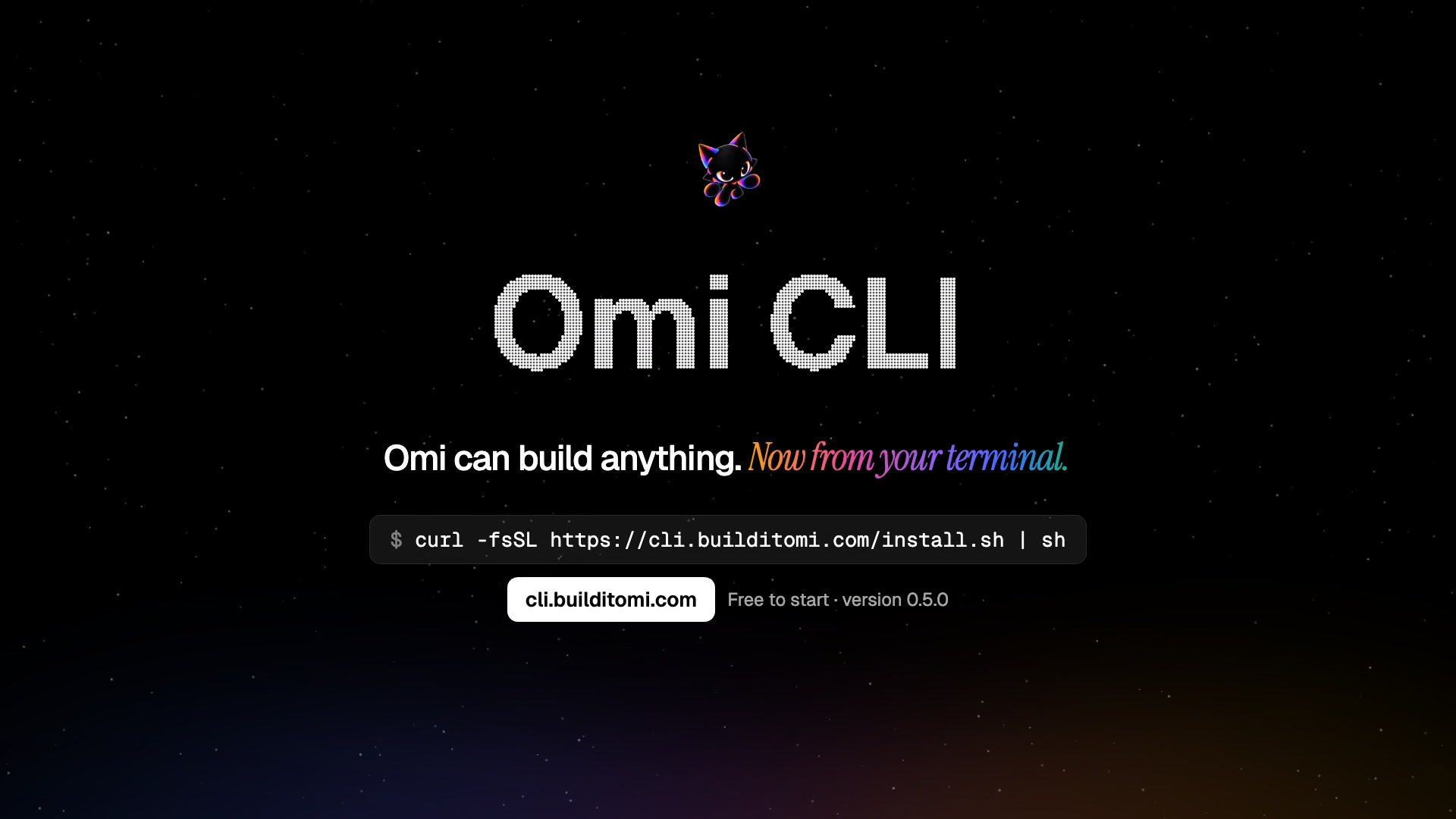
Omi CLI is BuildItOmi's AI coding agent for the terminal: it plans, edits with diffs you approve, runs your tests until they pass, splits work between subagents and runs on 13 hosted models or your own. Free tier; Pro $20/month.
About Omi CLI
What Omi CLI is
Omi CLI is an AI coding agent that runs in your terminal, inside the project folder you start it in. You give it a task in plain words ("fix the failing tests", "add a billing API route and its tests") and it reads the code, writes a plan, shows each file edit as a diff for you to approve, runs your commands and test suite, and keeps going until the tests pass. It is installed from npm as @builditomi/cli, needs Node.js 18.17 or newer, and runs on macOS and Linux (Windows through WSL). The command is omi.
It is made by BuildItOmi, a product company of SahooTek, a GST-registered software business in Rourkela, Odisha, India, led by chairman Balaram Sahoo according to the SahooTek site. Omi CLI sits next to the company's other products: the BuildItOmi app builder, Bolts (AI employees for businesses), the BuildItOmi API and Omi Work, a team AI workspace. The CLI is very new. Its changelog dates version 0.1.0 to November 20, 2026, versions 0.2.0 through 0.5.0 to November 21, and 0.5.1 (a release fixing problems a Product Hunt user reported on a brand-new project) to November 23, 2026, the day we checked.
How it works
- The coding loop. Omi reads the repository with list, glob, grep and read tools, plans first if you ask (
/plan, then/build), edits with diffs you approve, runs commands, and/testruns the suite and fixes failures in a loop. Git is built in:/diff,/commit(it writes the message) and/branch. - Four approval modes.
ask(the default) reads freely but asks before every edit and every command that is not read-only;auto-editapplies edits but still asks before commands;yoloruns everything;planchanges nothing./undoputs back every file the last task changed, even without git, and/rewindreturns code, conversation or both to before an earlier task. - Parallel work (added in 0.5.0). A job can be split between subagents, each in its own git worktree; Omi merges their changes back as normal approved edits, three-way if you changed a file meanwhile.
omi bg "task"starts a background agent that keeps going after you close the terminal, andomi cloud "task"runs Omi on your repository's GitHub Actions and opens a pull request. - Browser testing. A
browsertool opens your app in a headless Chrome with a throwaway profile, clicks and types, reports console errors and failed requests, and takes screenshots the model looks at. Local addresses open freely; other sites ask first. - Your setup. MCP servers over stdio (
omi mcp add, saved in~/.omi/mcp.json), hooks on five events in.omi/settings.json, custom slash commands and skills in.omi/commandsand.omi/skills(Claude Code's.claude/commands, skills and agent types load as they are), project memory inOMI.md, a VS Code extension,omi reviewfor pull requests, andomi -pwith--output-format jsonfor scripts and CI. - Models. On a BuildItOmi plan, Omi offers 13 models from DeepSeek, Google, OpenAI (the open-weights gpt-oss 120B) and Z.ai, and the default "Auto" picks one per turn (DeepSeek V4.1 Flash for everyday coding, Gemini 4 Hydrogen for hard problems, per the site). You can also run local models (
-m ollama:<model>orlmstudio:) with no sign-in, or your own API key for OpenAI, Anthropic, Gemini, DeepSeek, OpenRouter, Groq or any OpenAI-compatible server; those turns go straight to the provider and do not count against Omi's limits.
On privacy, BuildItOmi says file tools stay inside the project folder, what Omi reads is sent only to run the model for that turn, it keeps token counts for billing but not code or conversations, and sessions live in ~/.omi on your computer. That is the company's statement; we did not audit the service.
What we checked: the npm package, run without an account
On November 23, 2026 we downloaded @builditomi/[email protected] from npm in a Linux sandbox (Node 22) and ran it without signing in:
$ npm pack @builditomi/[email protected]   # 18 files, 264 KB unpacked
$ cat package/package.json | jq .dependencies
null                               # no runtime dependencies at all
$ wc -l package/src/*.js package/bin/*.js | tail -1
  3758 total                       # 14 source modules + bin/omi.js
$ omi --version
0.5.1
$ omi -p "say hi"
Not signed in. Run `omi login` (or set OMI_TOKEN), or use your own model with -m ollama:<model>.
$ omi -m ollama:qwen3 -p "say hi"    # no Ollama server running
  Could not reach Ollama (local) at http://localhost:11434/v1. Is it running? (ECONNREFUSED) Retrying in 5s...
  (three retries, then exits with the same message)
Four things that tells you. First, the package is small and dependency-free: everything, including the MCP client, subagents and browser driver glue, is in about 3,800 lines of plain JavaScript you can read. Second, it is not open source. The LICENSE reads "All rights reserved": you may install and run it with a BuildItOmi account under the company's terms and read the source, but redistributing modified versions needs written permission. Third, the bring-your-own-model path really does work without an account: with -m ollama: it went straight to the local Ollama address and never asked us to log in. Fourth, the --sandbox flag is a thin wrapper we could read in src/extras.js: on macOS it runs commands under the built-in sandbox-exec; on Linux it uses bubblewrap with the whole filesystem read-only except the project and /tmp, and --unshare-net unless you pass --sandbox-net. If bubblewrap is not installed, --sandbox refuses to start rather than running unsandboxed.
Pricing (checked November 23, 2026)
| Plan | Price | Usage (vendor's estimate of "typical tasks") | Devices · turns per minute |
|---|---|---|---|
| Free | $0, no card | about 1 per 5 hours, about 3 per week | 2 · 10 |
| Pro | $20/month | about 6 per 5 hours, about 19 per week | 5 · 30 |
| Pro+ | $60/month (4x Pro) | about 25 per 5 hours, about 77 per week | 10 · 45 |
| Max | $200/month (15x Pro) | about 96 per 5 hours, about 290 per week | 25 · 60 |
Yearly billing gives two months free. Limits are a 5-hour window and a weekly window measured in tokens at each model's price; omi usage shows both. BuildItOmi defines a "typical task" as its benchmark average, about 31,000 tokens on DeepSeek V4.1 Flash, and pricier models use the limits faster (Gemini 4 Hydrogen at 5.3x, gpt-oss 120B at 0.3x). Omi CLI plans are separate from the BuildItOmi app, Bolts and API plans.
Worked example: what $20 a month buys, by model
Pro weekly limit  = about 19 typical tasks on DeepSeek V4.1 Flash (multiplier 1x)
Tasks per week on another model = 19 / multiplier

  gpt-oss 120B       0.3x  ->  19 / 0.3  = about 63 tasks a week
  DeepSeek V4.1      1.0x  ->  19 / 1.0  = about 19 tasks a week
  Gemini 4 Hydrogen  5.3x  ->  19 / 5.3  = about 3.6 tasks a week

Pro+ at $60: 77 typical tasks a week -> 77 / 5.3 = about 14.5 on Gemini 4 Hydrogen
The multipliers and task estimates are BuildItOmi's; the division is ours. The point is that the headline task counts assume the cheap default model. If you mostly want the strongest model for hard problems, Pro covers only a few such tasks a week, and the real comparison is with paying a provider directly through Omi's bring-your-own-key mode, which costs nothing on Omi's side.
Omi CLI vs the alternatives
| Omi CLI | OpenCode | Claude Code | Codex CLI | |
|---|---|---|---|---|
| Licence | Source-available, all rights reserved | Open source (MIT) | Proprietary | Open source (Apache-2.0) |
| Models | 13 hosted models (DeepSeek, Gemini, gpt-oss, GLM, Gemma) plus local or your own keys | Many providers, local or your keys | Anthropic's Claude models | OpenAI models |
| How you pay | Free tier, then $20 / $60 / $200 a month; own-key turns free on Omi's side | Free tool; you pay your model provider | Claude subscription or Anthropic API | ChatGPT plan or OpenAI API |
| Parallel / background work | Subagents in worktrees, background agents, GitHub Actions cloud agents | Multiple sessions | Subagents, background tasks | Cloud tasks via Codex |
| Maturity | First release November 20, 2026 | Established | Established | Established |
BuildItOmi publishes its own row-by-row comparison with Claude Code, Codex, Cursor and Antigravity on its site; the table above is ours and deliberately short. Pick Omi CLI if you want a cheap hosted plan on fast open and Gemini models with Claude-Code-style features, or a dependency-free agent you can point at a local model. Pick OpenCode if an open-source licence matters, and the vendor tools if you want the frontier model their makers tune the agent for. For running several agents side by side, see Harness by Autonomous; for cloud sandboxes that take Claude Code or Codex to a merged pull request, Talyn; and to stop any coding agent from running destructive commands, Antelog.
Limits and trade-offs
- Very young. Eight releases in four days (0.1.0 to 0.5.1) means features are arriving fast and so are fixes; 0.5.1 fixed long pasted messages being cut to their first line and approval answers being misread. Expect behaviour to change week to week.
- No frontier models on the plan. The hosted list is DeepSeek, Gemini, gpt-oss, GLM and Gemma. Claude or GPT frontier models are available only with your own API key. BuildItOmi itself says the Free plan's low-cost model "can miss details" when building a new project from a long spec.
- Your code goes to model providers. Each turn sends what Omi read to the model that answers (Google, DeepSeek and others on the hosted plan, or your provider). If a model is busy, a backup model answers, so the provider for a turn is not always the one you picked; the status line names it.
- Not open source. You can read the code but not fork and redistribute it.
- Usage in "typical tasks" is an estimate. A large refactor can use far more than 31,000 tokens; check
omi usagebefore relying on a plan. - Sandbox is opt-in. Commands run unsandboxed unless you pass
--sandbox, and on Linux that needs bubblewrap installed.
Who it is for
Developers who already work in the terminal and want an agent with approvals, undo, subagents, browser testing and CI hooks at a low monthly price; teams that want a scriptable agent (omi -p, omi review, omi github) for pull requests; and people who want to run an agent fully locally against Ollama or LM Studio. For a memory layer shared across coding agents, see Beacon.
Value & Audience
Value Proposition
A Claude-Code-style terminal agent (approvals, undo, subagents, browser testing, CI) on cheap hosted models from $0, or on your own local or API models at no cost on Omi's side.
Problem Solved
Developers want an agent that edits and tests code in their own repo without paying frontier-model prices for every turn or being tied to one model vendor.
Target Audience
Tech Stack
Social & Links
Loading ratings...
Loading comments...
Gallery
Feedback & Roadmap
Omi CLI FAQ
Common questions about Omi CLI's features, pricing, and use cases
Is Omi CLI free to use?
Omi CLI has a free tier plus paid plans, starting at Free - $0 - limited usage refilled every 5 hours and weekly (about 1 typical task per 5 h, 3 per week), 2 devices. Plans listed: Free - $0 - limited usage refilled every 5 hours and weekly (about 1 typical task per 5 h, 3 per week), 2 devices; Pro - $20/month - about 6 typical tasks per 5 h and 19 per week, 5 devices; yearly gives 2 months free; Pro+ $60/month (4x Pro) or Max $200/month (15x Pro).
What are some alternatives to Omi CLI?
Popular Developer Tools alternatives to Omi CLI include CodeSpy, DevOp and Global TTFB Checker.
Omi CLI appears in
You May Also Like

CodeSpy
CodeSpy quietly scans your WordPress site for what's actually wrong, from messy code and plugin conflicts to broken forms and layout issues, explaining it in plain language.
View Product
DevOp
An Agentic IDE for Windows, Mac, and Linux that leverages intelligent, autonomous AI coding agents to accelerate software development.
View ProductGlobal TTFB Checker
Free global TTFB checker. Measure Time To First Byte from 114 countries with live world map, city-level results, and instant latency reports. No signup.
View Product
Next.js AI SaaS Cursor Rules Pack
15 battle-tested .mdc Cursor rules for Next.js AI SaaS, covering Supabase, Clerk, Stripe, and Verc/AI SDK.
View ProductOne email a week
TechLogHub tracks 933 tools and 620 open-source projects. Get the week's new launches, release roundups and open-source picks — nothing else.
Get the TechLogHub digest
One email a week: new and trending developer tools, fresh comparisons, and what shipped. Unsubscribe in one click.