


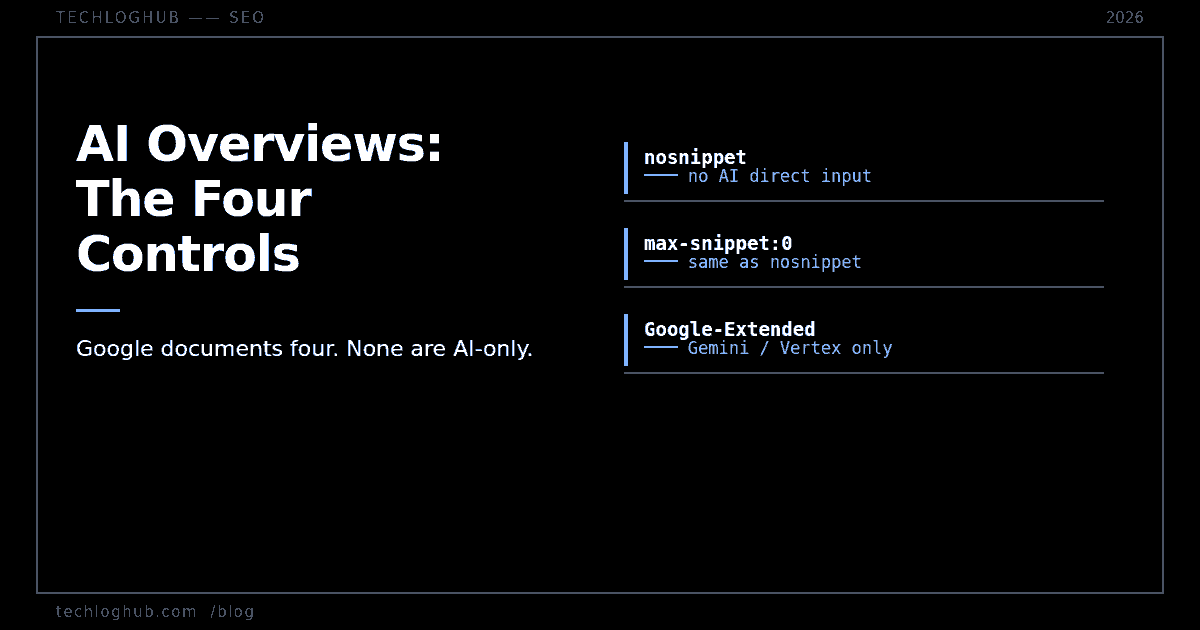
AI Overviews: The Four Controls Google Documents
Quick answer: Google documents exactly four page-level rules that limit what AI Overviews and AI Mode can use from your pages: noindex, nosnippet, data-nosnippet and max-snippet. Every one of them is a Search control first, so every one costs you something in ordinary results. There is no AI-only opt-out, and Google-Extended does not affect AI Overviews or AI Mode at all.
The most common thing people get wrong about AI Overviews is believing there is a switch for it. There is not. Google's own documentation says so in a sentence that most write-ups skip past, and once you read it carefully the whole control surface collapses into four directives you already know.
Here is what is actually documented, what each lever costs, and which widely repeated workaround does nothing.
Google's sentence is the whole story
Google's AI features and your website page (last updated 2025-12-10) states the position directly: "AI is built into Search and integral to how Search functions, which is why robots.txt directives for Googlebot is the control for site owners to manage access to how their sites are crawled for Search."
Read that as an architecture statement, not a policy one. AI Overviews and AI Mode are not a separate consumer of your content with its own crawler and its own permissions. They are Search features served off the same Googlebot crawl as the blue links. Which is why the same page also says there are "no additional requirements to appear in AI Overviews or AI Mode" — the inverse is equally true, and far less comfortable: there are no additional controls either.
So the only way to keep your content out of an AI Overview is to restrict what Search itself may show. That is the trade, and it is not a small one.
The four controls, and what each one costs
Google's AI features page names four: nosnippet, data-nosnippet, max-snippet and noindex. The robots meta tag reference (last updated 2026-03-24) is where the AI-specific wording actually lives.
| Directive | Documented AI effect | What it costs you |
|---|---|---|
nosnippet | Prevents content "being used as a direct input for AI Overviews and AI Mode" | No text snippet anywhere — web, Images, Discover |
max-snippet:[n] | Limits "how much of the content may be used as a direct input" | Truncates your normal snippet to the same n characters |
data-nosnippet | Excludes marked passages from snippet use | Only the marked passages — the surgical option |
noindex | Page is not in the index, so nothing to draw on | Total. You are out of Search. |
Note the phrase Google uses twice: direct input. Google does not claim nosnippet removes your page from an AI Overview's consideration entirely, or that your URL stops being linked. It claims the text stops being fed in directly. That is a narrower promise than most people hear, and it is worth quoting accurately when someone asks you to "block AI."
max-snippet is the only dial, and its edge values are traps
Of the four, only max-snippet is continuous rather than binary — which makes it the one people reach for when they want to reduce exposure without disappearing. Two values do not behave the way the name suggests.
max-snippet:0 is documented as "No snippet is to be shown. Equivalent to nosnippet." It is not a minimum; it is the full binary opt-out wearing a number. And max-snippet:-1 means "Google will choose the snippet length that it believes is most effective" — that is, no limit at all. Shipping -1 because it looked like a sensible sentinel gives you the default behaviour you were trying to change.
If you are generating these tags across templates rather than hand-writing them, check the rendered output rather than the template logic. A meta tag generator is useful here precisely because it forces you to look at the literal string a crawler will read.
Google-Extended does nothing for AI Overviews
This is the expensive mistake. Plenty of sites have added User-agent: Google-Extended / Disallow: / to robots.txt believing it keeps them out of AI Overviews. It does not, and Google's common crawlers reference (last updated 2026-07-14) says what it actually covers: Google-Extended is "a standalone product token that web publishers can use to manage whether content Google crawls from their sites may be used for training future generations of Gemini models that power Gemini Apps and Vertex AI API for Gemini and for grounding ... in Gemini Apps and Grounding with Google Search on Vertex AI."
Gemini Apps. Vertex AI. Grounding with Google Search on Vertex. Not Search. The same page says Googlebot's fetches "affect Google Search (including Discover and all Google Search features)" — and AI Overviews and AI Mode are Google Search features. They ride Googlebot.
Blocking Google-Extended is a real decision with real consequences for Gemini training and Vertex grounding. It is simply not the decision most people think they are making. If you are auditing what your robots.txt actually asserts, separate the two questions and answer them independently. The broader point about robots.txt and AI is that most of these tokens are declarations rather than enforcement — the one place the industry is actually building verifiable crawler identity is request signing, which we covered in Web Bot Auth and signed crawler verification.
data-nosnippet is the one worth actually using
For a documentation site, a directory, or anything with a mix of free and gated content, the page-level directives are too blunt. data-nosnippet is the only control with passage-level granularity: it is a boolean attribute on span, div or section that marks that subtree as unusable for snippets.
Two mechanical details matter. First, it requires valid HTML — an unclosed div changes which content the attribute covers, which is a silent failure rather than an error. Second, Google explicitly cautions against adding or removing the attribute with JavaScript, recommending it be present when the DOM element is first created. On a React or Next.js app that means it belongs in the server-rendered markup, not in an effect. Anything that only exists after hydration may as well not exist as far as snippet selection is concerned. If you are checking which passages are actually extractable from your served HTML, a passage extractor run against the production URL is a faster answer than reading the component tree.
What to do if you run a technical content site
The useful conclusion is not a tag to ship. It is that exposure to AI Overviews is not separately governable, so the lever you actually have is what you publish and how it is structured, not a permission flag.
Concretely: if a page's whole value is a figure or a definition that an AI Overview can restate in one line, snippet directives will not save it — and the traffic was always fragile. Pages that survive are the ones where the answer is the beginning of the task, not the end of it: working examples, version-specific behaviour, things with a tool or a decision attached. That is also the argument for pointing long-tail queries at something interactive rather than prose; our 65+ free developer tools exist partly because a tool page cannot be summarised out of usefulness.
On measurement, set expectations low. Search Console's generative AI reporting still has no query dimension, which we covered in the AI report has no query data. You can see that AI surfaces sent traffic. You cannot see what was asked, and you cannot A/B a max-snippet value against it with any confidence. Treat these directives as policy decisions you make once and document, not as something to tune.
And resist the adjacent temptation to publish volume in response. Google's spam policies define scaled content abuse by primary purpose with no page-count threshold — the reasoning is in what Google actually enforces on programmatic pages.
FAQ
Can I appear in Google Search but not in AI Overviews?
Not cleanly. Google documents no AI-only opt-out. The four controls it names — noindex, nosnippet, data-nosnippet and max-snippet — all restrict ordinary Search results as well. nosnippet is the closest thing to an AI opt-out and it also removes your text snippet from web results, Images and Discover.
Does blocking Google-Extended keep me out of AI Overviews?
No. Google's crawlers documentation describes Google-Extended as governing whether content may be used for training future Gemini models and for grounding in Gemini Apps and Grounding with Google Search on Vertex AI. AI Overviews and AI Mode are Google Search features served off the Googlebot crawl, so Google-Extended does not apply to them.
What does max-snippet:0 do?
It is documented as equivalent to nosnippet — no snippet is shown at all. It is not a minimum-length setting. Separately, max-snippet:-1 means Google chooses the length it considers most effective, which is the unrestricted default rather than a restriction.
Does nosnippet remove my page from AI Overviews entirely?
Google's wording is narrower than that. It says nosnippet "will also prevent the content from being used as a direct input for AI Overviews and AI Mode." It is a statement about the content being fed in directly, not a guarantee that the page plays no part in an AI response or is never linked.
Can I use data-nosnippet to hide only part of a page?
Yes — that is its purpose. It is a boolean attribute valid on span, div and section elements. Two caveats: the surrounding HTML must be valid, because malformed markup changes which content the attribute actually covers, and Google advises against toggling the attribute with JavaScript. Emit it in the server-rendered HTML.
Will an llms.txt file control AI Overviews?
No. llms.txt is a publishing convention with no documented consumer at Google, and it appears nowhere in Google's AI features or crawler documentation. It is not a permission mechanism for anything.
Four directives, all of them Search controls, and one widely-deployed robots.txt rule that governs a different product entirely. Read the vendor's sentence before shipping the tag.