

Virtual Product Launch: How to Run an Online Launch for a Dev Tool
How to run a virtual product launch for a dev tool: livestream, premiere, webinar or launch week, plus production setup, run of show and post-event reuse.
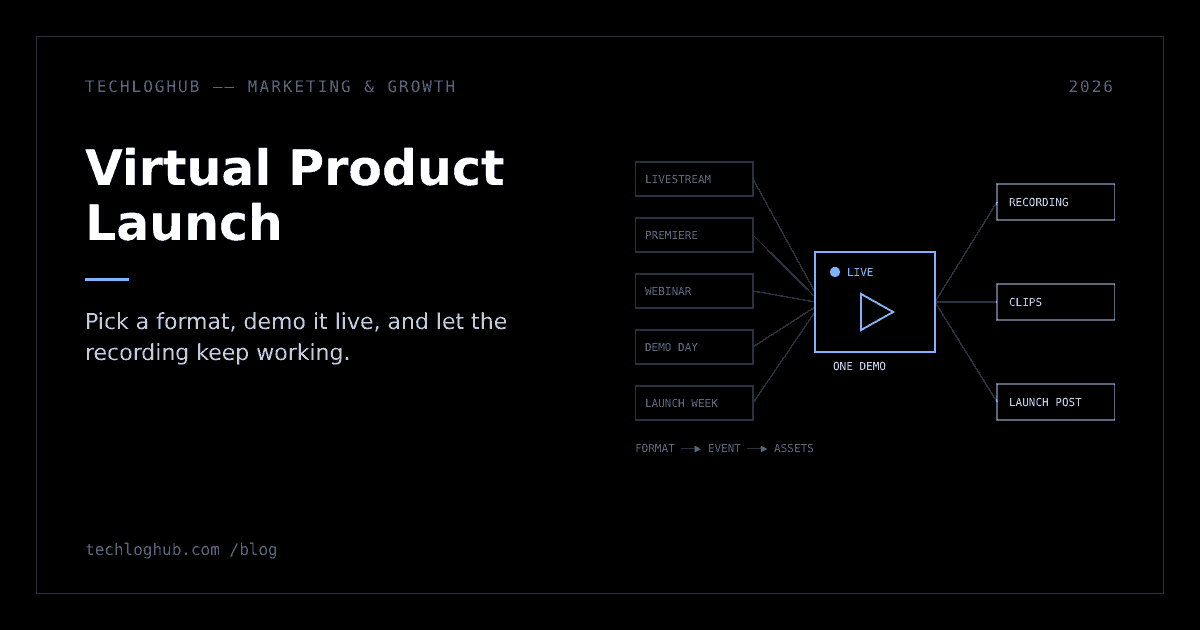
Virtual Product Launch: How to Run an Online Launch for a Dev Tool
Quick answer: A virtual product launch for a developer tool should be a demo people can watch and then try the same hour. Pick a format that fits your team (a livestream demo, a scheduled premiere, a webinar, a demo day or a launch week), fix audio and screen readability before anything else, script a 30 to 45 minute run of show, and plan for the recording and clips to reach more people than the live event.
A virtual product launch works when the event is a demo people can watch live and then use the same hour, not a keynote with slides. For a developer tool, the format matters less than two things: the product is publicly usable when the stream ends, and the recording keeps doing the work for months.
This guide covers how to pick an online launch format, set up the production without a studio, write a run of show, and turn one live hour into a week of assets. It assumes you already know what you're launching and why; if not, start with our product launch strategy playbook.
Pick the format before the platform
"Virtual launch" covers at least five different events. They need different amounts of preparation and reach different people, so choose the format first and the streaming tool second.
| Format | What it looks like | Good fit | Main risk |
|---|---|---|---|
| Livestream demo | 30 to 45 minutes, founder builds something real with the product, live Q&A | Tools with a visual "aha" in under five minutes | Live bugs, low turnout if nobody knows it's happening |
| Premiere (async video) | A pre-recorded video released at a set time with live chat | Solo founders, teams across time zones, anyone nervous on camera | Feels like an ad if the video is polished but empty |
| Webinar | Registration page, slides plus demo, recording emailed afterwards | B2B tools with a buyer who needs to justify the purchase | Registration walls put off developers who just want to try it |
| Demo day | Several short demos back to back, often with partners or customers | Platforms with integrations or a community of builders | Hard to coordinate; weakest demo sets the tone |
| Launch week | One announcement a day for five days, each with a post, demo and docs | Products with several shippable pieces ready at once | Needs a backlog of real features, or it looks padded |
If you're a team of one to three, the honest default is a premiere or a short livestream. Webinars and demo days are worth the overhead only when you already have customers or partners who will show up.
A quick decision guide
Our rule of thumb, based on what each format demands rather than on any survey data:
| If this is true | Lean towards | Why |
|---|---|---|
| The product's value shows in one continuous flow | Livestream demo | Watching it work unedited is the persuasive part |
| You or your co-founder freeze on camera | Premiere | You can re-record until it's right and still be live in the chat |
| Your buyer needs a recording to forward to their manager | Webinar | Registration gives you a list to send the recording to |
| You have three or more customers or partners who'll present | Demo day | Other people's voices are more credible than yours |
| You have several finished features, not one | Launch week | Each feature gets its own day instead of a bullet point |
| Your audience is spread across many time zones | Premiere plus replay | The replay matters more than the live hour |
Whatever you choose, the product has to be usable by the end of the event. A launch event for a waitlist is a pre-launch event; our pre-launch marketing strategy guide covers that stage.
The async option: a scheduled premiere
A premiere gives you the live-event feeling without the live-event risk. On YouTube, Premieres create a public watch page before the video goes out, so you can share the URL in advance. Viewers can set a reminder, and YouTube notifies them about 30 minutes before and again at the start. During playback, viewers can chat and rewind but can't skip ahead of what's been shown live, and afterwards the video stays on your channel as a normal upload with chat replay.
Two limits to plan around: YouTube says Premieres don't support Shorts or output above 1080p. Record at 1080p and make sure code is still readable at that size; our screen resolution tester is a quick way to check how your editor font holds up at common viewport widths.
The trick with a premiere is to be present for it. Sit in the chat as the founder, answer questions in real time, and drop links to docs and the signup page at the moments the video reaches them.
The live option: a livestream that shows real work
A livestream earns trust that a recording can't, because the audience can see that nothing was edited. The best developer launch streams look like pairing sessions: open an empty project, install the tool, and get to a working result while explaining decisions out loud.
Check platform requirements weeks ahead, not the night before. YouTube's live streaming setup page says you need a verified channel and no live streaming restrictions in the past 90 days. Do a private test stream on the same account, network and machine you'll use on the day.
Choose the right latency setting
YouTube lets you trade delay for stability. Its latency guide describes three settings: normal latency for streams where you don't plan to interact, low latency where most viewers see less than 10 seconds of delay, and ultra-low latency, where most viewers see less than 5 seconds but buffering becomes more likely. YouTube also notes that the low and ultra-low settings don't support 4K. For a launch demo with live Q&A, low latency is a sensible middle ground in our view: questions arrive while you're still on the relevant step, without making buffering much more likely for viewers on weaker connections.
Streaming software
You don't need paid software. OBS Studio describes itself as "free and open source software for video recording and live streaming" and runs on Windows, Mac and Linux. Set up scenes before the day so switching is one click:
| Scene | Contents | When to use it |
|---|---|---|
| Starting soon | Product name, URL, countdown, background music at low volume | The first two minutes while people arrive |
| Talking head | Camera full frame, lower-third with name and role | Intro, problem statement, Q&A |
| Screen plus camera | Editor or browser full frame, small camera overlay | The demo |
| Fallback clip | Pre-recorded video of the same demo flow | When something breaks live |
| Be right back | Static card with the product URL | Network drops, quick fixes |
Record locally at the same time as you stream. A local recording is usually higher quality than the stream archive and gives you cleaner material for clips. If you want more open-source production tools, our open-source alternatives directory is a good place to look.
A few things that reduce the chance of a live failure:
- Prepare a clean environment. A fresh browser profile, a new demo account, and no notifications.
- Keep a recorded fallback. If the demo breaks, switch to a pre-recorded clip of the same flow and keep talking. Nobody minds; they mind dead air.
- Have a second person in the chat. They post links, collect questions and flag audio problems so the presenter can focus.
- Bump font sizes. Terminal and editor at a size that stays readable on a phone, because some viewers will be watching on one.
The multi-day option: a launch week
Launch weeks spread one big moment into five smaller ones, each with its own reason to post. Supabase is the best-known example among developer tools: its Launch Week 15 page lists five days of main announcements at 8am PT, a separate set of smaller "Build Stage" releases, a 10-day hackathon and community meetups in cities around the world.
You don't need that scale to borrow the structure. A small team can run a three-day version: day one for the headline feature, day two for an integration or SDK, day three for pricing or an open-source release. Each day gets a blog post, a short demo clip and a changelog entry, and each can go to a different community without repeating yourself.
The rule that keeps launch weeks credible: only announce things people can use that day. A week of "coming soon" posts trains your audience to stop reading.
A worked three-day plan
Here's how a hypothetical three-person team shipping a CLI tool might lay it out. Swap in your own pieces; the shape is what transfers.
| Day | Announcement | Assets | Where it goes |
|---|---|---|---|
| Day 1 | The core product, publicly available | Launch post, 2-minute demo video, docs quickstart, 30-minute livestream | Your email list, homepage, Show HN |
| Day 2 | GitHub Action and VS Code extension | Short post, a 60-second clip of each, changelog entry | Relevant subreddits and community forums that allow launches, your social accounts |
| Day 3 | Pricing, free tier and open-source licence | Pricing page, FAQ, a recorded Q&A with the founders | Newsletter editors, discovery sites, your customers |
Plan each day's assets a week ahead and publish them in a fixed order: docs first, then the post, then the clip, then the social and community posts. If docs go live last, the first visitors hit dead links.
Production setup without a studio
Developers forgive plain video. They don't forgive bad audio or unreadable code. Spend your small budget in this order:
- Audio first. A USB or XLR microphone close to your mouth, in a room with soft furnishings. Test with headphones and listen for echo and fan noise.
- Readable screen. Hide the dock and bookmarks bar, use a high-contrast theme, and zoom so roughly 80 to 100 characters fit across the screen.
- Simple layout. Screen share with a small camera overlay is enough.
- Prepared visuals. Code snippets for slides or social posts look cleaner as images; our code to image tool makes them, and the image resizer gets thumbnails to each platform's size.
Write a run of show
A run of show is a minute-by-minute script of what happens and who does it. It stops a 30-minute launch from drifting into an hour of loose chat. A template for a 35-minute livestream:
| Minute | Segment | Notes |
|---|---|---|
| 0–2 | Hold screen and countdown | Let late joiners arrive; show the product URL on screen |
| 2–5 | The problem | One concrete scenario your users know, not market statistics |
| 5–20 | Live demo | From zero to a working result; narrate the decisions |
| 20–23 | Pricing and availability | What it costs, what's free, what's open source, where to start |
| 23–33 | Live Q&A | Moderator reads questions; answer the hard ones on air |
| 33–35 | Next steps | One call to action: try it, with the link pinned in chat |
Rehearse the whole run at least twice with the actual tools.
Who does what
Even a two-person team should assign roles in writing. When something goes wrong, nobody should have to decide who handles it.
| Role | Responsibilities | Can be combined with |
|---|---|---|
| Presenter | Runs the demo, answers questions on air | Nothing; they need full focus |
| Producer | Switches scenes, watches stream health, starts the fallback clip | Moderator, on a small team |
| Moderator | Pins links, collects questions, removes spam, flags audio problems | Producer |
| Support on standby | Watches signups, error logs and the status page; fixes or posts updates | Anyone not on camera |
Rehearsal checklist
- Run the full demo from a fresh account, not your usual one with data already set up.
- Stream privately for at least ten minutes and watch the recording back on a phone.
- Time each segment against the run of show and cut whatever overruns.
- Trigger the fallback clip once, so switching to it on the day is muscle memory.
- Load-test signup if you expect a spike: the stream is wasted if the signup page falls over.
Run of show for a premiere
A premiere needs a shorter script, because the video does the work. Our suggested shape: the founder posts a welcome message in chat at the start, drops the docs link when the demo begins, answers questions in chat throughout, and stays on for 15 to 20 minutes after the video ends for live Q&A, either in chat or as a short livestream straight afterwards.
When things go wrong on air
Something usually breaks. The audience judges the recovery more than the bug. These are the failures we'd plan for, with a recovery for each:
| Failure | What viewers see | Recovery |
|---|---|---|
| Demo bug | An error message mid-flow | Say what happened in one sentence, switch to the fallback clip, file the bug publicly afterwards |
| Audio drops | Silence or robotic voice | Moderator posts in chat immediately; switch to the backup mic or a phone on speaker |
| Network fails | Stream freezes or ends | Have a phone hotspot ready; restart the stream and post the new link from the moderator's account |
| Signup or API outage | Viewers report errors in chat | Support posts a status update; presenter acknowledges it on air and moves to Q&A |
| Hostile or spam chat | Off-topic or abusive messages | Moderator removes and blocks; presenter doesn't engage |
| Nobody asks questions | Silent chat during Q&A | Answer the questions your early users asked most in private, and say that's where they came from |
Don't plant fake questions from team members posing as users. If chat is quiet, be open that you're answering common questions from beta users; it's honest and it works just as well.
Running live Q&A that helps the launch
Q&A is often the most useful part of a launch event, because it's where viewers tell you what the demo didn't explain. A few practices we recommend:
- Group questions by theme. The moderator collects them into pricing, security, integrations and "does it work with X", and the presenter answers the biggest group first.
- Answer the hard question first. If someone asks about pricing, data handling or how you compare with a known competitor, answer directly. Dodging it on a live stream gets noticed.
- Say "I don't know" when you don't. Promise a written answer and post it in the docs or the launch post within a day.
- Capture every question. Export the chat or copy questions into a document during the stream. Each one is a docs page, a landing page FAQ or a clip.
- Point to comparisons, not claims. If viewers ask how you differ from an alternative, link a neutral side-by-side; a TechLogHub comparison page is one option.
Promote it, reuse it, measure it
The live audience is a fraction of the people who will see the event. Treat the stream as raw material.
Before the event
- Create the event page or premiere URL one to two weeks ahead and put it on your homepage and in your email footer.
- Email your waitlist twice: when it's scheduled and an hour before it starts.
- Give it a proper share card so links in chat apps don't render blank; our OG image generator handles the image.
After the event
- Cut the demo segment into a two-minute video and the Q&A into short answers to real questions.
- Publish a written launch post with the embedded recording, timestamps and links to docs.
- Post the launch on community channels that allow it. A Show HN post has to be something people can try, so link the product, not the recording, and don't ask friends to upvote.
- Add the product to discovery sites: submit it to TechLogHub and post the release on the releases feed so the announcement has a permanent page.
If you also plan a Product Hunt launch, line the event up with its calendar. Product Hunt's day runs on Pacific time, its launch guide recommends scheduling for 12:01 AM PT, and you can schedule up to a month ahead. A premiere later that morning gives people a second reason to visit.
Measure what the event produced
Peak concurrent viewers is a vanity number. Track what happened next. These are the definitions we'd suggest, so numbers are comparable from one launch to the next:
| Metric | Definition | How to capture it |
|---|---|---|
| Event signups | Accounts created within 48 hours by visitors who arrived via the event page, recording or chat links | A distinct UTM-tagged link for each placement |
| Activation rate | Share of those signups that complete the product's first meaningful action (first deploy, first API call) | Your product analytics, filtered to the event cohort |
| Replay ratio | Replay views in 30 days divided by live views | Your video platform's analytics |
| Questions asked | Distinct questions in chat and follow-up emails | The question log your moderator kept |
| Docs fixes shipped | Docs or landing page changes made because of those questions | Your changelog or commit history |
If the replay ratio is high, invest more in editing next time and less in live production. If activation is low, the demo probably skipped a step that new users trip over; watch the recording and look for it. The page the event sends people to matters as much as the event; our product launch website guide covers it, and if you're timing the event around Product Hunt, see our Product Hunt launch guide.
FAQ
What is a virtual product launch?
A virtual product launch is an online event that introduces a product to its audience, such as a livestream demo, a scheduled video premiere, a webinar, a demo day or a multi-day launch week. For software, the product should be usable when the event ends.
Is a livestream or a pre-recorded launch better?
A livestream builds more trust because nothing is edited, but it carries the risk of bugs and dead air. A pre-recorded premiere is safer and works across time zones. Small teams often get the best of both by premiering a recorded demo while the founder answers questions live in the chat.
How long should a virtual launch event be?
For a developer tool, 30 to 45 minutes is enough: a short problem statement, a live demo of 10 to 15 minutes, pricing and availability, and Q&A. Longer events lose viewers, and the recording gets cut into shorter clips anyway.
What platform should I use for an online launch event?
Pick the platform where your audience already watches video and where the recording stays public afterwards. YouTube Premieres and live streams keep the video on your channel with chat replay. Webinar tools suit B2B buyers who expect registration, but registration walls put off many developers.
How do I get people to attend a virtual launch?
Create the event link one to two weeks ahead, email your waitlist when it's scheduled and again an hour before, put the link on your homepage, and ask early users to join the chat. Expect most views to come from the replay, so plan the follow-up posts as carefully as the event.
Make the event a demo, make the product usable when it ends, and let the recording keep working.