

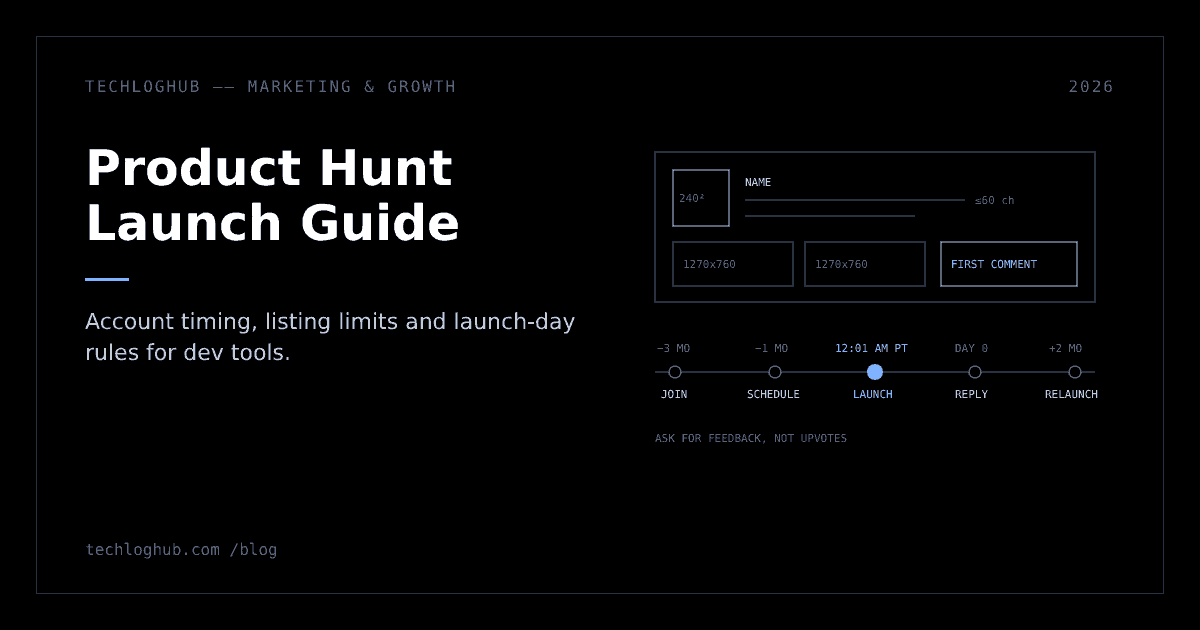
Product Hunt Launch Guide for Developer Tools (2026 Rules)
Quick answer: A Product Hunt launch for a developer tool starts weeks early: create a personal account at least a week before (Product Hunt suggests three months), hunt it yourself, write a plain 60-character tagline, add two or more real screenshots and a maker first comment, schedule for 12:01 AM PT, then spend the day replying to comments and asking for feedback, never upvotes.
A good Product Hunt launch for a developer tool is mostly decided before launch day: an account that's been active for weeks, a listing that explains the product in 60 characters, and a group of real users ready to comment. On the day itself, your job is to reply to everyone and never ask for upvotes.
This guide follows Product Hunt's own launch guide and its subpages, checked in November 2026, and adds what changes when your audience is developers. Where the guide gives a number, it's linked; where it doesn't, we say so instead of guessing. Anything marked as advice is our recommendation, not a Product Hunt rule.
Is Product Hunt right for your dev tool?
Product Hunt rewards products that look good in a gallery and can be tried quickly. CLI tools, libraries and APIs can still do well, but they need more work on visuals: a short demo video, a terminal recording or an interactive sandbox.
Product Hunt's featuring guidelines say a featured product should be new or substantially updated, an actual product rather than a blog post or list, usable by the community (closed betas usually don't qualify), and from a trustworthy maker. The same page warns that an unclear or broken website, or little information about how the product works, may lead the team to take precautions on launch day. If your tool is waitlist-only, wait. If it's open source, link the GitHub repo or a landing page with a working quickstart.
A quick fit test
Our advice, based on the rules above: run your product through this table before you pick a date. If you can't fill in the middle column, the gallery will be the weak point of the launch.
| Product type | What the gallery can show | Ready when |
|---|---|---|
| Hosted SaaS or dashboard | Real screens of the core workflow, before and after | A visitor can sign up and reach a result without talking to you |
| CLI tool | Terminal screenshots with readable output, plus a short recording on YouTube | The install command works on a clean machine on macOS, Linux and, if claimed, Windows |
| Library or SDK | Code next to its result: the snippet and the UI or output it produces | The quickstart runs as written and the package is published |
| API | A request and response pair, plus a hosted playground or interactive demo | Free keys are self-serve, and rate limits are written down |
| Open-source self-hosted tool | The running app, the repo, and a one-command setup | The README gets someone from clone to running app |
Treat Product Hunt as one channel in a wider plan, not the whole launch. Our product launch strategy playbook covers how it fits alongside Show HN, communities and your own list, and the pre-launch marketing guide covers building the audience you'll need before you get here.
Prepare your account and community early
Three rules in the before-launch guide shape your timeline:
- New accounts wait a week. Newly created accounts must wait at least one week before they can post a product. Product Hunt recommends joining "three months or more" before launch.
- Personal accounts only. Company or brand accounts aren't allowed to post products or comment. Every maker uses their own profile.
- You don't need a hunter. Anyone can post ("hunt") a product, including you. Product Hunt says 79% of featured posts were by makers who self-hunted, and 60% of #1 Product of the Day winners were self-hunted. Paying someone to hunt or promote your product is against the guidelines.
Before launch, comment on other dev-tool launches, fill in your bio, and have co-makers create accounts early. Tell your existing users and waitlist the date in advance; Product Hunt lists asking your community to join only on launch day as a common mistake.
The sharing guide adds two ideas that suit technical teams: host an AMA on Product Hunt to find early supporters, and get the whole team, engineers included, answering discussions and giving feedback on other launches.
Create a teaser 30 days out
Product Hunt's launch timeline describes free teasers that can run for up to 30 days before launch. A teaser shows a short description and one image on a standalone page and on the Coming Soon page, and visitors can opt in to an email notification for your go-live date. The same timeline says your followers are notified when you launch as the maker, which is one more reason to build a following early.
The order matters. The timeline says to prepare all launch materials first, then submit the launch form, schedule it for 12:01 AM PT, and create the teaser from your My Products page.
Set goals before you set a date
Product Hunt's guide lists many valid goals besides rank, including comments as feedback, new followers, website traffic, sales or leads, investor interest and hiring, and says many products that don't reach Product of the Day still meet their goals. Set measurable goals, such as signups or feedback, and tie them to what the product needs next.
For a developer tool, our advice is to pick one usage goal and one learning goal. For example: "150 projects created from the Product Hunt link in seven days" and "collect at least 20 concrete feature requests or bug reports". Both can be checked a week later, which a leaderboard position can't tell you much about.
Build the listing
Everything in the submission flow auto-saves as a draft, so start early. These are the fields and limits from the preparing for launch page:
| Field | Rule | Dev-tool tip |
|---|---|---|
| Name | Only the product's name, no description or emojis | Use the name people will type into npm, GitHub or a search box |
| Tagline | 60 characters maximum, plain description | Say what it does for whom: "Self-hosted feature flags for small teams" |
| URL | Main product page or an external page like a GitHub repo; no shortened or tracking links such as UTMs | Point to a page with a quickstart above the fold |
| Description | 500 characters maximum | Problem, how it works, what's free, what's open source |
| Launch tags | Up to 3 | Pick the narrowest tags that fit |
| Thumbnail | Required, square, 240x240 recommended, under 3MB; GIFs don't autoplay | Make the first frame work on its own |
| Gallery | At least 2 images, 1270x760 recommended | Show real UI and code, not marketing illustrations |
| Video | Optional, YouTube links only, not private | A 60 to 90 second screen recording beats a produced ad |
| Shoutouts | Three maximum | Credit the tools you're built on |
| Pricing | Free, paid, or paid with a free trial or plan | Match what the landing page says, word for word |
| Promo | Optional; if used, the offer, code and expiry date are all required | Make the code work at signup, not only at checkout |
Product Hunt says about 53% of Product of the Day products since 2021 included a video, and adds that video isn't always necessary. It suggests a quick demo recorded with a tool like Loom, and names interactive demo tools it describes as free for Product Hunt launches: Arcade, Storylane, Hexus, Supademo, Layerpath and ScreenSpace. It also notes that less than a third of Product of the Day products used an animated GIF thumbnail, and that the team may edit thumbnails.
For gallery images, our image resizer gets screenshots to 1270x760 and the code to image tool turns snippets into clean visuals.
Write a tagline people can parse in one glance
The preparing-for-launch page calls the tagline the main driver of clicks from the homepage and asks for something short, clear and free of hype. Our advice for dev tools is a three-part pattern: what it is, for whom, and the one differentiator. Count the characters before you paste; 60 goes quickly.
| Weak tagline | Why it fails | Stronger version |
|---|---|---|
| The future of developer productivity | Could describe any product | Open-source CI cache for monorepos |
| AI-powered magic for your code | Hype words, no category | Code review bot that runs on your own GPU |
| Ship faster with FlagKit 🚀 | Name and emoji waste space | Self-hosted feature flags for small teams |
Make a CLI, library or API look good in the gallery
Our advice is to plan the gallery as a five-slot story rather than a pile of screenshots. Slot one is the result (the dashboard, the output, the deployed app). Slot two is the shortest path to it: the install command and the first command a user runs. Slot three is the main workflow in two or three steps. Slot four is the integration list or a code sample in the most common language. Slot five is pricing or the open-source licence. Keep terminal text large enough to read in the thumbnail-sized preview.
If your listing URL is a GitHub repository, set the repo's social preview too, because that image appears whenever someone pastes the repo link. GitHub's social preview docs ask for a PNG, JPG or GIF under 1 MB and recommend 1280x640 for the best display; until you add one, repo links show basic repository information and the owner's avatar.
Write the first comment
Product Hunt calls the maker's first comment strongly recommended and says 70% of products that reached Product of the Day, Week or Month had one. It appears directly below the gallery. The suggested contents: key features, who it's for, your story, your goals, pricing or launch offers, and a request for feedback. Keep the tone humble, use emojis sparingly and skip the marketing language.
For a developer audience, add one technical detail people can argue with: why you chose a particular architecture, what it doesn't do yet, or how it compares with the obvious alternative. Here's a structure we recommend, in this order:
- One line on who you are and why you built it: the problem you hit, in one or two sentences.
- What it does, as three short bullet points that name concrete features, not benefits.
- Who it's for and who it isn't for. "Great for teams under 20 on Postgres; not built for multi-region yet" saves a dozen comments.
- One technical decision and the trade-off behind it, such as "we chose SQLite for the single-binary install, which caps write throughput".
- What's free, what's paid, and any launch offer, with the end date.
- A specific feedback question, such as "Which CI provider should we support next?" Specific questions get specific answers.
Product Hunt also suggests replying with the product itself where it fits. Its guide gives examples of Loom replying to comments with Loom links and the FigJam team setting up a shared whiteboard. For a dev tool, that could mean answering a "does it handle X?" question with a link to a live example or a gist.
Choose the launch day and time
The homepage runs on a 24-hour cycle based on Pacific time. If you have no other constraints, Product Hunt recommends scheduling for 12:01 AM PT, and you can schedule up to a month ahead. Its guide is also blunt that the best day is the day you're most prepared.
Weekdays or weekends? The guide says larger companies and solo makers tend to launch on weekdays, weekends suit smaller teams and side projects, and products launched on weekends get 15% more "Visit" button clicks than those on weekdays. Check that your helpers are free to reply either way.
The same page notes that European, Asian and African startups may benefit from launching earlier in the day, that a launch can be aligned with a news cycle or press embargo, and that you can pick a time when your team is online to answer feedback. If your team is in India or Europe, 12:01 AM PT falls in your working day, which makes the first hours easier to staff. Scheduling too late in the day without a reason is on Product Hunt's list of common pre-launch mistakes.
If someone else has already hunted your product, the launch-day questions page says you can build on that momentum, as Notion did, or contact the team "ASAP", who can remove the post and let the hunter know a proper launch is coming.
Run launch day
Ranking changes through the day based on upvotes, comments, time since submission and other factors Product Hunt doesn't disclose, so the algorithm can't be gamed. All upvotes count the same, including makers'. What you control is the conversation.
- Reply to every comment. The Launch Day dashboard tracks position, upvotes, comments and reviews and lets you answer the latest comments from one place.
- Ask for feedback, not upvotes. The sharing guide says asking specifically for upvotes is against policy, and contests that reward upvotes can get a product unfeatured.
- Don't mass-message. Sending the same message to many people, scraping contacts or sending unsolicited emails counts as spam. Don't drop the link into Reddit or Indie Hackers unless you're already active there.
- Link directly. There's no penalty for sending people straight to your launch page.
- Add the badge. The Embed link on your launch page gives you badges for your homepage, a site banner or your blog.
Paying for upvotes can get a launch disqualified, as the launch timeline warns, and the featuring guidelines say spam or paid upvotes can lead to removal and a permanent ban. If your rank looks far lower than your engagement suggests, the guide says spam may have been detected in your votes or comments; contact support through the chat button.
Make the landing page match the moment. Product Hunt suggests one call to action focused on getting people to use the product, optionally with a launch-day offer for Product Hunt visitors; its example is "20% off for 6 months". Check that your share card renders properly with the OG tag generator, because people will paste your link everywhere. Our product launch website guide covers the page itself in detail.
A launch-day run sheet
Product Hunt's timeline suggests that larger teams list what goes live at each time and give every task an owner, and its sharing guide recommends splitting replies into shifts. Here's a run sheet we'd use for a small dev-tool team; adjust the times to your time zone.
| Time (PT) | Task | Owner |
|---|---|---|
| 12:01 AM | Launch goes live; post the maker first comment immediately; check the gallery, links and promo code | Founder |
| 12:15 AM | Send the pre-written email to users and waitlist; update the site banner and badge | Founder or marketer |
| First 3 hours | Reply to every comment within minutes; log bugs and feature requests in one shared doc | Engineer on shift 1 |
| Morning in the US | Post on your own social accounts and in communities where you're already active, with a direct link | Whole team |
| Every 2 hours | Check signup errors, server load and support inbox; post a reply when you fix a reported bug | Engineer on call |
| Afternoon | Second reply pass: answer older threads that got follow-up questions | Shift 2 |
| Evening | Thank-you post; write down the top five questions for the docs | Founder |
When you contact your network, the timeline suggests doing it on launch day or up to a week before, sharing a direct link, and using wording like "Would you be willing to share your experience with my product in the comments?" or "You can check it out and leave feedback." Prepare any emails in advance; the sharing guide calls email one of your strongest tools.
Answer the hard technical comments
Developer audiences ask pointed questions, and a good answer often does more than the listing. Our advice on the common ones:
- "How is this different from X?" Name X, say what it does better, then say where you differ and for whom. Don't be dismissive of a tool your commenter likes.
- "Is it open source?" State the licence and what's in the repo. If parts are closed, say which and why.
- "Where does my data go?" Say where it's hosted, what you store, and whether self-hosting is possible. Link a page with the details rather than writing an essay in the thread.
- A bug report. Thank them, reproduce it, and reply again when it's fixed. A visible fix on launch day is strong proof that the product is maintained.
After launch day
The launch-day duties page explains that each post gets a Launch Page and a Product Page. Claim the Product Page right away: people who upvote your launch become its followers, so you can reach them with later updates.
The Daily Digest goes out every weekday to what Product Hunt says is more than 350,000 readers and features the previous day's top 10 products, though products outside the top 10 can still be included. A clear first comment helps its writers tell your story.
Product Hunt's days-after-launch guide suggests promoting your Launch Page for two weeks after launch day and then shifting to the Product Page, which collects every launch, reviews, awards, news, makers and job listings. Product of the Week and Month are still possible after the day ends, and the guide recommends following up with commenters and new users while their interest is fresh.
Collect reviews from real users
The launch timeline says products with reviews reportedly get up to 8x more traffic than those without; that's Product Hunt's figure, not ours. Its tips: ask genuine users only, send a direct review link in one-to-one emails or DMs, ask when users are most satisfied, and add a review embed to your site or emails. The two-weeks-post-launch guide adds that makers receive an email with embed links after launch, including a Leave a Review badge.
Then put the launch to work outside Product Hunt:
- Answer every unresolved question from the comments in your docs or FAQ within a week.
- Post a short write-up of what you learned and what you're shipping next.
- List the product on long-lived directories: submit it to TechLogHub and add version updates to the releases feed so each one has its own page.
- Collect feature requests in public and ship one visible improvement within two weeks.
When can you launch again?
Product Hunt allows relaunches for significant updates. Per its two-weeks-post-launch guide, submitting again within two months of your last launch triggers a question about whether it's a major update, and earlier relaunches need a request explaining why. The timeline suggests planning the next launch two to six months out, once you have substantial updates. Save it for a real change, and tell supporters how their feedback shaped it.
Measure what the launch actually did
Product Hunt doesn't accept tracking links in the listing URL, so measure from your side. Our advice is to track a handful of numbers for seven and 30 days after launch, with the definitions written down before launch so nobody moves the goalposts afterwards.
| Metric | Definition we recommend | Why it matters |
|---|---|---|
| Visits from Product Hunt | Sessions whose referrer is producthunt.com, in your analytics | Shows reach, separate from your own email and social traffic |
| Signups | Accounts created by those visitors in the window | The first conversion step |
| Activation | Signups that reach the first working result, such as a first deploy, API call or flag evaluated | The number that predicts whether launch users stay |
| Feedback items | Distinct bug reports and feature requests from comments, logged once each | Your learning goal, and input for the roadmap |
| Product Page followers | Followers gained, visible on your Product Page | The audience you can reach at your next launch |
| Retained users at 30 days | Launch-window signups still active a month later | Separates curiosity from real demand |
Compare the Product Hunt cohort with signups from your own list and other channels. A launch that ranked modestly but brought in users who activate at a higher rate is often worth more than a top-three finish full of window shoppers.
Mistakes that sink dev-tool launches
Each of these has a cheap fix if you catch it early:
| Mistake | What happens | Fix |
|---|---|---|
| Creating the account the week of launch | The one-week minimum wait blocks posting, and a new profile carries little weight in comments | Join months ahead and take part in discussions |
| A gallery of abstract illustrations | Developers can't tell what the product does and scroll past | Show real UI, real terminal output and real code |
| A URL that goes to a waitlist | Visitors have nothing to try, and closed betas usually don't qualify for featuring | Launch when the product is usable, or keep the teaser running |
| Asking for upvotes in DMs, Slack groups or posts | Against policy; you may be asked to remove posts, and upvote contests can get the product unfeatured | Ask for feedback and comments instead |
| Disappearing after the first two hours | Unanswered questions sit at the top of the page all day | Plan reply shifts across the full Pacific-time day |
| Telling your community only on launch day | Supporters miss the early hours | Announce the date a week or more ahead and run a teaser |
FAQ
What time should I launch on Product Hunt?
Product Hunt's day runs on Pacific time, and its launch guide recommends scheduling for 12:01 AM PT if you have no other constraints, so you get the full day. You can schedule a launch up to one month ahead.
Do I need a hunter to launch on Product Hunt?
No. Anyone with a personal account can post a product, including the maker. Product Hunt says 79% of featured posts were self-hunted by makers and 60% of #1 Product of the Day winners were self-hunted. Paying someone to hunt your product is against its guidelines.
How long before launch should I create a Product Hunt account?
New accounts must wait at least one week before they can post a product. Product Hunt recommends joining three months or more before launch so you can take part in the community first.
Can I ask people to upvote my Product Hunt launch?
No. Product Hunt says asking specifically for upvotes is against its policies. Share the link freely and ask people to visit, try the product and leave feedback. Upvote contests and paid upvotes can get a launch unfeatured or removed.
Is a weekday or weekend better for a Product Hunt launch?
Product Hunt says larger companies and solo makers tend to launch on weekdays, while weekends suit smaller teams and side projects, and that weekend launches get 15% more Visit button clicks. The best day is the one you're most prepared for.
Can I relaunch on Product Hunt?
Yes, for significant updates. Submitting again within two months of your last launch prompts a question about whether it's a major update, and earlier relaunches need a request to the Product Hunt team.
Prepare early, show real code and UI, and spend launch day in the comments.