robots.txt Explained: Rules Crawlers Actually Follow in 2026
How robots.txt works per RFC 9309 and Google: longest-match precedence, wildcards, status codes, AI crawler tokens, and a parser test we ran on our own file.
robots.txt Explained: Rules Crawlers Actually Follow in 2026
Quick answer: robots.txt is a plain-text file at the root of a host that tells crawlers which paths they may fetch. Google and RFC 9309 agree on the core rules: the longest matching rule wins, Allow beats Disallow on a tie, * and $ are wildcards, and only the most specific user-agent group applies. It controls crawling, not indexing or access, and older parsers still get the precedence rules wrong. Python 3.12's built-in parser, for example, let every crawler into our /admin/ path because our file starts with Allow: /.
robots.txt looks like the simplest file on your site, and that is why it breaks quietly. A rule that works in Google can do nothing in another crawler. A file that blocks a page can make it more likely to show up in search with no description. And a 5xx error on the file itself can stop Google crawling your whole site.
This guide covers the rules as they are written in the standard and in Google's documentation, what we found when we ran the same file through three parsers, and how to write rules for AI crawlers, which now come in separate flavours for training, search and user-triggered fetches. Everything was checked on 25 November 2026.
What robots.txt is, and what it is not
The Robots Exclusion Protocol ran for decades as an informal convention until September 2022, when the IETF published it as RFC 9309, with Martijn Koster and Google engineers among its authors. Google documents its own implementation in How Google interprets the robots.txt specification, last updated 23 October 2026.
Three limits matter more than any syntax rule:
- It is not access control. RFC 9309 says the rules "are not a form of access authorization". Well-behaved crawlers obey them; anything else ignores them. Listing
/admin/in robots.txt also tells everyone that/admin/exists. Protect private paths with authentication. - It controls crawling, not indexing. Google's docs say it can't index the content of a disallowed page "but it may still index the URL" if other pages link to it. That is how you end up with search results that show a bare URL and no description.
- It is per host. Google's spec says rules apply only to the protocol, host and port where the file lives.
https://example.com/robots.txtdoes not coverhttps://docs.example.com,http://example.com, orhttps://example.com:8443. A robots.txt in a subdirectory is not valid at all.
The syntax, rule by rule
A file is a series of groups. Each group starts with one or more user-agent lines, followed by allow and disallow rules. Google supports exactly four fields: user-agent, allow, disallow and sitemap. Its spec says other fields "such as crawl-delay aren't supported".
User-agent: *
Disallow: /search
Allow: /search/about

User-agent: Googlebot
User-agent: Bingbot
Disallow: /tmp/

Sitemap: https://example.com/sitemap.xml
Matching paths
Rules match against the path from its start, so Disallow: /search blocks /search, /search?q=x and /searchlight. To block a directory only, end the rule with a slash. Two characters have special meaning:
*matches zero or more of any character.$anchors the match to the end of the URL.
Google's own example: /*.php$ matches /filename.php but not /filename.php?parameters, because the query string comes after the anchor. Paths are case-sensitive, so Disallow: /Admin does not block /admin. Field names are not case-sensitive. If you want to sanity-check what a wildcard rule covers, its matching works like a simple regex: * becomes .*, $ stays $, and everything else is literal. You can try the translated pattern against a list of your own URLs in the regex tester.
Which rule wins
This is where implementations used to disagree. RFC 9309 says the most specific match wins, defined as "the match that has the most octets", and if an Allow and a Disallow rule are equivalent, "the 'allow' rule SHOULD be used". Google says the same: the longest rule wins, and on a conflict it uses the least restrictive rule.
So with:
User-agent: *
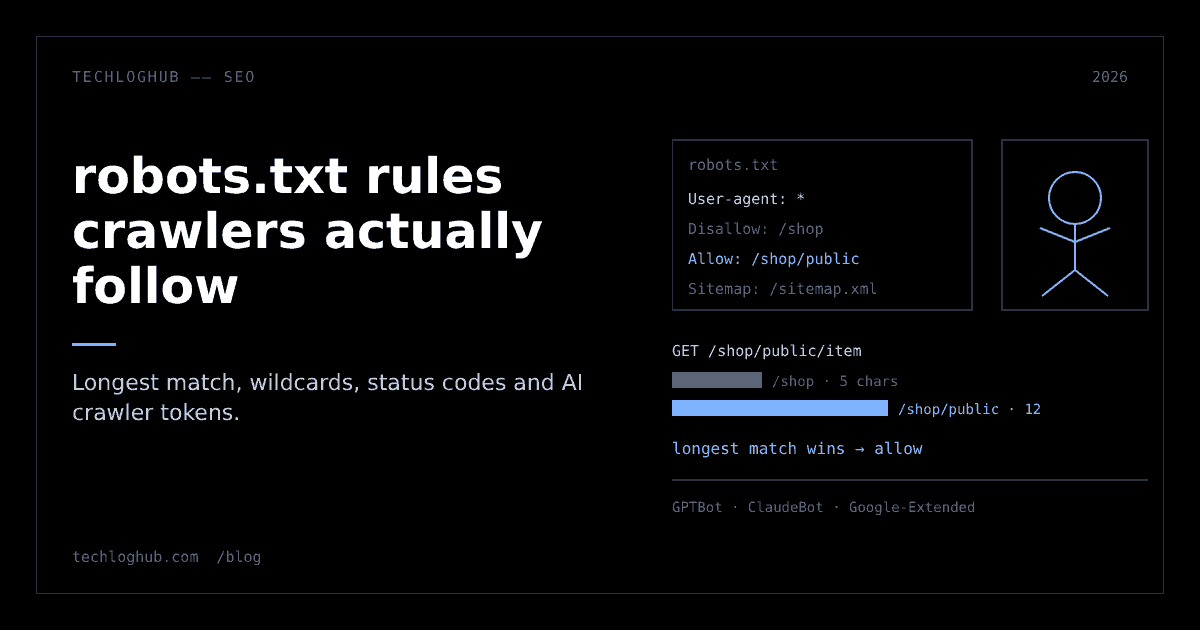
Disallow: /shop
Allow: /shop/public
/shop/public/item is allowed (the Allow rule is 12 characters, the Disallow rule 5) and /shop/cart is blocked. The order of the lines does not matter.
Which group applies
A crawler uses only the most specific group that matches its name. Google's spec is explicit that user-agent-specific groups and the global * group "are not combined". This catches people constantly:
User-agent: *
Disallow: /private

User-agent: Googlebot
Disallow: /tmp
Googlebot follows only its own group, so it may crawl /private. If you add a named group for any crawler, repeat every global rule you still want it to follow. Multiple groups that name the same crawler are merged into one.
We ran the same rules through three parsers
The standard has been settled since 2022, but the parsers your tools use may be older than that. We wrote seven small test cases and ran them through Python's standard-library urllib.robotparser on four Python versions and through Protego 0.7.0, the robots.txt parser from the Scrapy project. All runs were on 25 November 2026.
| Case | Rules | URL | Py 3.11.18 / 3.12.3 | Py 3.13.18 / 3.14.6 | Protego 0.7.0 |
|---|---|---|---|---|---|
| A | Disallow /shop, then Allow /shop/public | /shop/public/item | BLOCK | allow | allow |
| B | Same two rules, reversed order | /shop/public/item | allow | allow | allow |
| C | Disallow /page and Allow /page | /page | BLOCK | allow | allow |
| D | Disallow /*.pdf$ | /files/a.pdf | allow | BLOCK | BLOCK |
| D | Disallow /*.pdf$ | /files/a.pdf?dl=1 | allow | allow | allow |
| E | Global Disallow /private, Googlebot group without it | /private/x as Googlebot | allow | allow | allow |
| F | Disallow /Admin | /admin | allow | allow | allow |
The older Python parser used first-match-wins, so case A depends on line order, case C picks the Disallow, and case D treats * and $ as literal characters, so the PDF rule never matches anything. The newer versions follow RFC 9309, and they agree with Protego on every case.
The change came from CPython issue gh-138907, "Support RFC 9309 in robotparser". Its 3.14 backport, PR #149374, was merged on 4 May 2026 and lists the changes: the longest match wins instead of the first matching rule, Allow wins over Disallow on equal matches, $ and * are supported, and groups for the same user agent are merged. The 3.13.18 build we tested also had the new behaviour. Python's robotparser documentation does not mention the change at all, so you cannot tell from the docs which behaviour you are getting. Test it.
What that meant for our own file
Here is techloghub.com's live robots.txt, fetched on 25 November 2026:
User-Agent: *
Allow: /
Allow: /api/og
Allow: /api/og/
Disallow: /api/
Disallow: /admin/
Disallow: /dashboard/

Sitemap: https://techloghub.com/sitemap.xml
Sitemap: https://techloghub.com/products/feed.xml
Under longest-match rules this does what we meant: everything is allowed, the Open Graph image endpoint /api/og stays crawlable for link previews, and the rest of /api/, /admin/ and /dashboard/ is blocked. Run through the old first-match parser, the very first rule, Allow: /, matches every URL, so nothing after it ever applies:
3.12.3   /blog/how-jwt-works    allow
3.12.3   /api/og?title=x        allow
3.12.3   /api/products          allow
3.12.3   /admin/                allow
3.12.3   /dashboard/settings    allow
3.13.18  /blog/how-jwt-works    allow
3.13.18  /api/og?title=x        allow
3.13.18  /api/products          BLOCK
3.13.18  /admin/                BLOCK
3.13.18  /dashboard/settings    BLOCK
Google and other modern crawlers read our file correctly. But any crawler or SEO tool built on an older parser would treat our admin and API paths as open. Two lessons: the leading Allow: / adds nothing under modern rules, since anything not disallowed is allowed anyway, and it is actively harmful under old ones. Delete lines that only restate the default. (The admin paths are behind authentication regardless, which is the point of the first section.)
Test a robots.txt change before you ship it
Because a bad robots.txt can stall crawling for a day or more, treat a change like a code change: diff the decisions, not just the text. This 14-line script loads two versions of the file with the standard-library parser (3.13 or later, so it follows RFC 9309), checks a list of real URLs for several crawlers, and prints only the decisions that changed:
import sys, urllib.robotparser as rp

def load(path):
    r = rp.RobotFileParser(); r.parse(open(path).read().splitlines()); return r

old, new = load(sys.argv[1]), load(sys.argv[2])
agents = ["Googlebot", "GPTBot", "OAI-SearchBot", "ClaudeBot"]
urls = [l.strip() for l in open(sys.argv[3]) if l.strip()]
changes = 0
for ua in agents:
    for u in urls:
        a, b = old.can_fetch(ua, u), new.can_fetch(ua, u)
        if a != b:
            changes += 1
            print(f"{ua:14} {u:45} {'allow' if a else 'BLOCK'} -> {'allow' if b else 'BLOCK'}")
print(f"{changes} decisions changed across {len(agents)} agents x {len(urls)} URLs")
We used it on a proposed cleanup of our own file. The new version drops the redundant Allow: / and Allow: /api/og/ lines and adds a GPTBot group with Disallow: /. Against six URLs from our site, run on Python 3.13.18:
$ python3 robodiff.py old.txt new.txt urls.txt
GPTBot         https://techloghub.com/                       allow -> BLOCK
GPTBot         https://techloghub.com/blog/how-jwt-works     allow -> BLOCK
GPTBot         https://techloghub.com/tools/base64           allow -> BLOCK
GPTBot         https://techloghub.com/api/og?title=hello     allow -> BLOCK
4 decisions changed across 4 agents x 6 URLs
That is exactly the intended result and nothing else. Removing the two redundant Allow lines changed no decision for any crawler, which proves they were noise. The GPTBot group blocked GPTBot everywhere, and Googlebot, OAI-SearchBot and ClaudeBot were unaffected. If a line had appeared for Googlebot, we would have caught it before deploying instead of in Search Console a week later.
Two habits make this more useful. Pull the URL list from your server logs or sitemap rather than typing it, so it covers the paths crawlers actually request. And keep the script in CI next to the file, so any pull request that touches robots.txt prints its decision diff for review.
A starting file for a typical developer site
For a site with public docs or listings, a private app area and an API, this covers most needs:
User-agent: *
Disallow: /admin/
Disallow: /dashboard/
Disallow: /api/
Allow: /api/og

Sitemap: https://example.com/sitemap.xml
There is no Allow: /, because everything not disallowed is already allowed. The single Allow line re-opens the one API path that link previews need, and it wins over Disallow: /api/ because it is longer. The Sitemap line takes a full URL. Add AI crawler groups on top only if you have decided to opt out of training.
Status codes, size limits and caching
How the file is served matters as much as what it says. From Google's spec and RFC 9309:
| Situation | Google's behaviour | RFC 9309 |
|---|---|---|
| 2xx | Rules processed as written | Same |
| 3xx redirect | Follows at least five hops, then treats it as a 404 | SHOULD follow at least five |
| 4xx (except 429) | No valid robots.txt: crawl without restrictions | MAY access any resource |
| 429 | The exception: not treated as "no robots.txt" | Not singled out |
| 5xx, timeout, DNS error | Stops crawling for 12 hours while retrying; then uses the last good copy for up to 30 days | MUST assume complete disallow |
| Size | Content after 500 KiB is ignored | Parse at least 500 KiB |
| Caching | Generally up to 24 hours, longer if refreshing fails | SHOULD NOT use a cached copy for more than 24 hours |
Two rows deserve emphasis. First, a 404 or 403 on robots.txt means "no restrictions", so returning 403 to a crawler you dislike does not block it through this mechanism. Google's spec says plainly not to use 401 or 403 to limit crawl rate. Second, a 5xx on robots.txt is far worse than a 5xx on any single page: Google stops crawling the whole site while it retries. If your robots.txt is generated by the same application server as your pages, a deploy that breaks the app also breaks crawling. Serving it as a static file, or from the edge, avoids that.
Our own file shows how this plays out. When we captured response headers on 25 November 2026, /robots.txt on techloghub.com came back with Cache-Control: public, max-age=0, must-revalidate and a CDN status of EXPIRED. In other words, the edge held a copy but went back to the application to revalidate it on every request. That keeps the file current, but it also means robots.txt is only as available as the app server behind it. A broken deploy that returns 500 for a few minutes would return 500 for robots.txt too, and by Google's rules that pauses crawling of the whole host until the file comes back.
A safer setup for most sites is a modest lifetime, such as an hour, so the edge can keep answering while the origin recovers. Because Google caches the file for up to 24 hours anyway, an hour of edge caching adds very little delay to a legitimate change. If you generate robots.txt from application code, check which caching header the framework sends with it.
The 24-hour cache explains why robots.txt changes seem slow: Google may keep using the old copy for a day. Plan big changes ahead of time.
Rules for AI crawlers
Most AI companies now publish separate user-agent tokens for training, search and user-triggered fetches, and the difference matters. Blocking the training crawler is a different decision from disappearing from AI search answers.
| Token | Operator | What it controls | Search impact |
|---|---|---|---|
| Google-Extended | Use of content for training Gemini models and for grounding outside Search | None: Google says it doesn't affect inclusion or ranking in Search | |
| GPTBot | OpenAI | Content for training OpenAI's models | – |
| OAI-SearchBot | OpenAI | Appearing in ChatGPT search results | Blocking removes you from ChatGPT search answers |
| ChatGPT-User | OpenAI | Fetches triggered by a user in ChatGPT | OpenAI says robots.txt rules may not apply |
| ClaudeBot | Anthropic | Content that may contribute to model training | – |
| Claude-SearchBot | Anthropic | Indexing for Claude's search results | Blocking prevents indexing for search |
| Claude-User | Anthropic | Fetches in response to a user query | Blocking prevents retrieval for users |
Sources: Google's Google-Extended documentation, OpenAI's crawler overview, and Anthropic's crawler help page.
Some details that are easy to miss:
- Google-Extended has no crawler of its own. Google's docs say the token is read when Googlebot and its other crawlers fetch your pages. You cannot see it in your logs; you can only set it in robots.txt. AI Overviews and AI Mode in Search are controlled separately, from Search Console, not by Google-Extended.
- User-triggered agents are a separate category. OpenAI describes ChatGPT-User as not used to crawl automatically and says robots.txt rules may not apply to it, because a person initiated the request.
- Anthropic supports Crawl-delay. Its help page says its bots honour robots.txt and support the non-standard
Crawl-delayextension. Google does not support that field, soCrawl-delayin a*group affects some crawlers and not others.
Before writing any AI rules, check what your current file already says to each token. Our live file has no AI-specific groups, so every one of them falls through to the * group. Run through Python 3.13.18's parser:
Google-Extended   /blog/how-jwt-works: allow   /admin/: BLOCK
GPTBot            /blog/how-jwt-works: allow   /admin/: BLOCK
OAI-SearchBot     /blog/how-jwt-works: allow   /admin/: BLOCK
ChatGPT-User      /blog/how-jwt-works: allow   /admin/: BLOCK
ClaudeBot         /blog/how-jwt-works: allow   /admin/: BLOCK
Claude-SearchBot  /blog/how-jwt-works: allow   /admin/: BLOCK
Claude-User       /blog/how-jwt-works: allow   /admin/: BLOCK
That is a deliberate choice for us: a developer-tool directory wants to be read, cited and linked by AI assistants. If your content is your product, such as paid research or original datasets, the calculation is different. Either way, make it a decision rather than a default.
A policy that opts out of training but stays visible in AI search looks like this:
User-agent: GPTBot
Disallow: /

User-agent: ClaudeBot
Disallow: /

User-agent: Google-Extended
Disallow: /

User-agent: *
Disallow: /admin/
Disallow: /api/
Remember the group rule: GPTBot, ClaudeBot and Google-Extended each follow only their own group. Here that is the intent, because Disallow: / already covers everything. If you instead wanted to give an AI crawler partial access, you would need to copy every global rule into its group. Whether opting out of training is worth it for a site like ours, where being cited is the goal, is a business call. Our reality check on llms.txt and our note on Meta's crawler terms cover the arguments on both sides. If you want to publish a separate, machine-readable AI policy, the ai.txt generator and llms.txt generator produce starting files, but neither replaces robots.txt for crawl control.
Seven mistakes we see most
1. Blocking a page you want removed from search. Google's noindex documentation is explicit: if robots.txt blocks the page, the crawler never sees the noindex rule, and the page can still appear. Allow crawling, add <meta name="robots" content="noindex"> or an X-Robots-Tag: noindex header, and wait. The meta tag generator writes the tag for you. 2. Putting noindex in robots.txt. Google does not support it. It has no effect. 3. Blocking CSS and JavaScript. A crawler that cannot fetch the files a page needs cannot render it the way your users see it. Keep asset paths crawlable. 4. Forgetting that named groups replace the global group. Every time you add User-agent: SomeBot, re-check which global rules it lost. 5. Relying on line order. Modern parsers ignore it. Write rules that are correct under longest-match, and avoid a leading Allow: /. 6. Using robots.txt to fix duplicate URLs. Blocking ?sort= variants stops Google from seeing that they duplicate your main page. A canonical tag is the right tool, as covered in our guide to canonical tags. 7. Letting the file 5xx. Monitor robots.txt like an API endpoint. A broken file pauses crawling for the whole host.
To build a clean file from scratch, start with the robots.txt generator, list your sitemaps with the sitemap.xml generator, and test every rule against real URLs from your logs before deploying.
FAQ
Does robots.txt stop a page from appearing in Google?
No. It stops Google from crawling the page, but Google says it may still index the URL if other pages link to it. To keep a page out of search results, allow crawling and add a noindex meta tag or X-Robots-Tag header.
Which rule wins when Allow and Disallow both match?
The longest matching rule wins, measured in characters. If an Allow and a Disallow rule are the same length, Allow wins. Both RFC 9309 and Google follow this, and line order does not matter.
Does Google support Crawl-delay?
No. Google supports only user-agent, allow, disallow and sitemap, and says other fields such as crawl-delay aren't supported. Anthropic's crawlers do support Crawl-delay, so the field affects some bots and not others.
What happens if robots.txt returns a 404 or 500?
A 404 or other 4xx except 429 means no restrictions, so crawlers may fetch everything. A 5xx makes Google stop crawling the site for 12 hours while it retries, then fall back to its last good copy for up to 30 days.
How do I block AI training crawlers but stay in AI search?
Disallow the training tokens, such as GPTBot, ClaudeBot and Google-Extended, and leave search agents such as OAI-SearchBot and Claude-SearchBot allowed. Google-Extended does not affect Google Search inclusion or ranking.
Is Python's urllib.robotparser accurate?
It depends on the version. In our tests Python 3.11.18 and 3.12.3 used first-match rules and ignored wildcards, while 3.13.18 and 3.14.6 followed RFC 9309 longest-match rules and agreed with Protego 0.7.0. Test the version you run.
Parser results were produced on 25 November 2026. Crawler tokens and policies change often, so recheck each vendor's page before you rely on a rule.