

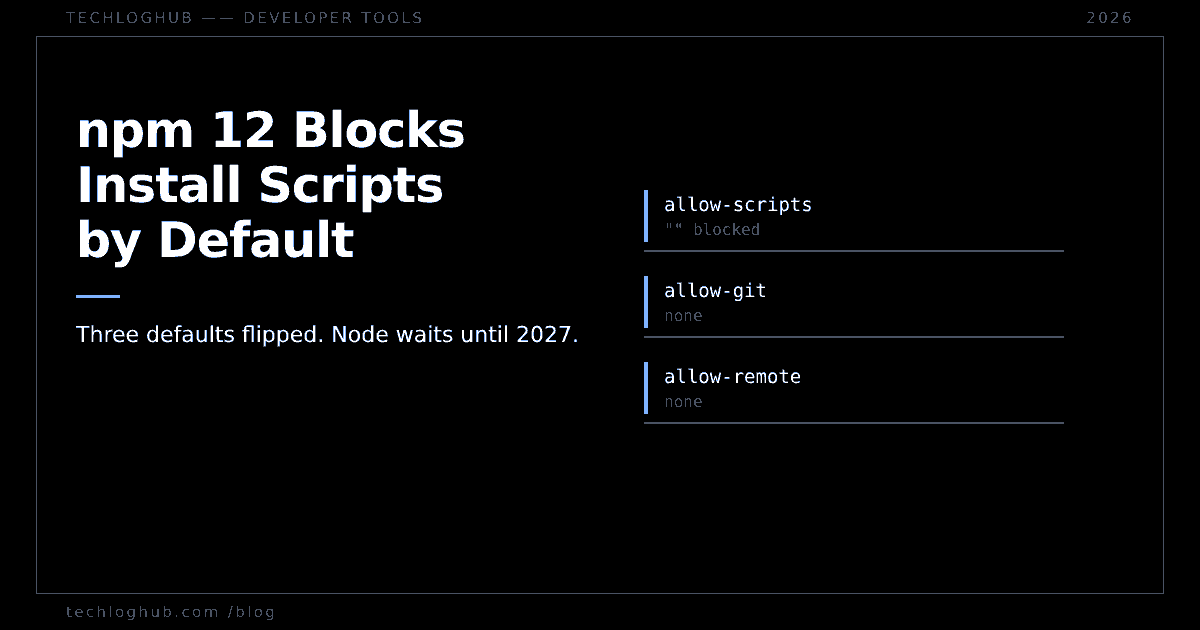
npm 12 Blocks Install Scripts by Default
Quick answer: npm 12 shipped on 8 July 2026 and is now what npm install -g npm gives you. It blocks dependency install scripts, git dependencies and remote tarball dependencies unless you list them explicitly. That is not npm leading the field — pnpm, Yarn and Bun all did it first. And Node will not bundle npm 12 until Node 27 in April 2027, which means the version that breaks your build arrives through CI, not through a Node upgrade.
The interesting thing about npm 12 is not the feature list. It is the gap between when npm shipped it and when Node will carry it. npm 12.0.0 was released on 8 July 2026. The registry's latest tag now points at 12.2.0, which you can check yourself at registry.npmjs.org/-/package/npm/dist-tags. Meanwhile the Node.js Release working group decided npm 12 will not land on Node 22, 24 or 26 at all.
So there are two npm 12s in your life. The one you opted into, and the one that opted you in.
What npm 12 actually switches off
Three config defaults changed, and all three close a path that runs somebody else's code during npm install. From npm's own v12 config reference:
| Config | npm 12 default | Effect |
|---|---|---|
allow-scripts | empty string | No dependency runs preinstall, install, postinstall |
allow-git | none | Git-ref dependencies will not resolve |
allow-remote | none | Tarball-URL dependencies will not resolve |
Note what allow-scripts is not. It is not ignore-scripts, which still defaults to false. The old flag was a blunt global switch you turned on yourself; the new one is an allowlist that starts empty. Your own package.json scripts still run. Only your dependencies' install-time hooks are gated — plus prepare, for dependencies that come from somewhere other than the registry.
The approval mechanism is a new command, npm approve-scripts, which writes an allowScripts field into your project's package.json. By default it pins entries to an exact version, as [email protected]. That is the right call and it also means every bump of a native-extension dependency is a re-approval. Run npm approve-scripts --allow-scripts-pending to see what is currently blocked without changing anything.
npm is last to this party, not first
Read the coverage and you would think npm invented the idea. It did not. Every other major client blocks dependency lifecycle scripts by default already, and has for a while.
| Client | Default | Approval surface |
|---|---|---|
| npm 12 | Blocked | allowScripts, npm approve-scripts |
| pnpm | Blocked; install fails on unreviewed builds | allowBuilds, pnpm approve-builds |
| Yarn (Berry) | Blocked for third-party packages | enableScripts |
| Bun | Blocked except a built-in allowlist | trustedDependencies |
pnpm's build settings set strictDepBuilds to true by default, added back in v10.3.0, so an install with unreviewed build scripts exits non-zero rather than quietly skipping them. dangerouslyAllowAllBuilds defaults to false, and the name tells you what pnpm thinks of it. Yarn's configuration reference states that with enableScripts false, which is its default, "Yarn will not execute the postinstall scripts from third-party packages when installing the project" — workspace packages still run theirs.
Bun takes the only genuinely different approach: it ships a curated default allowlist rather than an empty one. The file in Bun's repo, src/install/default-trusted-dependencies.txt, held 547 package names when we checked on 3 October 2026. That is a reasonable trade for the common case and a worse one if you care about who decides what "trusted" means. Our notes on Bun 1.4's built-in APIs cover the broader pattern of Bun making decisions for you.
The honest framing: npm 12 closes a gap that made npm the outlier. If you already run pnpm, nothing here is news — see pnpm 12 becoming the default install for the changes that do affect you.
Node will not ship it until April 2027
The nodejs/Release discussion on npm 12 is worth reading in full, because the argument is unusually blunt. Wesley Todd: "This change fundamentally breaks every build it touches. Hence my increased concern." Marco Ippolito: "npm 12 is just too disruptive to be landed as a semver minor… we just cannot afford the damage." Richard Lau recorded the outcome: "The Release WG has decided not to land npm 12 on Node.js 26, 24 or 22."
That pushes npm 12 to Node 27, and Node 27 is further away than the number suggests. Under the schedule announced in Evolving the Node.js Release Schedule, Node moves to one major a year: Node 27's alpha opens in October 2026, 27.0.0 ships in April 2027, and it enters LTS in October 2027. We wrote up the mechanics of that change in Node's annual release schedule.
So for the next six months, npm 12 reaches you one of two ways. You install it deliberately — it supports Node ^22.22.2 || ^24.15.0 || >=26.0.0, so it runs on current LTS lines fine. Or a CI step does it for you. Anything that resolves npm@latest, and any image build that runs npm install -g npm, is already pulling 12.2.0. That is the failure mode: a green pipeline on Monday, a red one on Tuesday, and no commit in your repo to explain it.
The breakage that has nothing to do with scripts
The scripts change gets the attention. The one that will actually page you is buried in the v12.0.0 release notes: unknown configs and CLI flags now throw errors instead of warnings.
Every stale line in a committed .npmrc, every misspelled flag in a Dockerfile that has been printing a warning nobody reads for three years, is now a hard failure. This is the cheapest thing to check and the thing most likely to bite, so check it first.
The rest of the removals
npm shrinkwrap is gone; rename npm-shrinkwrap.json to package-lock.json. npm adduser is gone, which matters if a script still authenticates that way rather than through trusted publishing — our guide to publishing without tokens and the follow-up on stage-only tokens cover where that is heading. star, stars and unstar are gone. Man pages are no longer installed globally, so man npm-install fails while npm help install works. Root preinstall now runs before dependencies install, which is a behaviour change, not a removal, and it will quietly reorder any script that assumed node_modules existed.
What to do this week
Pin npm in CI. Not because npm 12 is bad — because an unpinned package manager is an undeclared dependency. If a workflow step says npm install -g npm, give it a version. If you use Corepack or a packageManager field, you are already fine.
Then, on a branch, install npm 12 and run npm approve-scripts --allow-scripts-pending. The list it prints is an inventory of every dependency that executes code at install time. Most teams have never seen that list. It is usually shorter than people fear and contains at least one package nobody can justify. Our rundown of install cooldowns across npm, pnpm, Yarn and Bun pairs well with this, since cooldowns and script gating solve adjacent halves of the same problem. If you need to eyeball a lockfile or config while you work, the free JSON formatter handles it in the browser, and the rest of the dev tools collection is there for the adjacent chores.
Do not wait for Node 27 to force this. Six months is enough time to approve a script list calmly. It is not enough time to do it during an incident.
FAQ
Does npm 12 break native modules like node-gyp builds?
It blocks them until you approve them. Packages that compile on install rely on install or postinstall hooks, which allow-scripts gates by default. Add each one with npm approve-scripts <pkg> and the entry is written into allowScripts in your package.json, pinned to that version.
Is ignore-scripts still the flag I should use?
No. ignore-scripts still exists and still defaults to false, but it is an all-or-nothing switch over every script including your own. allow-scripts is the per-dependency allowlist and it is the one that now has a restrictive default.
Which Node versions will ship npm 12?
Node 27 and later. The Release working group explicitly ruled out landing it on Node 22, 24 or 26. Node 27.0.0 is scheduled for April 2027, with its alpha opening in October 2026.
Can I install npm 12 on Node 24?
Yes. npm 12 declares support for Node ^22.22.2 || ^24.15.0 || >=26.0.0, so it runs on the current LTS lines. Node simply will not bundle it for you on those versions.
Why did my CI start failing with no code change?
Check whether a step installs npm@latest. The registry's latest tag points at npm 12, so an unpinned global install silently moved major versions. The most common first symptom is not a blocked script but an unknown config in .npmrc, which npm 12 treats as an error rather than a warning.
Do git and tarball dependencies still work at all?
Yes, once permitted. allow-git and allow-remote both default to none, so you have to widen them deliberately. The motivation npm gave in the Node discussion is that an .npmrc could previously override the git executable, which turned a git dependency into arbitrary code execution.
Checked against npm's v12 documentation, the npm CLI release notes and the nodejs/Release discussion on 3 October 2026. Defaults change; verify against your own installed version before trusting a table.