



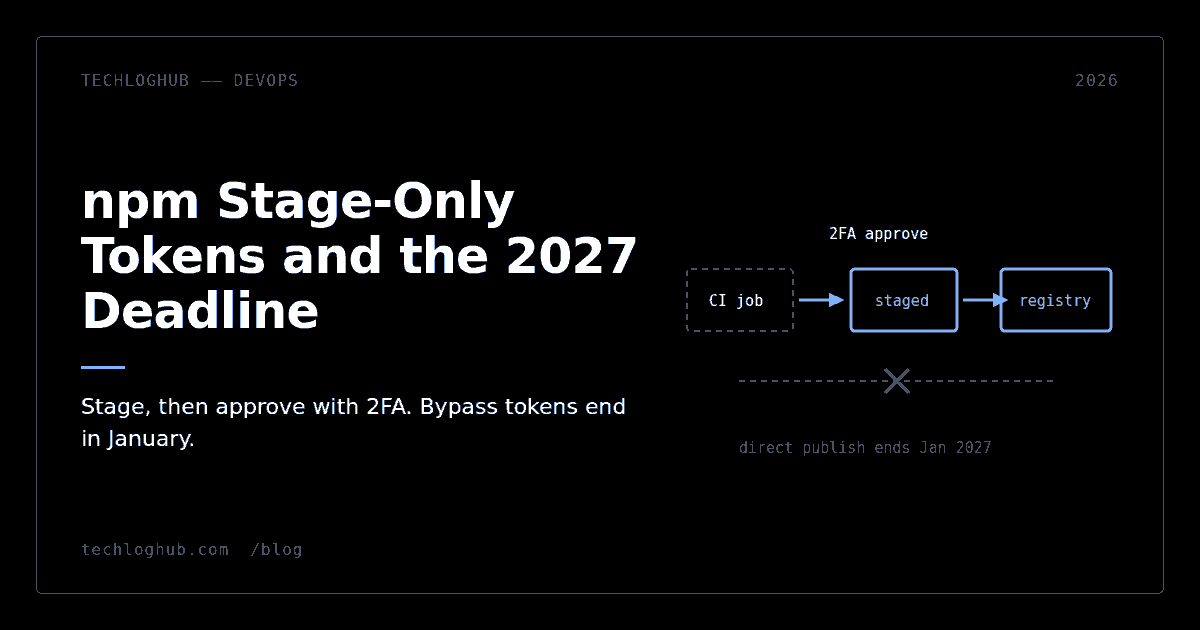
npm Stage-Only Tokens and the 2027 Deadline
Quick answer: npm added stage-only granular access tokens on 18 September 2026 and is targeting January 2027 to remove direct publishing through tokens that bypass 2FA. If OIDC trusted publishing does not reach your pipeline — self-hosted runners are still unsupported — a stage-only token is now the migration path. There is also a dated default change that will silently break release workflows: trusted publisher configurations created after 3 September 2026 default to npm stage publish, not npm publish.
npm's publishing model has changed three times in four months, and the changes interact. If you set up a release workflow in 2024 and have not touched it, it still works today and has a good chance of not working in January. Here is the whole picture in one place.
Three ways to publish, ranked by how long they will survive
| Mechanism | Human in the loop? | Status |
|---|---|---|
| Trusted publishing (OIDC) | No | Recommended, no long-lived secret |
| Stage-only token + approval | Yes, 2FA at approval | New as of 18 Sep 2026 |
| Token with 2FA bypass | No | Targeted for removal January 2027 |
Row three is where most CI pipelines still sit. It is a long-lived credential in a repository secret that can publish to the registry with no human present — precisely the shape of credential that recent npm supply-chain incidents have repeatedly exploited. npm's plan is to take it away.
The default that will break your release workflow
This is the detail worth reading twice. npm's trusted publishing documentation describes three cohorts of configuration, split by date:
Configurations created before 20 May 2026 are automatically set to allow npm publish only. Configurations created before 3 September 2026 require you to explicitly select at least one allowed action. Configurations created after 3 September 2026 are automatically set to allow npm stage publish.
So if you add a trusted publisher today, copy a release workflow from an older repository, and run it, npm publish will be rejected — because the configuration you just created permits staging, not publishing. The failure looks like a permissions problem, which sends people back to re-checking their OIDC setup, which is fine. The actual fix is one checkbox in the package's trusted publisher settings.
Date-dependent defaults are a rough pattern for anyone maintaining more than a handful of packages, because two configs that look identical in the UI can behave differently based on when they were created. Audit the allowed actions explicitly on every package rather than assuming.
What a stage-only token can and cannot do
When creating a granular access token you can now select Read and write (stage only). That token can run npm stage publish to submit a version for review. It keeps other package write permissions — moving dist-tags and deprecating versions still work.
What it cannot do is publish. npm rejects a direct npm publish with that token even if the token is configured to bypass 2FA. That is the entire point: the blast radius of a leaked CI credential drops from "attacker ships a malicious version to every consumer" to "attacker queues a version that a maintainer has to approve with a second factor."
The requirements are specific: publish access to the package, 2FA on your npm account, npm CLI 11.15.0 or later, and Node.js 22.14.0 or later. Note that these are not the same floors as trusted publishing, which requires npm CLI 11.5.1 or later with the same Node.js 22.14.0 minimum. If you are running a matrix across older Node versions, the publish job specifically needs to be on a recent one — and if you are already on Node 26, both floors are comfortably met.
The staging workflow itself
The npm stage command has six subcommands: publish, list, view, approve, reject and download. A staged version sits in the registry in a state that is not publicly accessible. Approving it requires 2FA; rejecting it does too.
Two behaviours matter operationally. Staged and published versions share the same version index, so you cannot stage 1.4.0 and then publish a different 1.4.0 — the number is taken either way. And multiple versions can be staged at once, which is what makes this workable for a monorepo that cuts several packages in one release.
npm stage download is the underrated one. It retrieves the tarball for review before approval, which means you can actually inspect what your CI built rather than trusting it. If your release process has ever shipped a package containing a stray .env or the whole src directory, this is where you catch it.
Trusted publishing is still the right default
Staging is a fallback, not an upgrade. If OIDC reaches your pipeline, use it — there is no credential to leak, and no human step to forget on a Friday. We covered the setup in detail in publishing to npm without tokens, and two things have changed since.
First, as of 3 September 2026 a package can have more than one trusted publishing configuration — up to 10 at once, per npm's documentation. Before that, one configuration per package forced teams into workflow contortions or made them keep a long-lived token around for the paths OIDC could not cover. Now a stable release workflow, a prerelease workflow and a staging workflow can each have their own configuration with its own repository, workflow and environment criteria.
Second, the supported provider list is still short: GitHub Actions on GitHub-hosted runners, GitLab CI/CD on GitLab.com shared runners, and CircleCI cloud. Self-hosted runners are explicitly not supported, though npm says support is planned. That single line is why stage-only tokens exist — a large number of serious projects publish from self-hosted infrastructure and had no path off bypass tokens at all.
A decision tree for the next four months
Publishing from GitHub-hosted, GitLab.com shared or CircleCI cloud runners? Move to trusted publishing. Then check the allowed actions on the configuration, because of the 3 September default described above.
Publishing from self-hosted runners or another CI system? Issue a stage-only token, change the release job to npm stage publish, and add an approval step to your release checklist. You will need someone with 2FA to approve, which is a real process change — decide now who that is and what happens when they are on holiday.
Publishing manually from a laptop? Nothing is being taken away from you. The January target concerns direct publishing through tokens configured to bypass 2FA, which is an automation pattern.
Whichever path you take, audit what you have first. Listing every token on the account and every package you can publish to is a five-minute job that usually turns up one credential nobody remembers creating. npm's own documentation is blunt about the endpoint: delete all tokens with bypass enabled and switch to a trust relationship in automated workflows.
If you are debugging the OIDC exchange itself, pasting the token into a JWT decoder to check the sub, repository and environment claims against what you configured is faster than reading provider docs. For the surrounding release tooling — registries, signing, provenance — the developer tools category and our open-source listings are a reasonable place to start.
FAQ
What exactly is being removed in January 2027?
npm is targeting January 2027 to remove direct publishing through tokens configured to bypass two-factor authentication. It is a target date rather than a shipped deadline, but the direction has been consistent across every npm publishing change this year.
Can a stage-only token do anything besides staging?
Yes. It retains other package write permissions, including moving dist-tags and deprecating versions. What it cannot do is publish a version directly, and npm rejects the attempt even when the token is set to bypass 2FA.
Why did my npm publish start failing on a brand-new trusted publisher config?
Most likely because configurations created after 3 September 2026 are automatically set to allow npm stage publish rather than npm publish. Open the package's trusted publisher settings and enable the action you actually want.
Does trusted publishing work with self-hosted runners yet?
No. npm's documentation states that trusted publishing currently supports GitHub Actions on GitHub-hosted runners, GitLab CI/CD on GitLab.com shared runners, and CircleCI cloud, and that self-hosted runners are not currently supported but are planned.
How many trusted publishers can one package have?
Up to 10 at the same time, which allows publishing from different CI/CD providers or different workflows for the same package. This lifted the previous one-configuration-per-package limit on 3 September 2026.
What happens to a staged version that nobody approves?
It stays in the registry in a non-public state until a maintainer approves or rejects it with 2FA. npm's command documentation does not state a retention period, so do not design a release process that depends on staged versions expiring on their own. Note that the version number is reserved in the shared index while it sits there.
Four months is enough time to do this calmly. It is not enough time to do it in the week your release breaks.