



Google's Favicon Format List Has No SVG. Check Your Starter Template.
Google now lists seven supported favicon formats and SVG isn't one. Why SVG-only Vite and Next.js icons are exposed, and the short fix for search results.
Google's Favicon Format List Has No SVG. Check Your Starter Template.
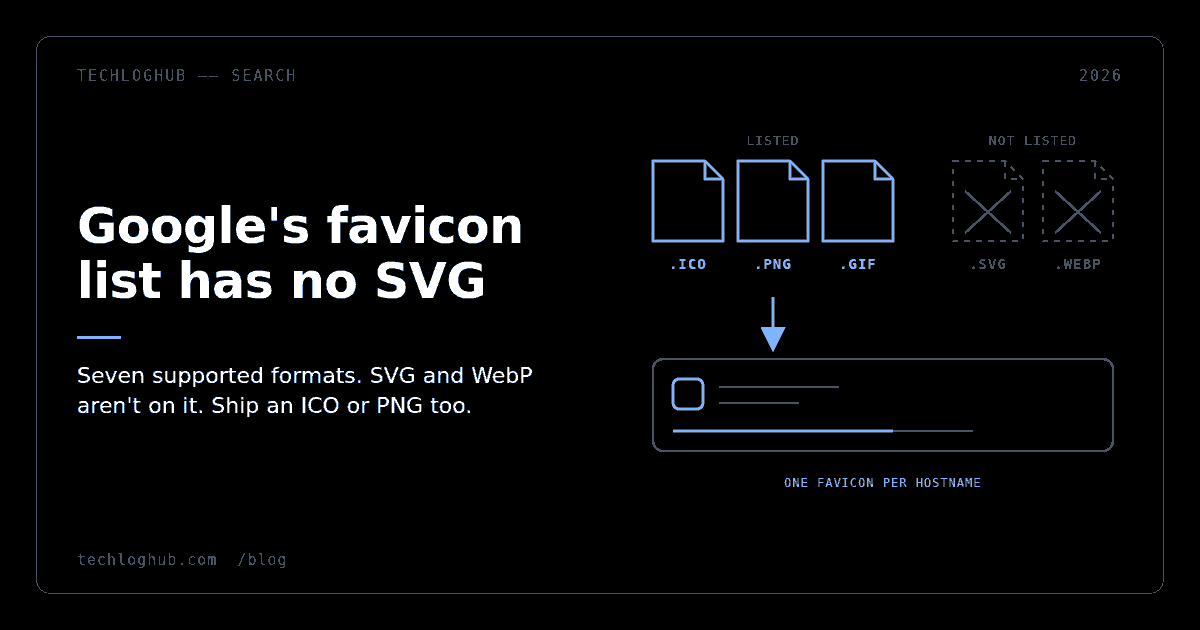
Quick answer: Since 28 August 2026, Google's favicon documentation lists the formats Search supports: BMP, GIF, ICO, PNG, JPEG, PPM and TIFF. SVG and WebP aren't on it. If your site only declares an SVG icon, which is what the default Vite template does, add an ICO or PNG favicon that is square, bigger than 48×48px, crawlable by Googlebot-Image and linked from the homepage.
Your favicon sits next to every one of your search results, and Google has just written down exactly which files it will use. The list is seven formats long and SVG isn't on it. That matters because modern starter templates ship SVG and nothing else.
This is a two-minute fix. The only hard part is noticing you need it.
What changed in Google's favicon docs
On 28 August, Google's Search documentation changelog recorded that the favicon page was "updated to specifically list out the supported favicon file formats." The current guidelines now say:
"Google Search supports the following favicon file formats: BMP, GIF, ICO, PNG, JPEG, PPM, and TIFF."
That's the full list. It doesn't include SVG or WebP, the two formats modern front-end tooling reaches for first. The page doesn't say what Google does with a site whose only declared icon is an SVG. It also doesn't say how Google chooses between several <link rel="icon"> tags. So the only defensible reading is that you should make sure a supported file is available.
The rest of the requirements, in one place:
| Requirement | What Google's doc says |
|---|---|
| Format | BMP, GIF, ICO, PNG, JPEG, PPM or TIFF |
| Shape and size | Square (1:1), at least 8×8px; larger than 48×48px recommended |
rel values | icon, apple-touch-icon, apple-touch-icon-precomposed |
| Crawling | Googlebot-Image must be able to fetch the icon; Googlebot must be able to fetch the homepage |
| Scope | One favicon per hostname; subdirectories can't have their own |
| Stability | The favicon URL must be stable |
| Refresh | Several days to several weeks; URL Inspection can request a recrawl |
Which setups are exposed
Vite projects that kept the default
The create-vite React + TypeScript template ships exactly one icon tag:
<link rel="icon" type="image/svg+xml" href="/favicon.svg" />
Browsers are fine with that, which is why nobody notices. But if the project grew into a production marketing site or docs site and nobody touched index.html, the only icon it offers Google is in a format Google's list doesn't include.
Next.js apps that only have icon.svg
Next.js is a bit subtler. Its app icon file conventions accept .svg for icon, while favicon is .ico-only and can only go at the top level of app/. A project with just app/icon.svg outputs a single rel="icon" tag pointing at an SVG, with sizes="any". Adding app/favicon.ico gives you <link rel="icon" href="/favicon.ico" sizes="any" /> alongside it, and the problem goes away.
Code-generated icons are fine. An app/icon.tsx built with ImageResponse, as in Next's own example, is served as image/png, and PNG is on the list.
Multi-tenant and subdirectory products
"One favicon per site, where a site is defined by the hostname" rules out a pattern SaaS builders often try: a separate favicon for /docs or for each customer's workspace at app.example.com/acme. Google will show one icon for the whole hostname. If each tenant needs its own icon in search results, each tenant needs its own subdomain.
The fix, in order
1. Ship a raster favicon next to the SVG
Keep the SVG for browsers that use it. Add either a multi-size favicon.ico or a square PNG of at least 96×96px. ICO is the most compatible choice, because one file can hold 16, 32 and 48px layers and it's the most widely supported favicon format there is. Our favicon generator builds the full set from one source image, and the image format converter will rasterise an existing SVG to PNG if all you need is a single file. If you're starting from the SVG, run it through an SVG optimizer first. Stray metadata and hidden layers can render as artefacts at small sizes.
2. Declare it on the homepage
Google's example is one line, and it has to be in the homepage's <head>, because that's the page Googlebot reads for this:
<link rel="icon" href="/favicon.ico">
If your framework injects head tags, don't trust the source. Check the rendered HTML. A meta tag generator is useful for producing a clean head block to compare against.
3. Make sure both bots can reach it
Google names two crawlers here. Googlebot-Image fetches the icon and Googlebot fetches the homepage, and neither can be blocked. A robots.txt that disallows /static/, /assets/ or /_next/ to keep "junk" out of the index can block the icon without anyone noticing. Rebuild the file with a robots.txt generator if it has picked up rules nobody can explain, then test the icon URL itself in Search Console's URL Inspection.
4. Keep the URL stable
Google asks for a stable favicon URL. Content-hashed icon URLs, which bundlers and Next.js both produce, only change when the icon changes, and that's fine. What isn't fine is a CDN setup that rewrites the path on every deploy, or a query-string cache-buster that changes on every build. Either way Google has to rediscover the icon each time, and refreshes already take days to weeks.
5. Don't count on the other icon tags
The doc accepts three rel values: icon, apple-touch-icon and apple-touch-icon-precomposed. If you use Next.js, it only accepts .jpg, .jpeg and .png for apple-icon, so that tag will always point at a supported format. Still, an SVG rel="icon" plus a touch icon is a setup Google's page never describes, so don't build on it. Web app manifest icons aren't mentioned in the guidelines at all. They matter for install prompts, not for search results. Put a supported file on the plain rel="icon" tag and you no longer depend on how Google resolves the rest.
Why a 16px image deserves an hour
On a results page, the favicon and site name sit above the title. For a developer tool competing on a crowded query, being the one result with a generic globe icon is a small but real disadvantage. It's also one of the few SEO fixes where the doc tells you exactly what compliance looks like. There's no guesswork about what counts, which is more than can be said for most of what's left after the FAQ rich results removal.
The icon also gets reused. The same file ends up in bookmarks, link previews and the cards on directories like the TechLogHub product directory, where a clear icon is the difference between a listing someone recognises and one they scroll past. If you're auditing a whole marketing site, the SEO and content tools category is where to look for site crawlers that can check the icon on every hostname you own.
FAQ
Does Google support SVG favicons?
SVG isn't on Google's documented list. Since 28 August 2026 the favicon guidelines name BMP, GIF, ICO, PNG, JPEG, PPM and TIFF as supported. Keep an SVG for browsers if you like, but also provide an ICO or PNG favicon.
What size should a favicon be for Google Search?
Square with a 1:1 aspect ratio and at least 8×8px. Google recommends going larger than 48×48px so it looks good on different surfaces. A multi-size ICO or a 96×96px or larger PNG covers that.
Why is Google still showing my old favicon?
Google says favicon crawling can take several days to several weeks, depending on how often it refreshes your content. Request indexing of the homepage with the URL Inspection tool, and check that the icon URL is stable and not blocked for Googlebot-Image.
Can different sections of my site have different favicons in Google?
No. Google supports one favicon per site, where the site is the hostname. A subdirectory such as /docs shares the root favicon. A subdomain such as docs.example.com can have its own.
Does robots.txt affect whether my favicon appears?
Yes. Googlebot-Image must be allowed to crawl the favicon file and Googlebot must be allowed to crawl the homepage. Disallowing a static asset folder that holds the icon can stop it from showing.
Seven formats, one line of HTML, two crawlers. It's the rare search requirement that's fully spelled out, so make sure your site meets it.