


abtop
Introduction
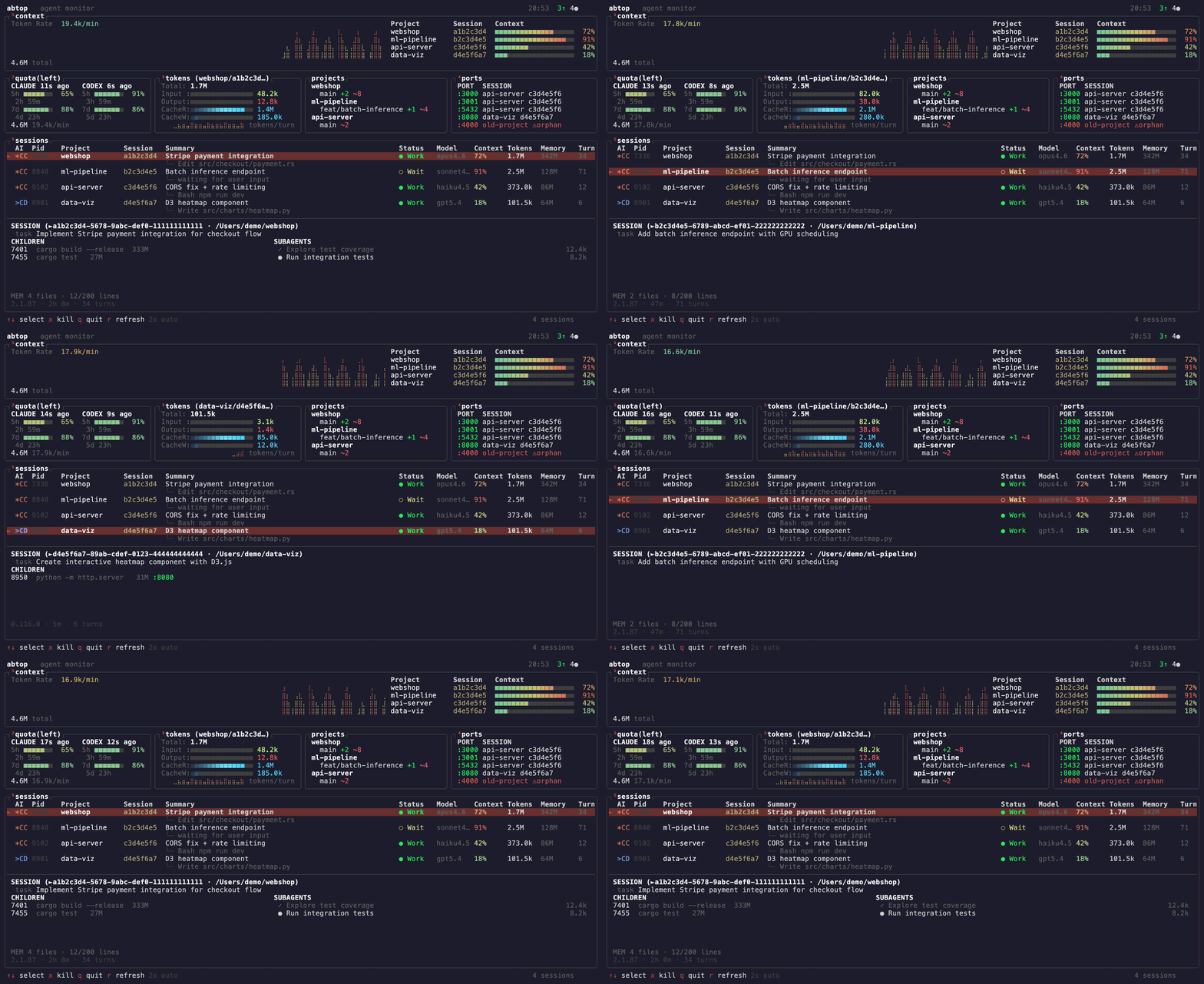
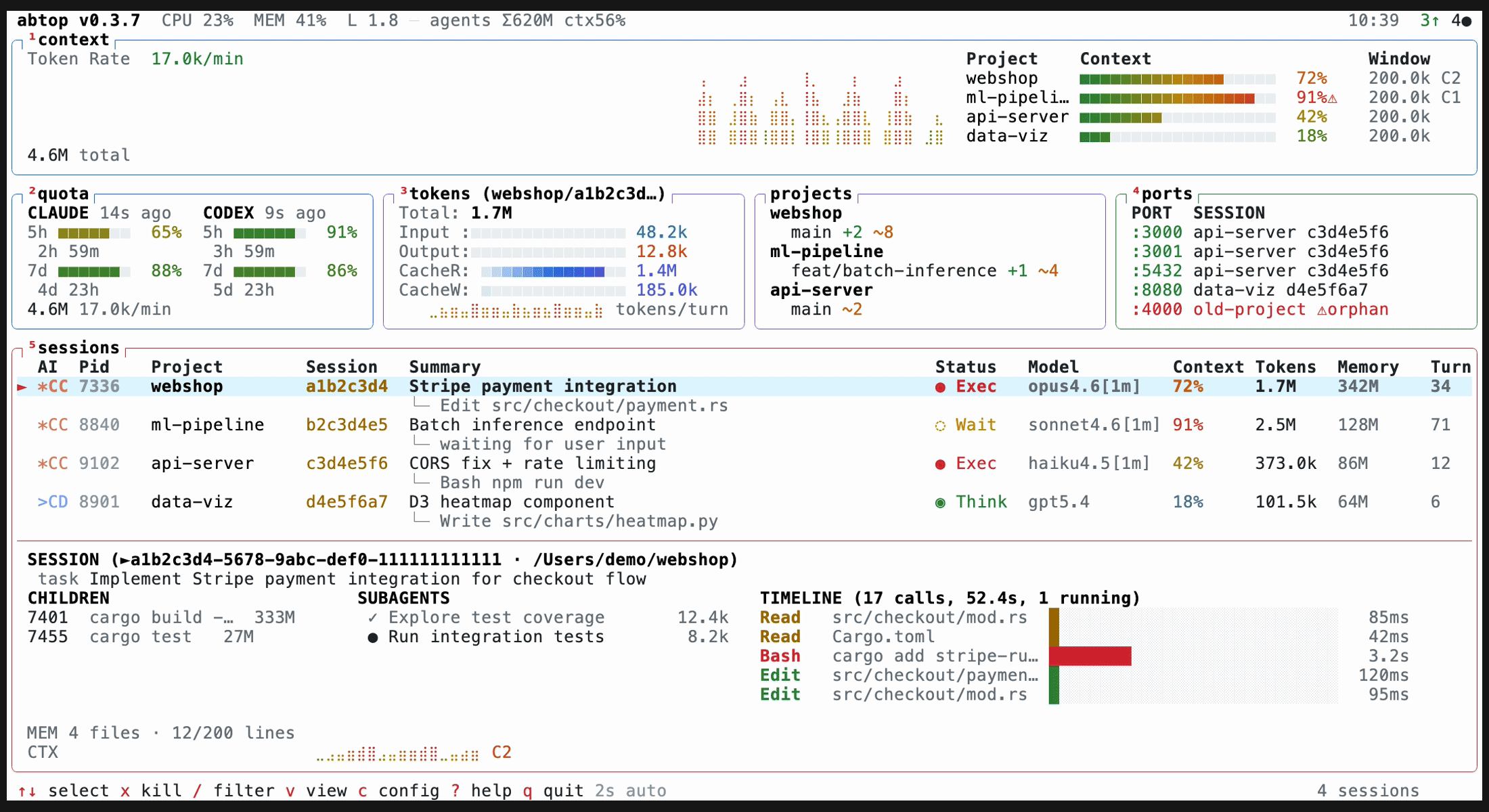
In the fast-moving world of AI-assisted development, keeping an eye on multiple intelligent agents at once can feel like juggling flaming swords. ABTOP changes that. Inspired by btop, ABTOP applies the same clarity and at-a-glance visibility to your AI coding agents. It consolidates Claude Code, Codex CLI, and OpenCode sessions into one readable, read-only dashboard that runs on macOS, Linux, and Windows. The goal is simple: see every session, token usage, context window percentage, rate limits, child processes, open ports, and more — all in real time and without needing API keys or authentication.
If you poke around ABTOP, you’ll notice it discovers sessions from local process and file state, so you can have multiple active profiles across different machines and projects. It’s designed to be non-intrusive yet thorough, keeping you in control without compromising your local data.
To give you a quick glimpse, a live demo GIF showcases ABTOP in action — a dynamic, responsive terminal interface that condenses complex agent telemetry into an accessible visual layout.
- Demo:
Why ABTOP Matters
- One screen for many agents: Running 3+ agents across multiple projects? ABTOP brings them all into a single, coherent view so you’re never chasing sessions in scattered terminals again.
- Real-time quota visibility: Rate limits can bottleneck progress. Watch your quota in real time and anticipate when you’ll need a pause or a switch.
- Orphan port detection: If an agent spawned a server and forgot to kill it, those ports don’t hide from ABTOP; you’ll see and manage them.
- Context window awareness: Per-session percentage bars indicate how much of the context window is in use, with warnings if you’re approaching limits.
- No keys, no auth: ABTOP is read-only for session telemetry and does not require API keys or authentication to view your own local data.
Install ABTOP
ABTOP is accessible through several installation paths, so you can pick the method that fits your system and workflow.
macOS / Linux
- curl-based installer:
- curl --proto '=https' --tlsv1.2 -LsSf https://github.com/graykode/abtop/releases/latest/download/abtop-installer.sh | sh
Cargo (Rust)
- cargo install abtop
Windows Native support
- ABTOP runs natively on Windows without WSL. It uses sysinfo for process data and netstat -ano for listening ports.
- PowerShell installation:
- powershell -c "irm https://github.com/graykode/abtop/releases/latest/download/abtop-installer.ps1 | iex"
- Or use cargo install abtop from any terminal with Git in PATH.
If you prefer ready-made binaries, pre-built options for all platforms are available on the GitHub Releases page.
- GitHub Releases: https://github.com/graykode/abtop/releases
Usage: Getting ABTOP Running
Once installed, ABTOP can be run in several modes. The TUI is the primary mode, but you can also extract snapshots or set up rate-limit hooks.
Launch the TUI
- abtop
Print a one-shot snapshot and exit
- abtop --once
Output a single JSON snapshot suitable for scripting or tooling.
Print a JSON snapshot for scripts/tools
- abtop --json
Install a rate-limit collection hook
- abtop --setup
Launch with a specific theme
- abtop --theme dracula
Recommended terminal size
- A comfortable experience is at least 120x40. The panels gracefully adapt and hide when space is limited, with a minimum of 80x24 to retain readability.
tmux usage: unlocking pane navigation
- ABTOP works well standalone, and inside tmux it enables session jumping between panes. Press Enter to switch directly to the pane running that agent.
Example in tmux
- tmux new -s work
- pane 0: abtop
- pane 1: claude (project A)
- pane 2: claude (project B)
- Then, in ABTOP, Enter on a session jumps you to its pane in tmux.
Supported Agents: Claude Code, Codex CLI, OpenCode
ABTOP supports three major AI tooling agents, each with a slightly different feature set. Here is a breakdown, focusing on what each agent exposes in ABTOP’s interface.
Claude Code
- Session Discovery: Yes
- Token Tracking: Yes
- Context Window %: Yes
- Status Detection: Yes
- Current Task: Yes
- Rate Limit: Yes
- Git Status: Yes
- Children / Ports: Yes
- Subagents: Yes
- Memory Status: Yes
Codex CLI
- Session Discovery: Yes
- Token Tracking: Yes
- Context Window %: Yes
- Status Detection: Yes
- Current Task: Yes
- Rate Limit: Yes
- Git Status: Yes
- Children / Ports: Yes
- Subagents: No
- Memory Status: No
OpenCode
- Session Discovery: Yes
- Token Tracking: Yes
- Context Window %: No
- Status Detection: Yes
- Current Task: No
- Rate Limit: No
- Git Status: Yes
- Children / Ports: Yes
- Subagents: No
- Memory Status: No
OpenCode support reads the local SQLite database at ~/.local/share/opencode/opencode.db and requires sqlite3 in PATH. This enables OpenCode to surface its state in ABTOP’s dashboard.
Themes: Visual Kinship with Your Workflow
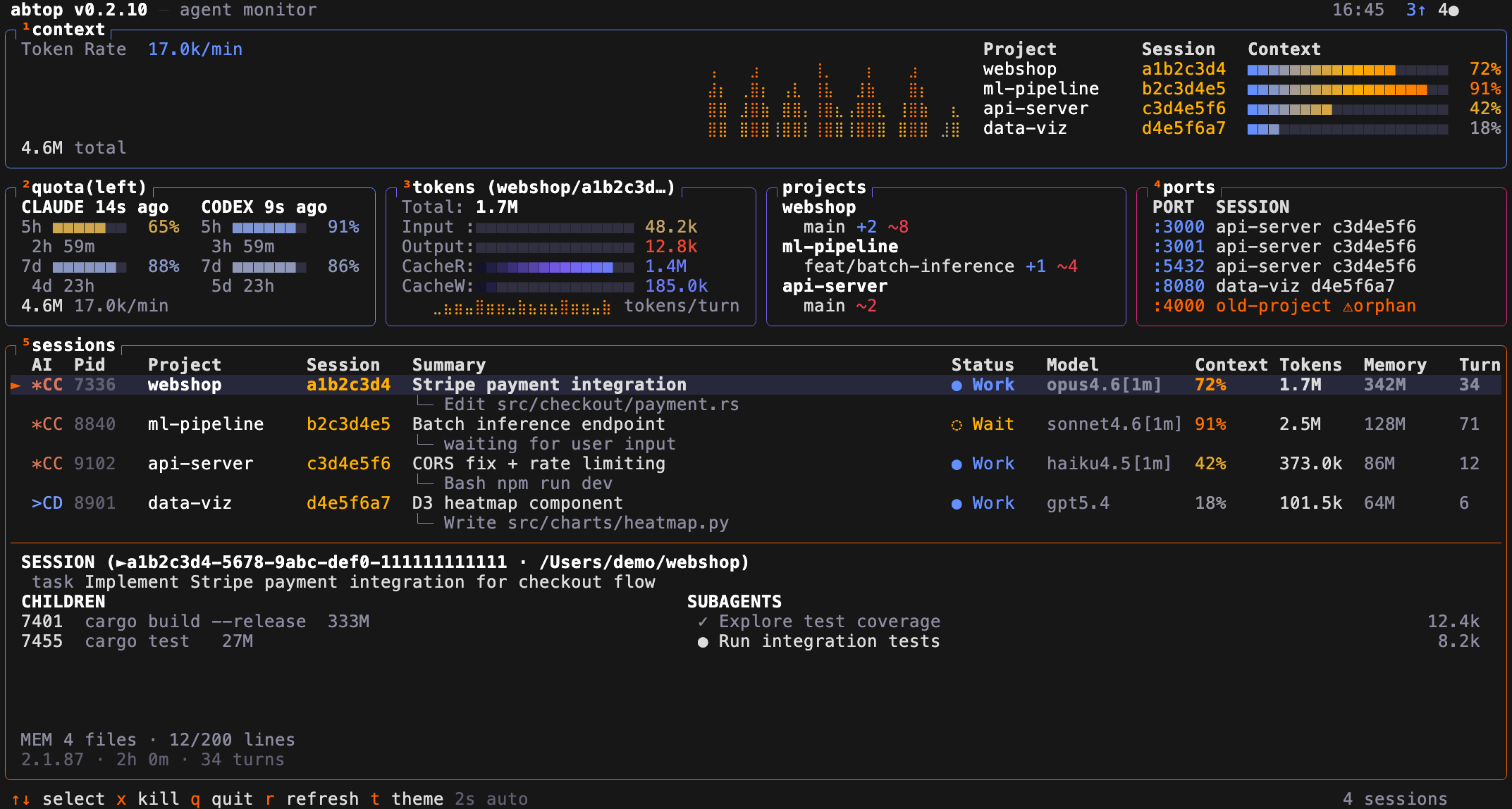
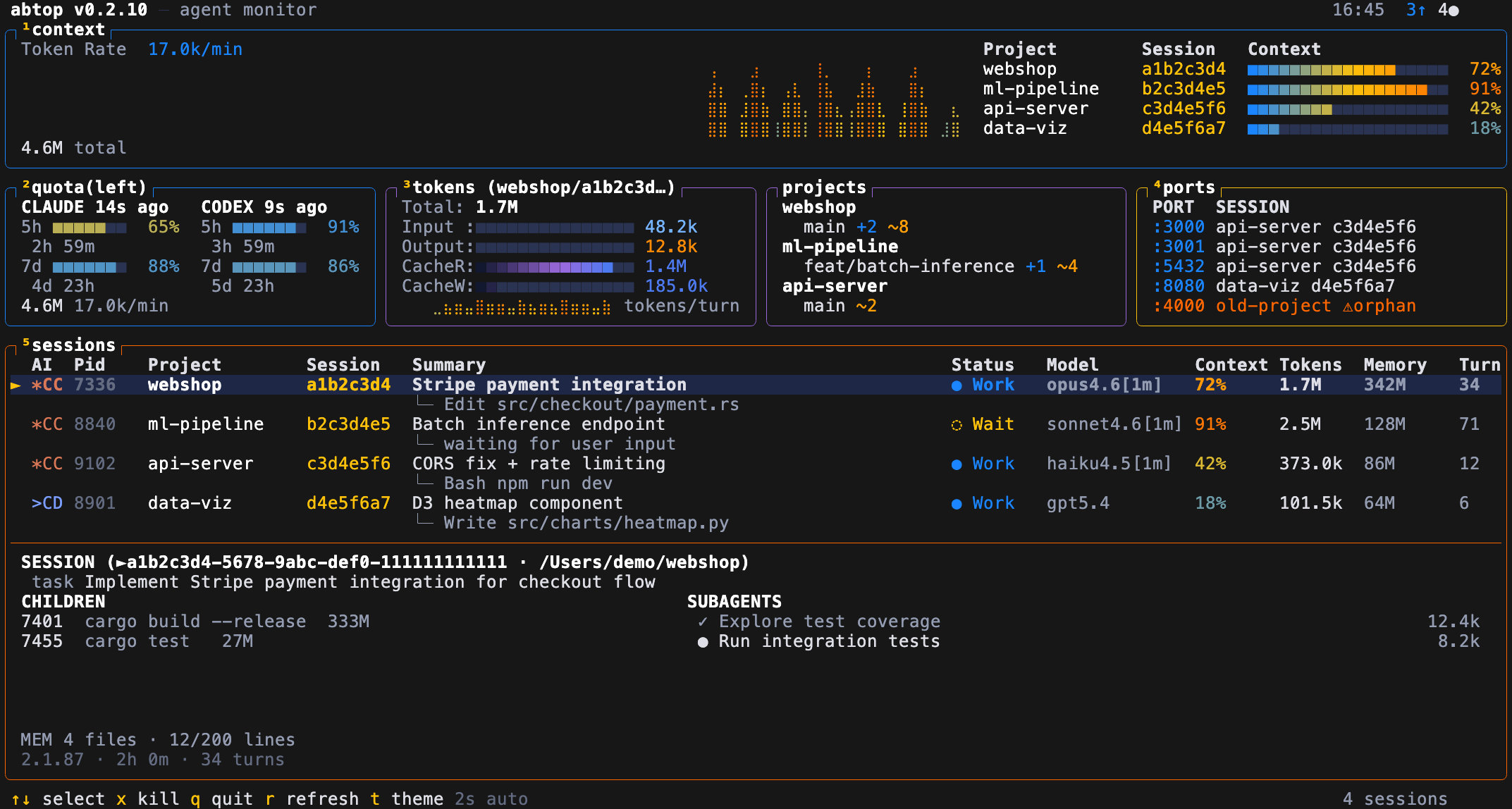
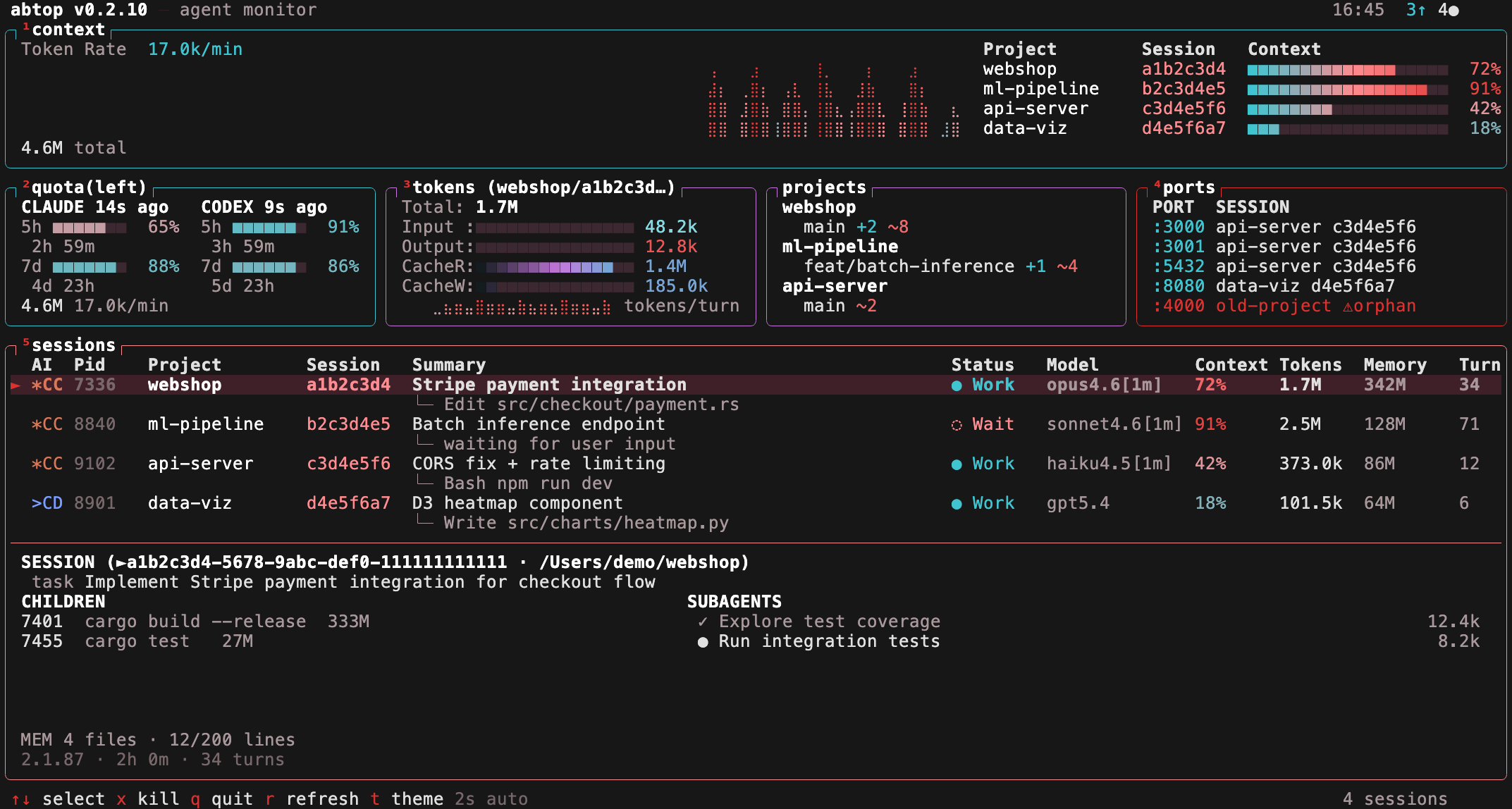
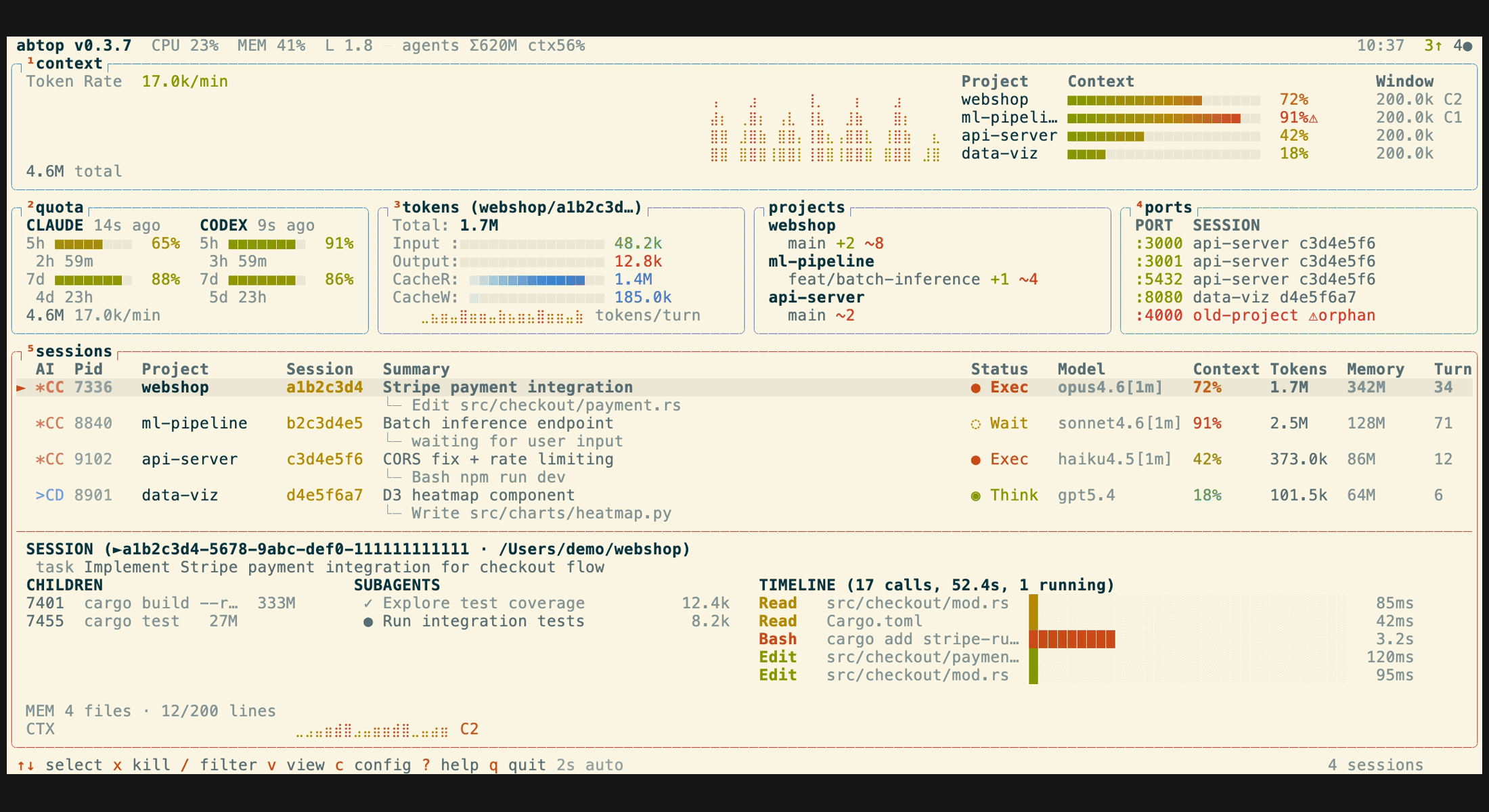
ABTOP ships with a dozen built-in themes, including four colorblind-friendly options. You can switch themes at runtime with the t key or launch with a specific theme using --theme. Your theme choice is saved to ~/.config/abtop/config.toml.
The default and a representative subset of themes are:
- btop (default)
- Image:
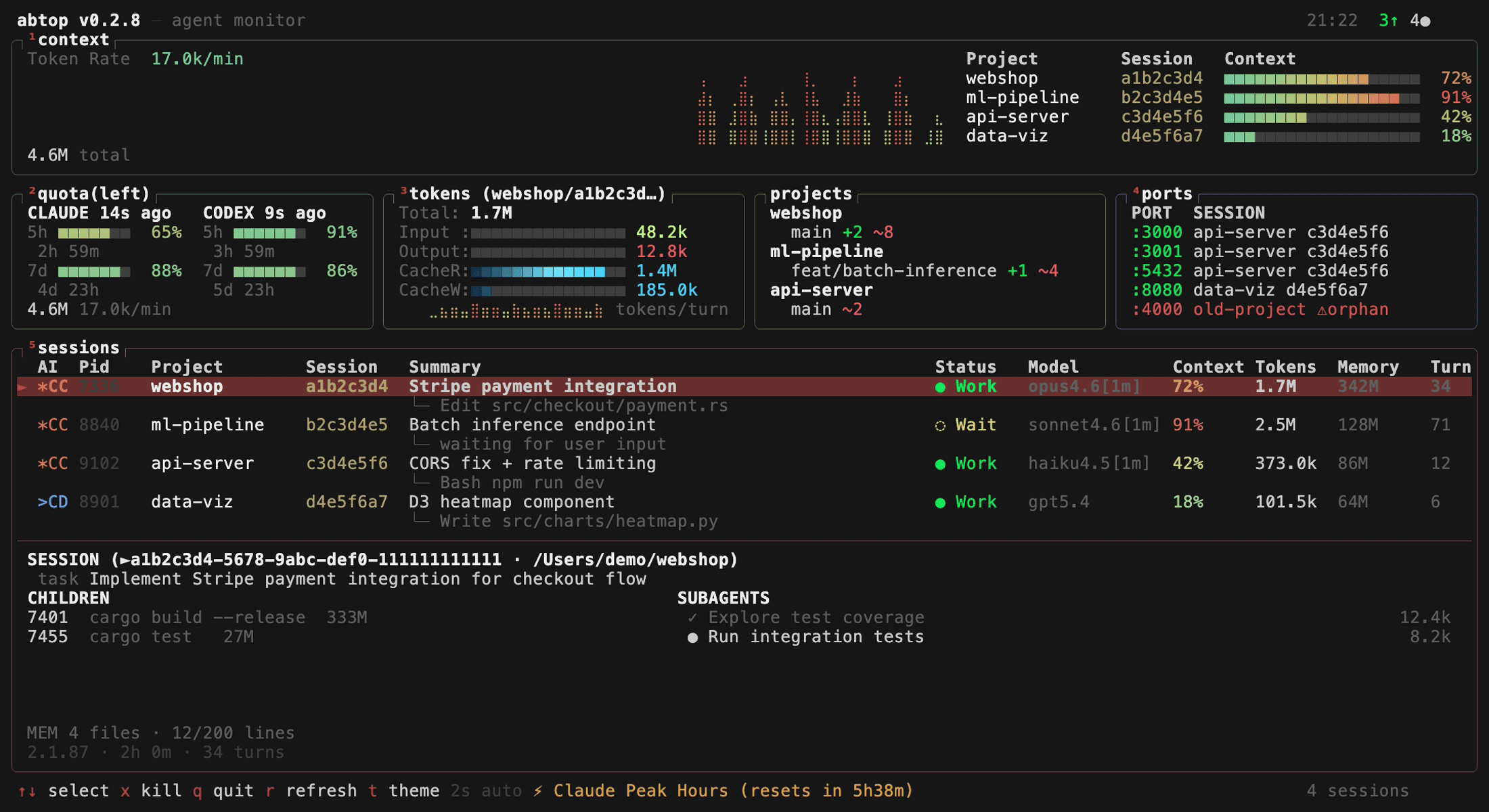
- dracula
- Image:
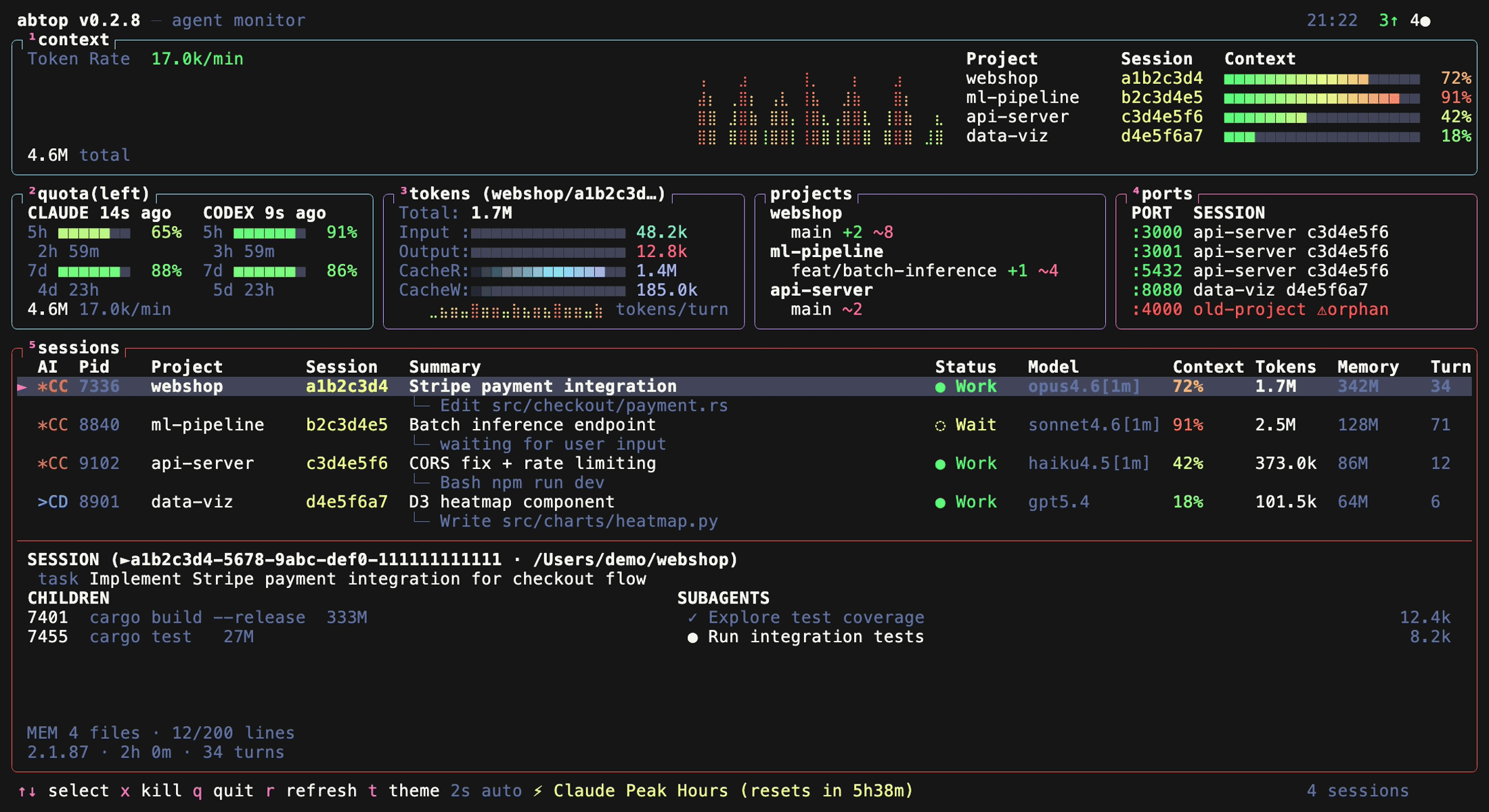
- catppuccin
- Image:
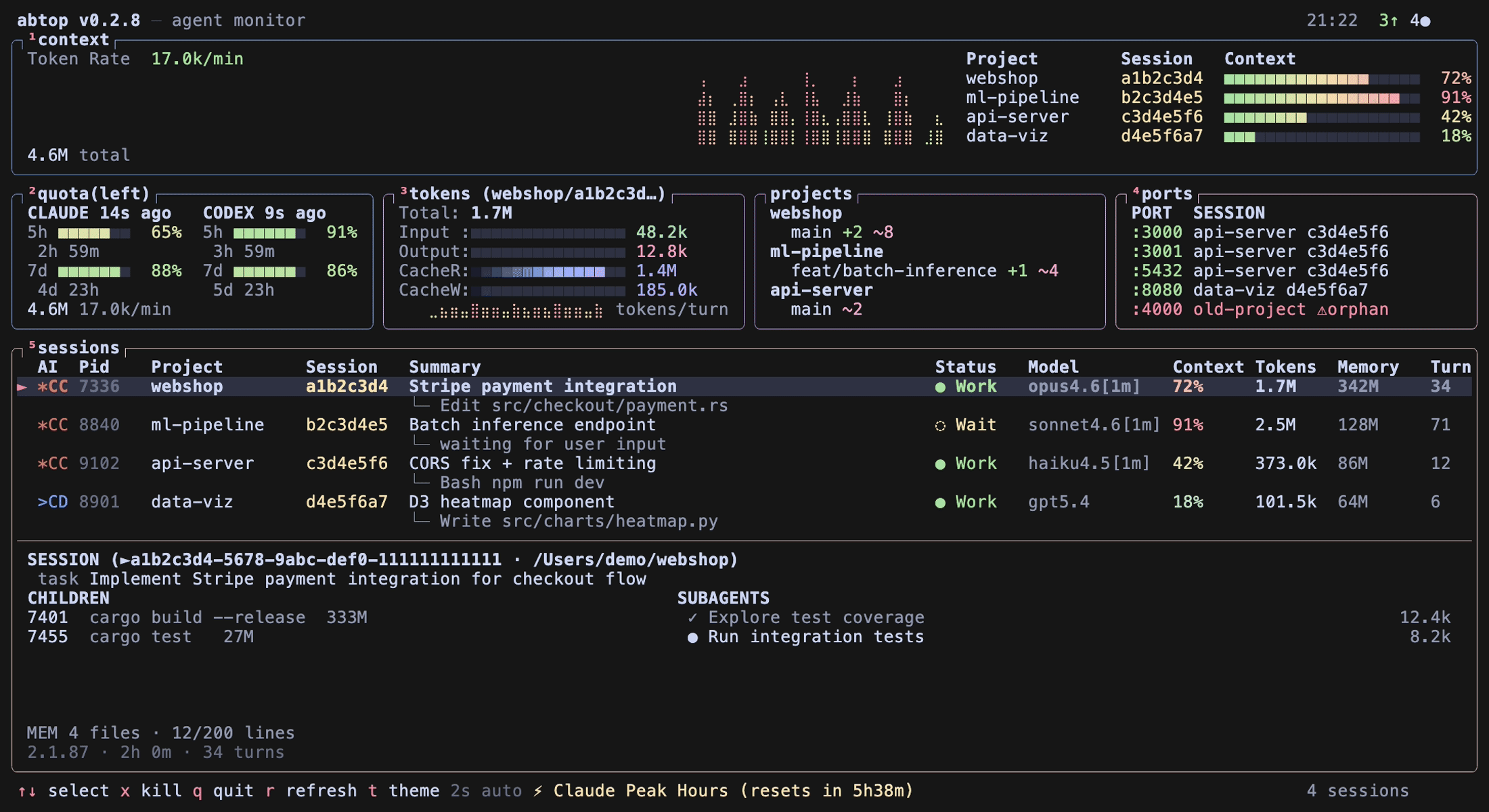
- tokyo-night
- Image:
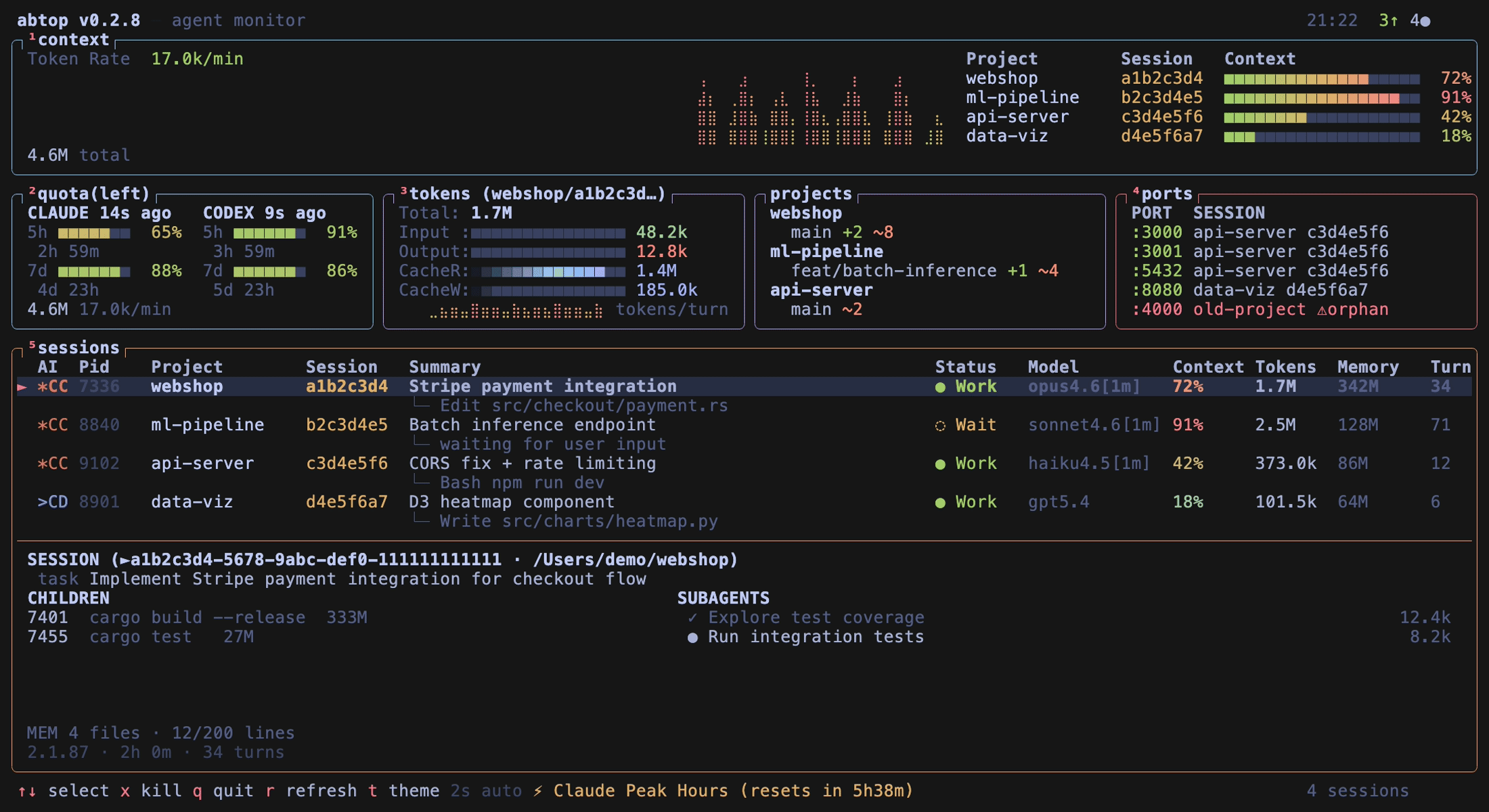
- gruvbox
- Image:
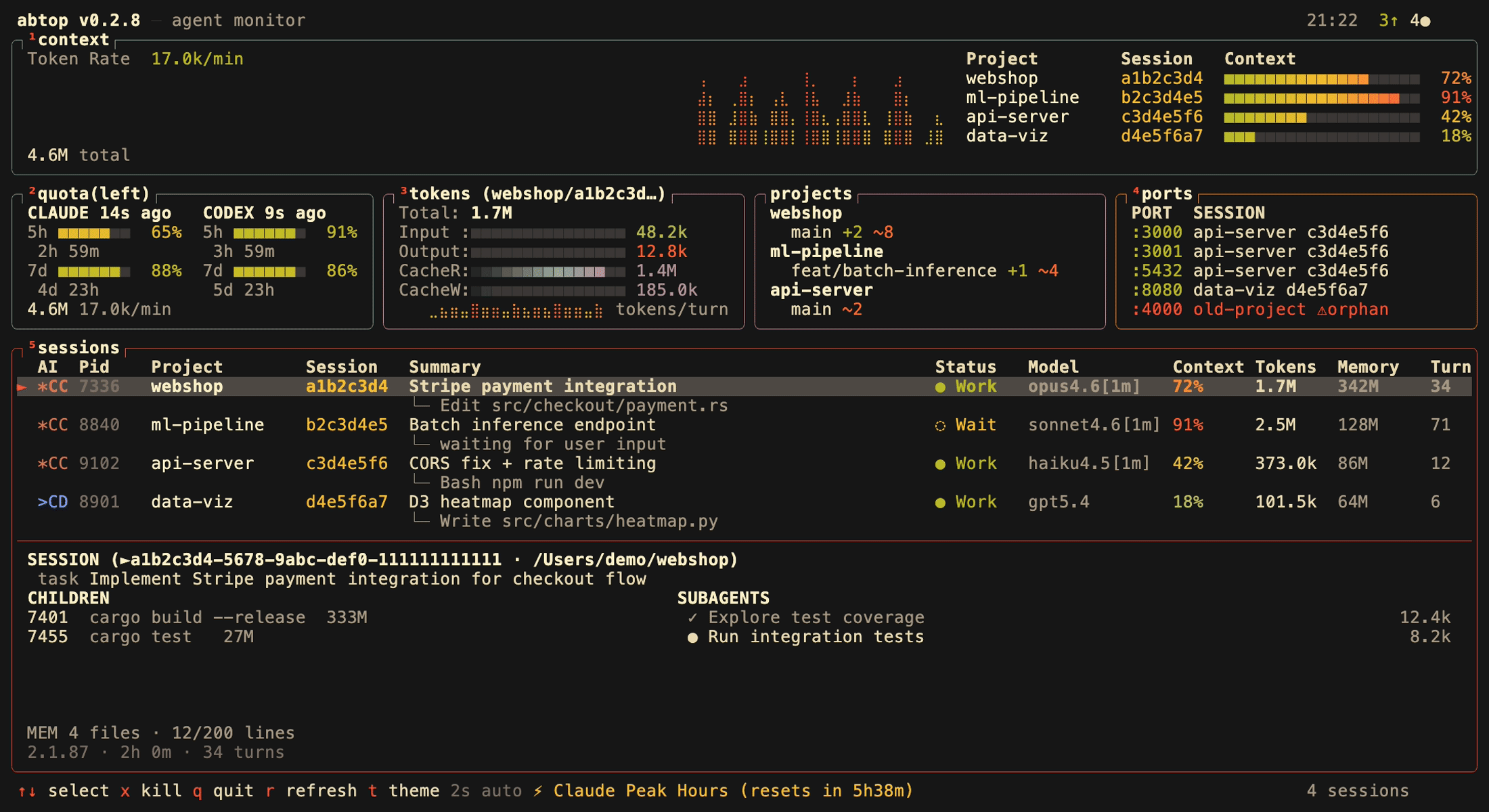
- nord
- Image:
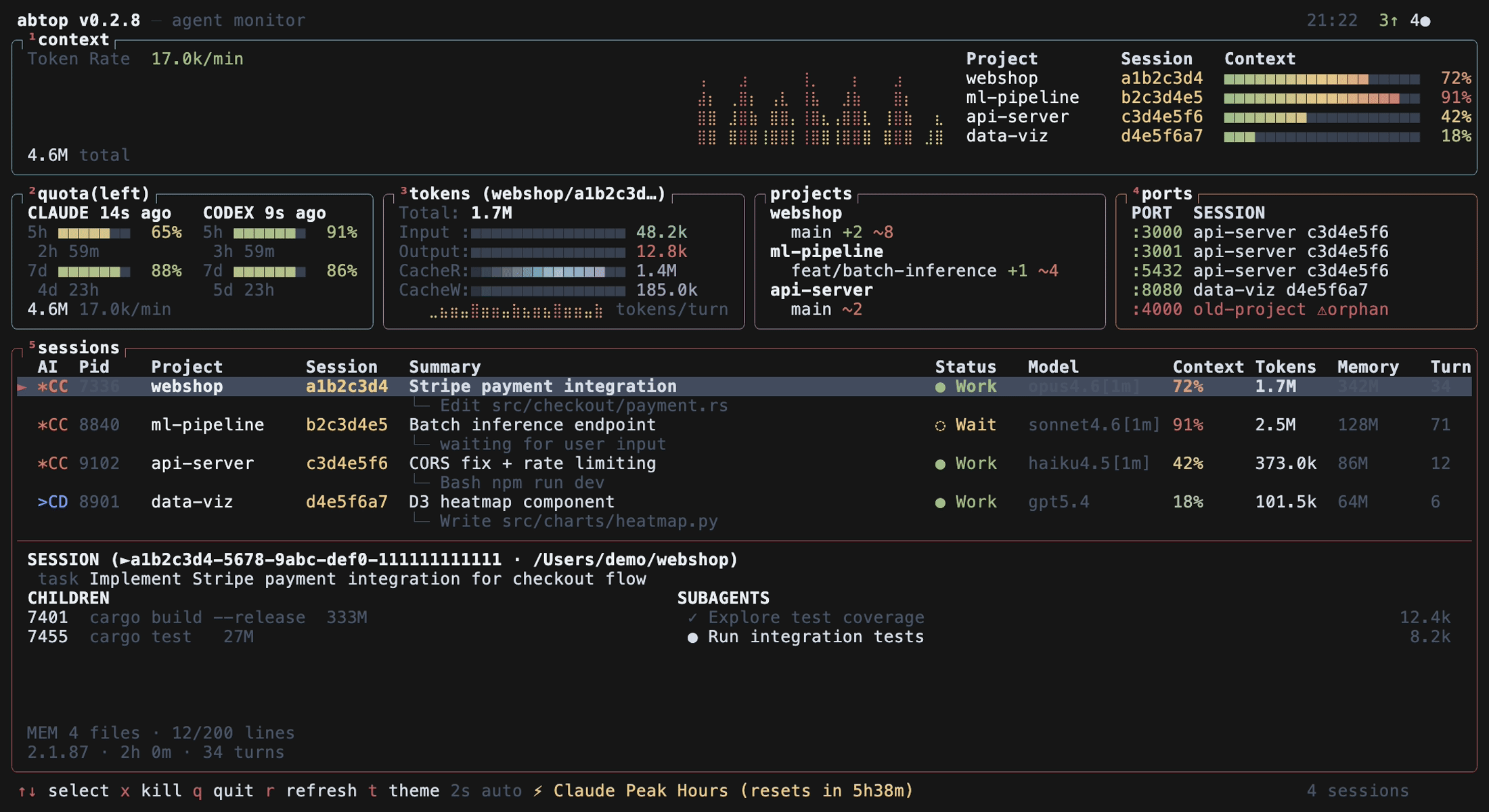
Colorblind-friendly themes
- high-contrast
- Image:
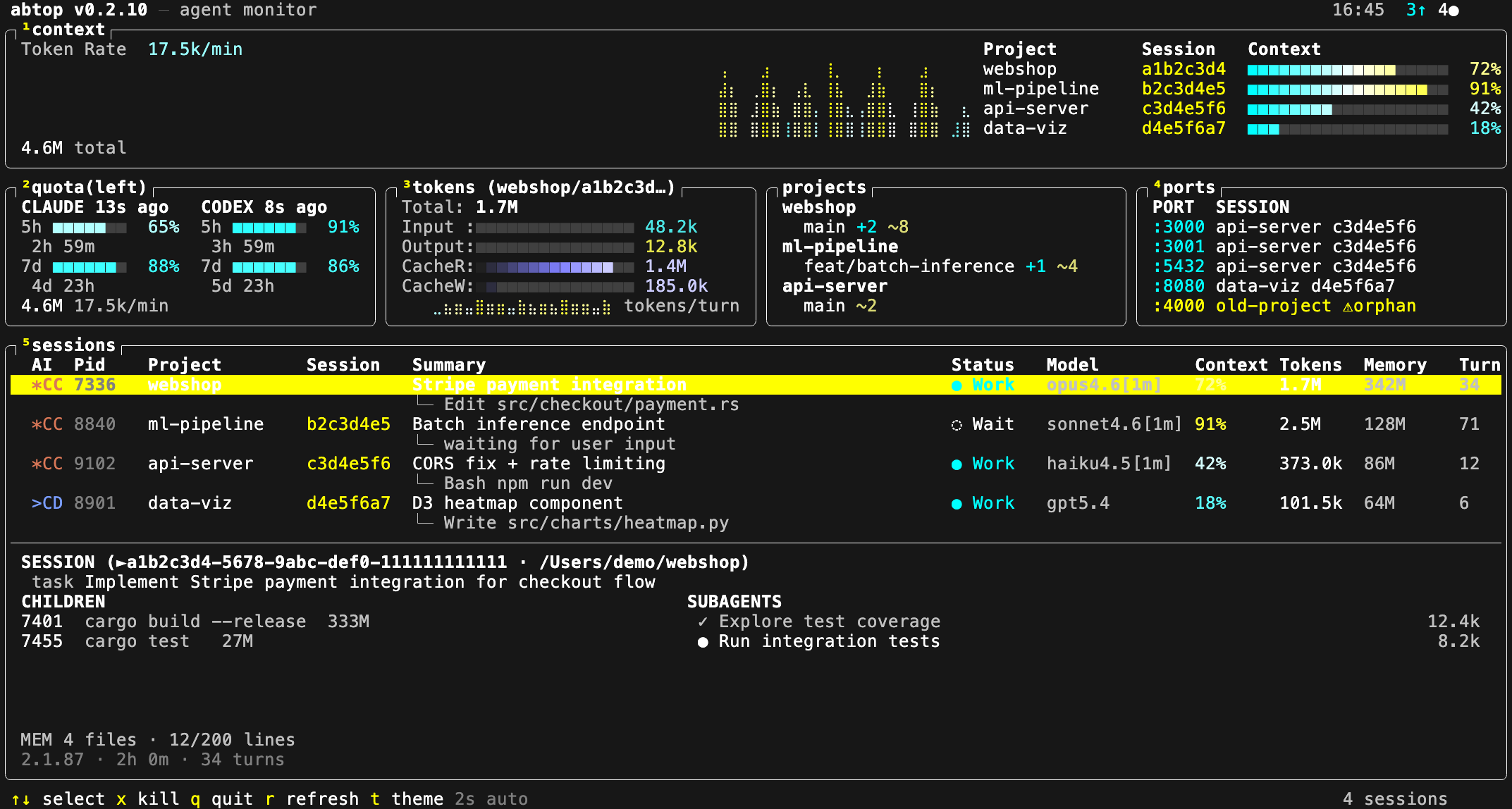
- protanopia
- Image:
- deuteranopia
- Image:
- tritanopia
- Image:
Light themes for bright terminals
- light
- Image:
- white
- Image:
Configuration: How ABTOP Knows What to Show
ABTOP is highly configurable, enabling you to tailor what you see and how you see it. The configuration file lives at ~/.config/abtop/config.toml and supports a few key options.
- theme = "btop" # default theme
- hidden_agents = ["codex"] # case-insensitive list to hide certain CLIs from the TUI
- claudeconfigdirs = ["~/.claude-personal", "~/.claude-work-team"] # additional Claude Code profile roots to scan
- language = "zh" # UI language (see below for automatic detection)
Claude Code directory discovery
- ABTOP auto-discovers Claude Code roots under ~/.claude and ~/.claude-*/projects, enabling unified visibility across personal and team profiles.
Language support
- Supported languages include:
- en: English (default)
- zh: Simplified Chinese
- If language is unset, ABTOP auto-detects from LANG. Any value starting with zh switches to Simplified Chinese; otherwise, English.
Key Bindings: Quick Keys for Fast Navigation
- Up/Down arrows or k/j: Move between sessions
- Enter: Jump to the session terminal (tmux only)
- x: Kill selected session
- X: Kill all orphan ports
- t: Cycle theme
- 1–5: Toggle panel visibility
- Esc: Open/close config page
- q: Quit
- r: Force refresh
Library and JSON Snapshot: Integrating ABTOP into Your Toolchain
ABTOP isn’t just a TUI; it also exposes a library API for local tools to reuse the data-collection layer in-process, avoiding re-scans and subprocesses. It’s designed to serialize the same state the TUI renders, enabling sophisticated tooling and dashboards.
One-shot JSON snapshot
- abtop --json
- This provides a single JSON snapshot suitable for scripts, automation, and data ingestion.
A practical Rust example: App-based consumption
- ABTOP can be embedded in Rust applications to poll its internal data state without spawning Claude quota-intensive processes.
- Example (Rust):
- use abtop::app::App;
- use abtop::{config, theme::Theme};
- let cfg = config::load_config();
- let mut app = App::newwithconfigandclaudedirs( Theme::default(), &cfg.hiddenagents, cfg.panels, &cfg.claudeconfigdirs, );
- app.ticknosummaries();
- let json = serdejson::tostring(&app.tosnapshot(2000)).unwrap();
Notes
- App is not Send; it owns collectors, so keep it on a single thread and transmit the serialized JSON elsewhere.
- ABTOP Web UI: https://github.com/XKHoshizora/abtop-web-ui
- A local-first web dashboard built on exactly this API, offering a different way to explore the same data.
Privacy: What ABTOP Exposes and What It Keeps Private
ABTOP respects your privacy and keeps data local.
- Reads local files and local process/open-file metadata only
- No API keys, no authentication required
- In the TUI and --once output, tool names and file paths are shown, but file contents and prompt text are never displayed
- Session summaries are generated via claude --print, which makes its own API call; this is the only indirect network usage
- JSON snapshots include richer local dashboard data (summary, chat messages, working directories, config roots, tool-call previews, child process commands, token counts, port metadata)
- Chat text is bounded and redacted by collectors, but can contain sensitive project context
- Treat JSON snapshots as local/private data and avoid sharing them or exposing them on a network without your own access controls
Acknowledgements
ABTOP’s ongoing evolution owes a debt of thanks to the community and contributors. In particular, gratitude goes to tbouquet for driving much of ABTOP’s recent shape — themes, config overlay and panel toggles, session filtering, subagent tree view, the context window gauge with compaction detection, and a steady stream of fixes and security hardening along the way.
License
ABTOP is released under the MIT license.
Closing Thoughts
ABTOP stands at the intersection of visibility and control for AI-assisted development. It codifies the intuition many engineers have when working with multiple AI agents: you deserve an interface that makes complexity legible, not overwhelming. By bringing together session discovery, token tracking, port activity, and per-agent capabilities in a single, configurable, and visually coherent dashboard, ABTOP helps you stay focused on building, debugging, and delivering. It’s not just a tool; it’s a software engineering companion designed to scale with your team’s needs and the evolving landscape of AI coding agents.
Enjoying this project?
Discover more amazing open-source projects on TechLogHub. We curate the best developer tools and projects.
Repository:https://github.com/graykode/abtop
GitHub - graykode/abtop: abtop
ABTOP is an open-source TUI dashboard designed to monitor AI coding agents like Claude Code, Codex CLI, and OpenCode in real-time. It provides visibility into s...
github - graykode/abtop