

GitHub Actions Lockfiles: What actions.lock Pins and What It Doesn't
GitHub Actions now supports a workflow lockfile, actions.lock, in public preview. What it pins, how it beats SHA pinning, and the gaps to know before rollout.
GitHub Actions Lockfiles: What actions.lock Pins and What It Doesn't
Quick answer: GitHub Actions now has a real lockfile. In public preview since 14 October 2026, .github/workflows/actions.lock records the exact commit and source-repository ID behind every action a workflow uses, including transitive actions, and onboarded workflows run those commits even if a tag moves. It replaces hand-written SHA pins, but it does not cover reusable workflows' own dependencies or local-path actions, and it does not judge whether a dependency is safe.
GitHub Actions has been the odd one out among dependency systems: uses: owner/action@v3 resolves to whatever v3 points at when the job starts. Package managers settled this long ago with lockfiles. Actions now has one too, and it is better than the SHA-pinning workaround most teams use today.
GitHub shipped workflow dependency lockfiles as a public preview on 14 October 2026 for Free, Team and Enterprise Cloud plans. Here is what the file records, where it stops, and how to roll it out without breaking an allowlist.
What actions.lock records
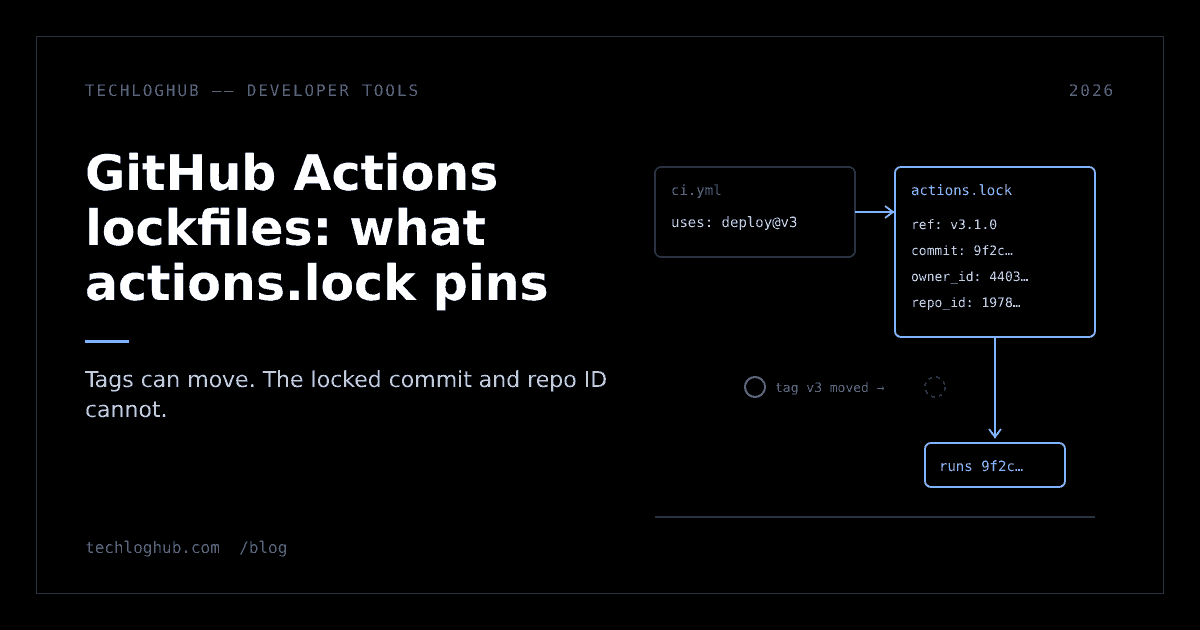
The lockfile lives at .github/workflows/actions.lock and is generated by a GitHub CLI extension, gh-actions-lock. The concept docs show a two-part YAML file: a workflows map listing each onboarded workflow's dependencies, and a dependencies map with what each reference resolved to.
version: 'v0.0.2'
workflows:
    '.github/workflows/ci.yml':
        - 'octo-org/[email protected]'
dependencies:
    'octo-org/[email protected]':
        ref: 'v3.1.0'
        commit: 'sha1-...'
        owner_id: 44036562
        repo_id: 197814629
Four fields carry the weight. ref is the tag or branch you wrote. commit is the code that will run. owner_id and repo_id are the numeric identity of the source repository, which GitHub Actions checks at run time to confirm the repository behind the name is still the one you locked. That last part matters: a renamed or re-registered owner can't silently swap in a different repository under the same name.
Once a workflow is onboarded, every action dependency must have a lockfile entry, and the locked commit is what runs and what allowed-actions policies check. The README adds that a locked commit must exist on a branch of the source repository, which it says makes impostor-commit attacks harder.
Why this beats SHA pinning in the YAML
Since August 2025, admins have been able to require SHA pinning in the allowed-actions policy, and any workflow that uses an unpinned action fails. That works, but it has three costs. Workflow files fill up with 40-character hashes and version comments. Pins only cover the actions you reference directly, not the actions those actions call. And a hash says nothing about which repository it came from.
The lockfile addresses all three. Workflow files keep readable tags, transitive action dependencies are locked too, and repository identity is recorded. GitHub's docs say it directly: for repositories that adopt a lockfile, SHA pinning within workflow files is no longer necessary.
| SHA pins in YAML | actions.lock | |
|---|---|---|
| Direct actions | Pinned | Locked |
| Transitive actions | Not covered | Locked |
| Source repo identity | Not recorded | owner_id + repo_id checked at run time |
| Readability | Hashes in every uses line | Tags stay in the workflow |
| Dependabot | Updates the pin | Regenerates the lockfile entry in the same PR |
What it does not cover
The preview has clear edges, and each one is worth knowing before you tell your security team the problem is solved:
- Reusable workflows. A reusable workflow is covered by the lockfile of the repository where it is defined, and transitive dependencies of reusable workflow calls are excluded from yours.
- Local-path actions. Per the extension README, workflows that use local-path actions can't be onboarded yet and are skipped, which it calls a short-term gap. The CLI can migrate same-repo
./…references to a new$/…form that is inherently pinned. - Safety. GitHub's changelog is explicit: locking does not determine whether the dependency itself is safe, so review dependencies before locking them.
- Content hashes. The format records a commit and repository identity. Community tools went further: Andrew Nesbitt's roundup describes gh-actions-lockfile recording SHA-256 integrity hashes and ghasum writing a checksum file verified in CI.
- Container images. Neither the changelog nor the docs mention
docker://references, so don't assume they are locked.
Lockfiles freeze what you reviewed; they don't review it for you. Pair them with the habits we covered for package registries, like install cooldowns and checking what your tools actually verify.
Rolling it out without breaking your allowlist
The how-to guide is short. Install the extension, generate the file from the repository root, or onboard one workflow at a time:
gh extension install github/gh-actions-lock

# lock every workflow under .github/workflows/
gh actions-lock

# or onboard a single workflow
gh actions-lock .github/workflows/ci.yml

# a tag legitimately moved: re-resolve it
gh actions-lock --relock
Two gotchas sit in the docs. First, the extension rewrites uses references to the resolved version, so @v3 may become @v3.1.0; review the whole diff, not just the new file. A text diff checker helps when the change spans a dozen workflows. Second, if your organisation runs an actions allowlist with tag-pinned entries such as actions/checkout@v6, those entries no longer match locked commits. Switch them to a wildcard or the full commit SHA before you onboard, or runs will fail.
Start with the workflows that hold secrets or deploy: release, publish and deploy jobs. If you are also tightening triggers, the pull_request_target change is the other workflow-security deadline worth scheduling this quarter.
Dependabot and reviewing lock changes
For onboarded workflows, Dependabot's action version updates regenerate the matching lockfile entry in the same pull request. It does not onboard workflows for you; if it bumps an action in a workflow without a lockfile entry, it reports that onboarding is required.
When reviewing, treat a changed commit like any dependency bump: it is new code that will run with your tokens. A changed owner_id or repo_id should be rare. GitHub's guidance is that it means the repository behind the name is not the one you locked, and to investigate before merging. Never hand-edit the file; fix the workflow and regenerate.
Expect the format to move
This is a preview, and the design has already changed once. The original community discussion proposed a dependencies: section inside workflow YAML, generated by a gh actions pin command. What shipped is a separate repository-level file and a differently named extension. The README calls the tool a pre-1.0 technical preview whose format, flags and behaviour may change, and the sample file declares version: 'v0.0.2'.
Adopt it anyway on high-value workflows. The failure mode of a format change is regenerating a file; the failure mode of an unpinned deploy action is much worse. Keep an eye on the open-source listings for the tooling that grows around it.
FAQ
Where does the GitHub Actions lockfile live?
At .github/workflows/actions.lock in the repository. It is generated and maintained by the gh-actions-lock GitHub CLI extension and should never be edited by hand.
Do I still need to pin actions to commit SHAs?
GitHub's docs say SHA pinning within workflow files is no longer necessary for repositories that adopt a lockfile, because the lockfile covers transitive dependencies and records the source repository's identity.
Does actions.lock cover reusable workflows?
Not from the calling repository. A reusable workflow is covered by the lockfile of the repository where it is defined, and transitive dependencies of reusable workflow calls are excluded.
Which GitHub plans can use workflow lockfiles?
The public preview is available on GitHub Free, Team, Enterprise Cloud and Enterprise Cloud with data residency. GitHub Enterprise Server is not mentioned.
Does Dependabot update the lockfile?
Yes, for onboarded workflows. Dependabot regenerates the matching lockfile entry in the same pull request, but it does not onboard workflows that lack an entry.
Does a lockfile make an action safe?
No. It guarantees the reviewed commit runs even if a tag moves. GitHub states that locking does not determine whether the dependency itself is safe.
Lock the workflows that touch secrets this week; the rest can follow when the format reaches 1.0.