

Cursor Rules: .cursor/rules, MDC Format and 10 Copy-Paste Examples
How Cursor rules work in 2026: .cursor/rules MDC files, the four apply modes, precedence, AGENTS.md, legacy .cursorrules, and 10 copy-paste rule examples.
Cursor Rules: .cursor/rules, MDC Format and 10 Copy-Paste Examples
Quick answer: Cursor rules are instructions Cursor's Agent reads before it works on your code. Put project rules in .cursor/rules/ as .mdc files with a short frontmatter block (description, globs, alwaysApply) that decides when each rule loads. Use AGENTS.md for plain, always-on instructions. The old root .cursorrules file is legacy: move it into a project rule set to Always Apply. Keep each rule under 500 lines and write a rule only when the agent repeats a mistake.
Most Cursor rules files fail the same way: one huge always-on file full of style advice the linter already enforces. The rules that work are short, scoped to the files they govern, and written after the agent got something wrong twice.
This guide covers how rules load as of November 2026, checked against Cursor's rules documentation and its rules help page. Then it gives ten rules you can paste into a repo today. Where Cursor's docs are silent, we say so rather than guess.
What Cursor rules are, and where they apply
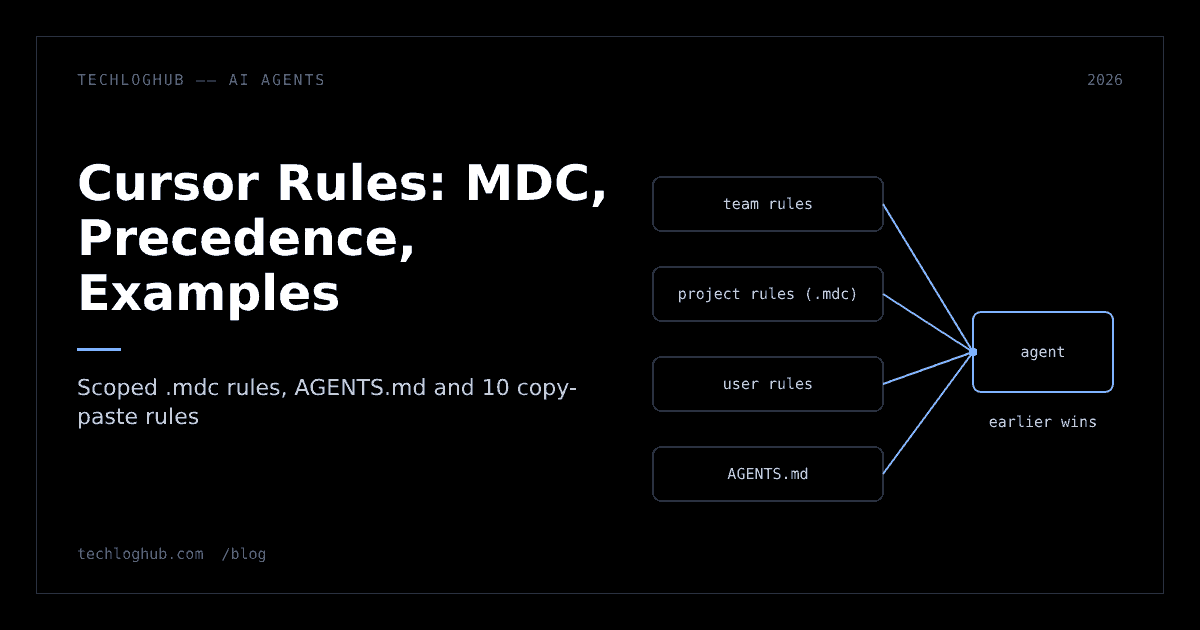
A rule is a block of text Cursor adds to the model's context so the agent follows your project's conventions without being told each time. Cursor's docs list four sources:
- Project rules live in
.cursor/rules/inside the repo and are version-controlled with your code. - User rules are set in Customize → Rules and apply across all your projects. Use them for personal preferences such as "keep replies short".
- Team rules are managed from the Cursor dashboard on Team and Enterprise plans. Admins can make a rule required, and an enforced rule can't be switched off in Customize.
- AGENTS.md is a plain markdown file with no metadata, in the project root or in subdirectories.
One limit surprises people: the help page says rules "only apply to Agent (Chat). They do not apply to Tab completion or Bugbot PR reviews." If Tab suggestions ignore your conventions, a rule won't fix that.
Rules matter more now because agents write more of the code. GitHub's Octoverse 2026 reports that more than 40% of pull requests started with an agent as of September 2026, up from 17% in March. The 2026 Stack Overflow Developer Survey found 66% of respondents use coding agents. When an agent writes the first draft, your rules decide what that draft looks like.
The .mdc format: frontmatter and the four apply modes
Project rules are markdown files with a YAML frontmatter block. Cursor's docs state that "project rules must use the .mdc extension" and that a plain .md file in .cursor/rules/ is ignored because it has no frontmatter. Plain markdown belongs in AGENTS.md instead.
The frontmatter has three fields:
| Field | What it does | Notes |
|---|---|---|
description | Tells the agent what the rule covers so it can decide whether to load it | Write it like a search snippet: specific nouns, not "coding standards" |
globs | File patterns that auto-attach the rule when a matching file is in context | Comma-separated, e.g. src/**/*.ts, src/**/*.tsx |
alwaysApply | When true, the rule is in every chat | The docs say globs and description are then ignored |
Those three fields combine into four modes, which the Cursor UI labels like this:
| Mode (UI label) | Frontmatter | When it loads | Use it for |
|---|---|---|---|
| Always Apply | alwaysApply: true | Every chat session | Short project facts: stack, package manager, never-do list |
| Apply to Specific Files | globs set | A matching file is in context | Framework or folder conventions |
| Apply Intelligently | description only | The agent judges it relevant | Procedures: migrations, releases, new endpoints |
| Apply Manually | none of the above | Only when you @-mention it, e.g. @my-rule | Templates you call on demand |
A minimal file looks like this:
---
description: Conventions for React components in this repo
globs: src/components/**/*.tsx
alwaysApply: false
---

- Function components only; no default exports.
- Co-locate tests as Component.test.tsx.
You can create one by typing /create-rule in Agent chat and describing what you want; the agent writes the frontmatter and saves the file to .cursor/rules/. Or use Customize → Rules → Add Rule. Rules can sit in subfolders such as .cursor/rules/frontend/components.mdc to keep a large set organised.
Precedence: what happens when rules disagree
Cursor merges every applicable rule into the context. When two rules conflict, the docs give the order: Team Rules, then Project Rules, then User Rules, and "earlier sources take precedence when guidance conflicts." So a team rule beats a project rule, and a project rule beats your personal preference.
Three more details from the help page decide how a real repo behaves:
- Filenames don't override. Rules are identified by full path. Two files named
testing.mdcin different folders both apply if their conditions match; there are "no conflicts or overrides based on filename." - Nested AGENTS.md files are supported. Cursor reads AGENTS.md in the project root and in subdirectories, and nested files apply when the agent works in that folder. When they conflict, the more specific file wins.
- CLAUDE.md is read too. Cursor reads a root
CLAUDE.md"the same way it reads AGENTS.md," and it is always applied, regardless of anyalwaysApplysetting. That's handy if your team also uses Claude Code, but it means a long CLAUDE.md costs context in every Cursor chat.
Cursor's older docs page also says subdirectories "can include their own .cursor/rules directory scoped to that folder." The current docs only show subfolders inside the root .cursor/rules/, so if you rely on nested rule directories in a monorepo, test that they still attach before you depend on them.
The AGENTS.md convention itself is documented at agents.md, which says it is used by more than 60,000 open-source projects and is stewarded by the Agentic AI Foundation under the Linux Foundation. Its FAQ gives the same nearest-file rule: "The closest AGENTS.md to the edited file wins; explicit user chat prompts override everything." Your chat message always beats a file.
.cursorrules vs project rules vs AGENTS.md
If you search for "cursorrules" you'll find thousands of shared .cursorrules files. The help page is blunt: "The .cursorrules file in your project root is legacy and will be deprecated." The older docs page says it is "still supported, but deprecated." It works today, but don't start new projects on it.
.cursorrules (legacy) | .cursor/rules/*.mdc | AGENTS.md | |
|---|---|---|---|
| Location | Repo root, single file | .cursor/rules/, many files | Root and any subdirectory |
| Format | Plain text | Markdown with frontmatter | Plain markdown, no metadata |
| Scoping | Always on | Always, by glob, by description or manual | By directory |
| Built for | Cursor | Cursor | Many agents: agents.md lists Codex, Copilot's coding agent, Gemini CLI, Zed, Windsurf, Cursor and more |
| Status | Legacy, will be deprecated | Current | Current |
Migration takes five minutes. The help page's recipe: copy the content into a new rule, set it to Always Apply ("this matches the old behavior"), and delete the old file. Then go further. Split the file by concern, move framework-specific parts onto globs, and cut anything a linter or formatter already enforces. Run the old and new text through a text diff checker to confirm nothing important was dropped.
Our recommendation for most repos: put a short, tool-neutral AGENTS.md at the root (stack, commands, never-do list) so every agent your team uses reads the same basics, and use .cursor/rules/ for scoped, Cursor-specific rules. Frameworks are starting to ship their own agent files too; see how Next.js 16.4 handles AGENTS.md.
10 Cursor rules examples you can copy
Each example states its mode. Adjust paths to your repo, and delete lines that don't match how you actually work. A rule that describes a codebase you don't have is worse than no rule.
1. Project baseline (Always Apply)
---
description: Project facts every chat needs
alwaysApply: true
---

- Stack: TypeScript 5, Node 24, pnpm. Never use npm or yarn commands.
- Run `pnpm test` and `pnpm lint` before saying a task is done.
- Do not add dependencies without asking. Prefer the standard library.
- Never edit files in `generated/` or `vendor/`.
- Ask before running database migrations or deleting files.
Keep this one under 15 lines. It loads in every chat, so every line costs context.
2. TypeScript and React components (Specific Files)
---
description: React component conventions
globs: src/components/**/*.tsx, src/features/**/*.tsx
alwaysApply: false
---

- Function components with named exports. No default exports.
- Props type is `type Props = {...}` above the component, never `any`.
- Data fetching lives in hooks under `src/hooks/`, not in components.
- Use the existing `<Button>` and `<Input>` from `src/ui/`; don't create new primitives.
- Every new component gets a `*.test.tsx` next to it using Testing Library.
When the agent needs types for an API response, have it generate them from a real payload with a JSON to TypeScript converter rather than invent field names.
3. Next.js App Router (Specific Files)
---
description: Next.js App Router rules
globs: app/**/*.ts, app/**/*.tsx
alwaysApply: false
---

- Server Components by default. Add "use client" only for state, effects or browser APIs.
- Data reads go in Server Components or route handlers, never in client useEffect.
- Mutations use Server Actions in `app/**/actions.ts` and revalidate the affected path.
- Metadata via `generateMetadata`, not manual <head> tags.
- Check the installed Next.js version in package.json before using a newer API.
The last line matters. Models are trained on older framework versions, and a rule that makes the agent check package.json prevents a whole class of wrong-API bugs.
4. Python and FastAPI (Specific Files)
---
description: FastAPI service conventions
globs: api/**/*.py, tests/**/*.py
alwaysApply: false
---

- Python 3.13. Type hints on every function signature.
- Request and response bodies are Pydantic models in `api/schemas/`.
- Use `uv run` for commands; dependencies go through `uv add`, never pip.
- Database access only through the repository classes in `api/repos/`.
- Raise `HTTPException` with a specific status code; never return error dicts with 200.
- Tests use pytest with the `client` fixture from `tests/conftest.py`.
5. Go services (Specific Files)
---
description: Go service conventions
globs: **/*.go
alwaysApply: false
---

- Return errors; wrap with fmt.Errorf("doing x: %w", err). No panics outside main.
- Pass context.Context as the first parameter for anything doing I/O.
- Table-driven tests with t.Run subtests.
- No new third-party packages without asking; prefer the standard library.
- Run `go vet ./...` and `go test ./...` before finishing.
6. Tests (Specific Files)
---
description: How to write and fix tests
globs: **/*.test.ts, **/*.spec.ts, tests/**
alwaysApply: false
---

- Never delete or skip a failing test to make the suite pass. Fix the code or ask.
- Never change an assertion's expected value unless the requirement changed; say so explicitly.
- One behaviour per test. Test names describe behaviour: "rejects expired tokens".
- Mock network calls at the boundary (fetch/HTTP client), not internal functions.
The first two lines are the most valuable in this article. Agents under pressure to "make tests pass" will edit the test. Say no in writing.
7. Database migrations (Apply Intelligently)
---
description: Use when creating or changing database tables, columns, indexes or migrations
alwaysApply: false
---

- Create migrations with `pnpm db:migrate:new <name>`; never edit an applied migration.
- Follow @migration-template.sql for structure.
- Every migration needs a working down migration.
- Adding a NOT NULL column to an existing table: add nullable, backfill, then add the constraint.
- Never drop a column in the same deploy that stops using it.
This uses a description and no globs, so the agent loads it when the task is about schema changes. The @migration-template.sql reference is read on demand. The docs say a referenced file's contents "are not inlined into the prompt," so anything that must always be seen belongs in the rule body. Format the generated SQL with a SQL formatter before review.
8. Tailwind and styling (Specific Files)
---
description: Styling rules
globs: **/*.tsx, **/*.css
alwaysApply: false
---

- Tailwind utility classes only. No inline style objects, no new CSS files.
- Use design tokens from tailwind.config (colors.brand.*), never raw hex values.
- Mobile first: base classes for small screens, then sm:/md:/lg:.
- Use the `cn()` helper from src/lib/cn.ts to merge conditional classes.
9. Pull request description (Apply Manually)
---
description: PR description template
---

When asked for a PR description, output:
## What
One paragraph on the change.
## Why
The problem or ticket.
## How to test
Numbered steps a reviewer can follow.
## Risk
What could break and how to roll back.
With no globs and alwaysApply unset, this loads only when you type @pr-description in chat. Manual rules are the right home for templates you need once a day, not in every prompt.
10. Sensitive code paths (Specific Files)
---
description: Extra care for auth, payments and secrets
globs: src/auth/**, src/billing/**, **/*.env*
alwaysApply: false
---

- Never log tokens, passwords, card data or full request bodies.
- Never hard-code secrets; read from process.env and document new variables in .env.example.
- Use the existing session helpers in src/auth/session.ts; don't write new token parsing.
- Validate all external input with the zod schemas in src/schemas/.
- Flag any change to these paths in your summary so a human reviews it.
Pair this with real validation in code: generate schemas from sample payloads with a JSON to Zod generator. Cursor's docs make the same point about team rules: enforced rules can support compliance, but "AI guidance should not be your only security control."
Writing rules that actually change behaviour
Cursor's own guidance is short and good. "Keep rules under 500 lines." Split large rules into composable pieces. Reference files instead of pasting them. Don't copy in style guides; use a linter. Don't document common commands the agent can discover. Don't cover rare edge cases. Start simple and add a rule when the agent repeats a mistake.
From running rules on real repos, we'd add five habits:
- Write rules as instructions, not descriptions. "Use pnpm" beats "This project uses pnpm, a fast package manager." The second invites the agent to treat it as background.
- Prefer globs over Always Apply. A rule about React components has no business in a chat about a SQL migration. Scoping keeps context free for your code.
- Name the file you want copied. "Follow the pattern in src/api/users.ts" works better than three paragraphs describing the pattern.
- Keep a "never" list short and absolute. Never skip tests, never edit generated files, never add dependencies without asking. Agents follow hard lines better than soft preferences.
- Review rules like code. Rules live in git, so changes go through pull requests. When a rule stops matching reality, for example after a framework upgrade, delete it the same day.
A worked example: one monorepo, three layers
Here is how we'd lay out rules for a typical monorepo with a Next.js web app, a FastAPI service and shared packages:
repo/
  AGENTS.md                      # stack, commands, never-do list (all agents)
  .cursor/rules/
    baseline.mdc                 # alwaysApply: true, 10 lines
    web/nextjs.mdc               # globs: apps/web/app/**
    web/components.mdc           # globs: apps/web/src/components/**
    api/fastapi.mdc              # globs: services/api/**/*.py
    tests.mdc                    # globs: **/*.test.ts, services/api/tests/**
    migrations.mdc               # description only (Apply Intelligently)
    pr-description.mdc           # manual, @pr-description
  services/api/AGENTS.md         # API-specific commands for non-Cursor agents
Ask the agent to add a button to a page under apps/web/app/ and it sees the root AGENTS.md, baseline.mdc and nextjs.mdc, plus components.mdc if a component file is in context. It does not see the FastAPI or migration rules, so they cost nothing. Ask it to add a column to the users table and migrations.mdc should load on its description. If it doesn't, sharpen the description with the nouns you actually type: "table", "column", "migration", "schema".
The nested services/api/AGENTS.md covers teammates who use other agents. Cursor applies it when working in that folder too, so keep it consistent with fastapi.mdc rather than duplicating it word for word. Duplicated rules drift, and drifting rules contradict each other.
To see which rules actually loaded, ask the agent at the start of a session to list the rules it is following. If a glob rule never shows up, the pattern is probably wrong; check it against a real path in the repo. If you keep rule text in docs as well, a Markdown to HTML converter helps preview it for a wiki.
Caveats before you rely on rules
Rules are guidance to a probabilistic model, not configuration. A few honest limits:
- They are not enforced. The agent usually follows rules, not always. Anything that must hold, such as formatting, type safety or secret scanning, belongs in CI, linters and pre-commit hooks.
- They cost context. Every Always Apply rule and every root AGENTS.md or CLAUDE.md is in every chat. Large always-on files crowd out the code the agent needs to read.
- Shared rule packs go stale. Rules copied from the internet often target framework versions you don't run. Treat them as a starting point, then rewrite them for your repo.
- Docs change. Cursor has already renamed the apply modes once and is moving
.cursorrulestoward deprecation. Re-check the official docs when you upgrade. - Tab and Bugbot ignore them. Per the help page, rules affect Agent (Chat) only.
If you're comparing Cursor with other AI editors and agents, browse the AI agents and automation category or the side-by-side comparisons on TechLogHub. Most of the tools there now read AGENTS.md, which is one more reason to keep shared basics in it.
FAQ
Where do Cursor rules go?
Project rules go in .cursor/rules/ at the root of your repo as .mdc files, and you can organise them in subfolders. User rules are set in Customize → Rules and apply to every project. Team rules are managed in the Cursor dashboard on Team and Enterprise plans.
Is .cursorrules still supported?
Yes, but Cursor calls the root .cursorrules file legacy and says it will be deprecated. To migrate, copy its content into a new project rule set to Always Apply, which matches the old behaviour, and delete the old file.
What is the difference between Cursor rules and AGENTS.md?
Project rules are .mdc files with frontmatter that can load always, by file glob, by description or on @-mention, and they are Cursor-specific. AGENTS.md is plain markdown without metadata, scoped by directory, and read by many agents besides Cursor.
Which Cursor rule wins when two conflict?
Cursor merges all applicable rules and gives precedence in the order Team Rules, then Project Rules, then User Rules. For nested AGENTS.md files the more specific file wins, and your explicit chat instructions override files.
Do Cursor rules apply to Tab completion?
No. Cursor's help page says rules apply only to Agent (Chat) and do not apply to Tab completion or Bugbot PR reviews.
How long should a Cursor rule be?
Cursor recommends keeping each rule under 500 lines and splitting larger ones into focused files. In practice, always-on rules should be far shorter, around 10 to 20 lines, because they load in every chat.
Write the rule after the second mistake, scope it to the files it governs, and keep the always-on part short.