

Next.js 16.4 Edits Your AGENTS.md: What to Keep and What to Turn Off
Next.js 16.4 writes and restores managed blocks in AGENTS.md. What agentRules, agentFeedback and agentUpgrade do, their defaults, and which to turn off.
Next.js 16.4 Edits Your AGENTS.md: What to Keep and What to Turn Off
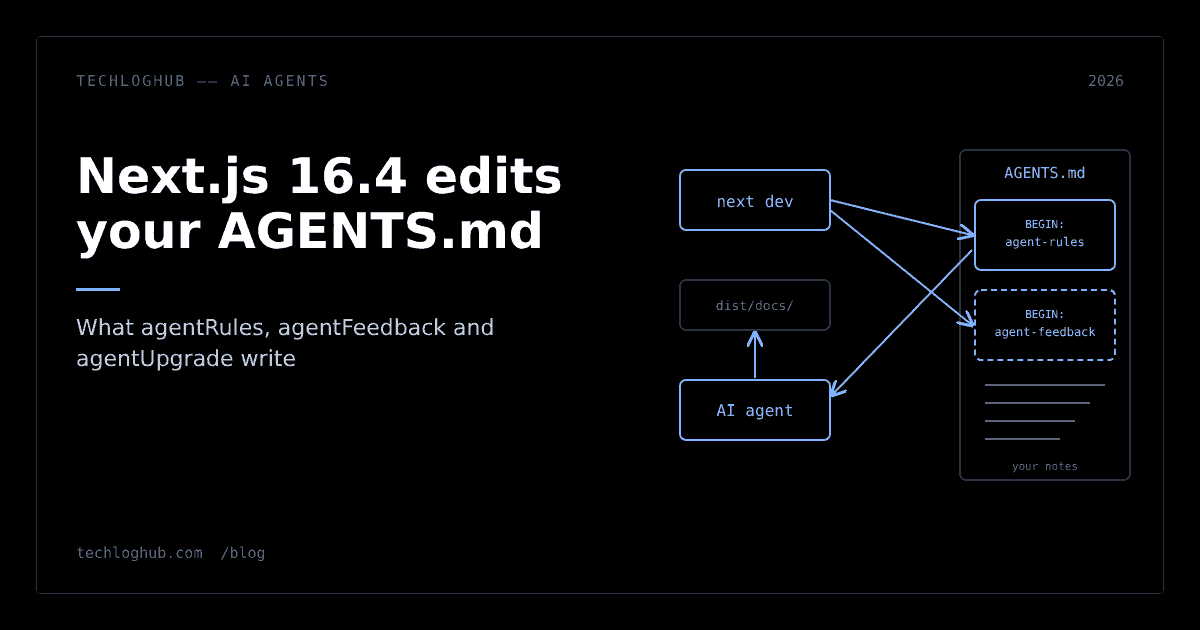
Quick answer: Next.js now treats AGENTS.md as a file it manages. agentRules (on by default since 16.3) writes a block that points coding agents at the docs bundled in node_modules/next/dist/docs/. 16.4 adds experimental.agentFeedback, which tells agents to draft Next.js bug reports for you to review, and experimental.agentUpgrade, which interrupts next dev and next build with upgrade reminders. Keep the rules block, commit it, and opt into feedback deliberately rather than inheriting it from create-next-app.
Next.js has quietly become a co-author of your repository's agent instructions. Since 16.3, next dev writes a managed block into AGENTS.md whenever it detects an AI coding agent, and it puts that block back if you delete it. Next.js 16.4, released on 6 October 2026, adds two more agent features on top: a feedback pass that has agents draft bug reports, and upgrade reminders that can stop a command until someone answers.
None of this is dangerous, but all of it is easy to inherit without deciding. Here is what each option writes, when it runs, and which defaults are worth changing.
Three options, three different jobs
| Option | Since | Default | What it does |
|---|---|---|---|
agentRules | 16.3 | On | Writes a block in AGENTS.md pointing agents at version-matched docs in node_modules |
experimental.agentFeedback | 16.4 | Off (on in new create-next-app apps) | Writes a second block telling agents to collect Next.js issues and draft reports for your review |
experimental.agentUpgrade | 16.4 | 'security' | Shows upgrade reminders during next dev and next build; sets the policy for next upgrade --agent |
They are independent. The agentRules reference and the agentFeedback reference both state that changing one does not affect the other, and when both are on, Next.js keeps two separate managed blocks in the same file.
agentRules: the block you should keep
The rules block is short. It tells the agent that "this is NOT the Next.js you know", that APIs may differ from its training data, and that it should read the relevant guide in node_modules/next/dist/docs/ before writing code. That directory ships with Next.js 16.2 and later and mirrors the structure of nextjs.org/docs, so the agent reads documentation for the exact version you have installed, without a network request.
Vercel's case for this approach is empirical. The AI coding agents guide cites Vercel's own evaluation, in which bundled documentation referenced from AGENTS.md reached a 100% pass rate against up to 79% for Skill-based approaches. Treat that as a vendor benchmark, but the logic holds up: an agent trained before Cache Components or ensureStatic existed will write the old patterns unless something points it elsewhere, and a file the agent reads at session start is the cheapest pointer there is. It is the same idea as an llms.txt file, aimed at a local agent instead of a crawler.
Two behaviours matter in practice:
- It only touches its own markers. Next.js edits the content between
<!-- BEGIN:nextjs-agent-rules -->and<!-- END:nextjs-agent-rules -->and preserves the rest of the file, so your own conventions survive. - Deleting it does not stick. The block says it is "written and re-added by
next dev". If you strip it from a diff, the next dev run recreates the uncommitted change. The docs' own advice is to commit it with your work.
If you do not want it, set agentRules: false. From 16.4, the next next dev run then removes the existing block, even when no agent is detected, and deletes AGENTS.md entirely if the block was the only thing in it. For new projects, create-next-app --no-agents-md skips the agent files up front.
agentFeedback: read the instructions before you enable it
The feedback block is the more interesting addition, because it changes what the agent does at the end of a task. With experimental.agentFeedback: true, next dev writes instructions telling the agent to retain anonymized "feedback candidates" while it works: crashes, hangs and out-of-memory errors, incorrect output or diagnostics, unclear or conflicting docs, and unexpected CLI, codemod, Skill or upgrade behaviour.
Before its final response, the agent runs one reporting pass. If candidates remain, it runs npx --no-install next internal agent-feedback-instructions and tries to open each distinct issue as a separate report draft in your default browser. Each draft has a generic setup, reproduction steps, observed facts, an expected result and an optional workaround.
The safeguards are real but procedural:
- Nothing is sent when the form opens. You edit, remove details, or close it; only Send feedback submits.
- The instructions tell the agent never to retain code, logs, paths, URLs, secrets or personal data, and to replace customer and project details with generic descriptions.
- A submitted report contains what you reviewed plus the agent name and Next.js version. The docs say the form does not attach project files or machine metadata.
- It requires Next.js Telemetry to be enabled and does not run in CI.
The catch is in that second bullet. Anonymization is something the agent is instructed to attempt, not something Next.js enforces. The review form is the actual control, which means the person at the keyboard has to read every draft. If your team runs agents on client code, that is a policy decision, not a default to accept silently.
Where the default comes from
The option is off by default for existing apps. But the 16.4 release post says agent feedback is enabled when you create a new app with the recommended create-next-app settings, so a freshly scaffolded project ships with agentFeedback: true in its config. Check next.config.ts in anything you generated after the upgrade.
Turning it off is clean: set it to false or remove it, and the next next dev run removes the feedback block while preserving everything else. Disabling telemetry has the same effect on the block.
agentUpgrade: reminders that can stop a command
The agentUpgrade reference describes four values: false, 'security' (the default), 'latest' and 'experimental-future'. The default checks stable installs for security advisories and recommends a safe upgrade when one exists; 'latest' also nudges you about newer major or minor releases.
It never upgrades on its own. What it changes is the flow of next dev and next build:
- In an interactive terminal, an eligible reminder offers Upgrade now, Skip or Skip until next version, buffering output while you decide, and skips automatically after ten seconds.
- When a coding agent runs the command, the first eligible reminder stops it with instructions to report the upgrade. Retrying promptly continues the original task with a warning.
That second behaviour is worth knowing before an agent session mysteriously halts mid-task. It is also the reason not to set 'latest' in a repository where agents run builds: you would be asking every minor release to interrupt them. 'security' is the right default for most teams, and next upgrade --agent remains available when you actually want to move.
What a sensible configuration looks like
For most teams using Claude Code, Codex, Cursor or Copilot on a Next.js app, this is a reasonable starting point:
// next.config.ts
import type { NextConfig } from 'next'

const nextConfig: NextConfig = {
  // agentRules stays on (default): agents read the bundled docs
  experimental: {
    agentFeedback: false,      // opt in per repo, not via scaffolding
    agentUpgrade: 'security',  // explicit, so nobody flips it to 'latest'
  },
}

export default nextConfig
Then commit AGENTS.md with the managed block in it, so it stops showing up as noise in every diff. If you keep your own instructions in the same file, review the first generated change with a text diff to confirm your sections were left alone. If you also depend on agent Skills from packages, apply the same scrutiny you would to pnpm's skill installation: know which tool writes which file.
Why this matters beyond Next.js
Frameworks have discovered that the agent instruction file is the most direct way to influence code they never see. Next.js now manages that file automatically, restores its block when removed, and ties it to the installed version. Expect other frameworks to try the same, and expect AGENTS.md to become contested ground between your conventions, your framework and your tools.
The practical rule is simple: treat managed blocks like generated code. Know what generates them, commit them, and make every opt-in a decision someone wrote down. If you are adopting explicit caching with Cache Components, the rules block is the thing most likely to stop an agent from undoing it. Browse more developer tools and open-source projects that work this way on TechLogHub.
FAQ
Does Next.js 16.4 write to AGENTS.md automatically?
Yes, when next dev detects an AI coding agent and agentRules is enabled, which is the default since 16.3. It writes a managed block pointing agents at the documentation bundled in node_modules/next/dist/docs and re-adds it if removed.
How do I stop Next.js from editing AGENTS.md?
Set agentRules: false in next.config. From 16.4 the next next dev run removes the existing block and deletes the file if nothing else is in it. For new projects, pass --no-agents-md to create-next-app.
Does agentFeedback send data to Vercel automatically?
No. The agent drafts reports and opens them in a review form in your browser; nothing is sent until you select Send feedback. It requires Next.js Telemetry to be enabled and does not run in CI. Anonymization is attempted by the agent, so review each draft.
Is agentFeedback enabled by default?
It is disabled by default for existing apps, but new apps created with the recommended create-next-app settings have it enabled in the generated config, according to the Next.js 16.4 release post.
What does agentUpgrade do when an agent runs next build?
With an eligible reminder, the first run stops with instructions to report the available upgrade. Retrying the same command promptly continues with a warning. The option never upgrades the app by itself.
Next.js now writes part of your agent's instructions. Commit what it writes, and decide the rest on purpose.