

Timerfly
Employee monitoring and attendance tracking for teams on Windows and Mac: work day starts by itself, late marks, shifts, app and website time. Priced in rupees.
About Timerfly
Timerfly is employee monitoring and attendance tracking for teams at computers, made for how Indian companies work. Each person installs a small Windows or Mac app, and owners and managers see everything in a web dashboard.
Most teams still chase people for attendance, guess who is actually working, and rebuild late marks and leave by hand at month-end. Timerfly records it as the day happens, so nobody has to fill a timesheet or send a check-in message.
Automatic time and attendance
- The work day starts by itself at the first activity in work hours. A Start work button is optional.
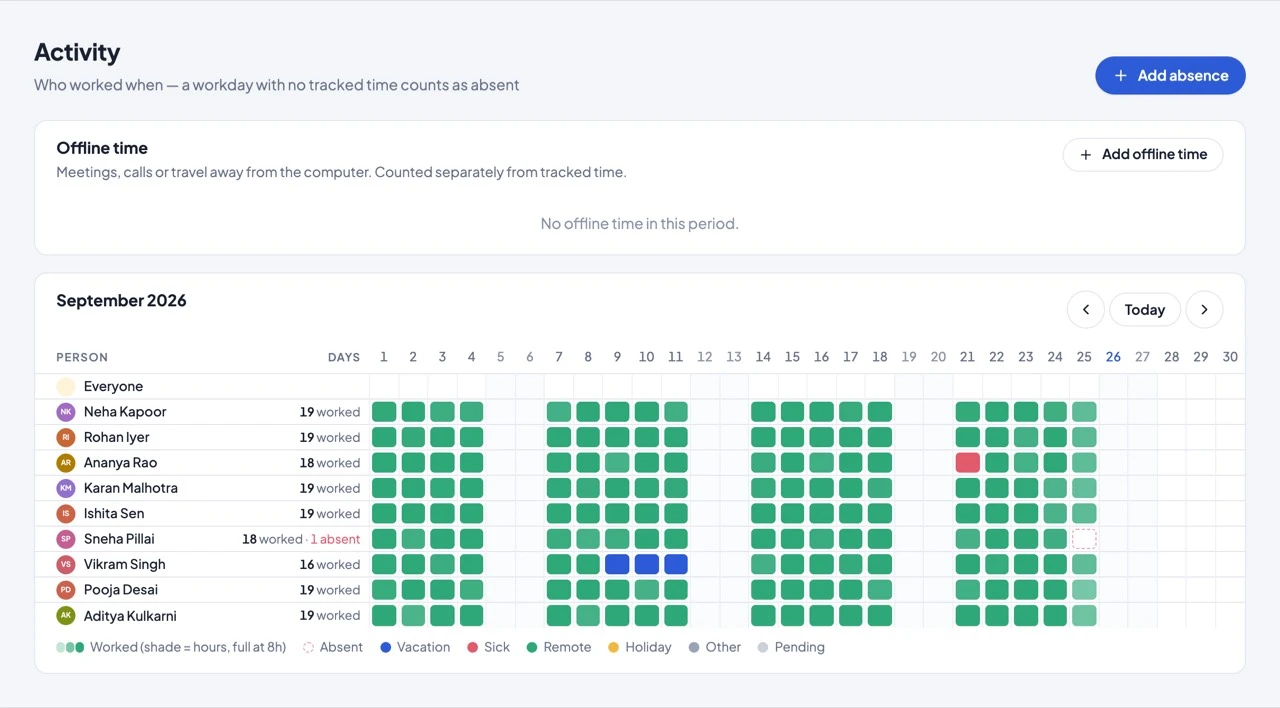
- Late, left-early and absent are marked against each person's own schedule or shift, with grace minutes.
- Night shifts are counted as one working day, on the day the shift starts.
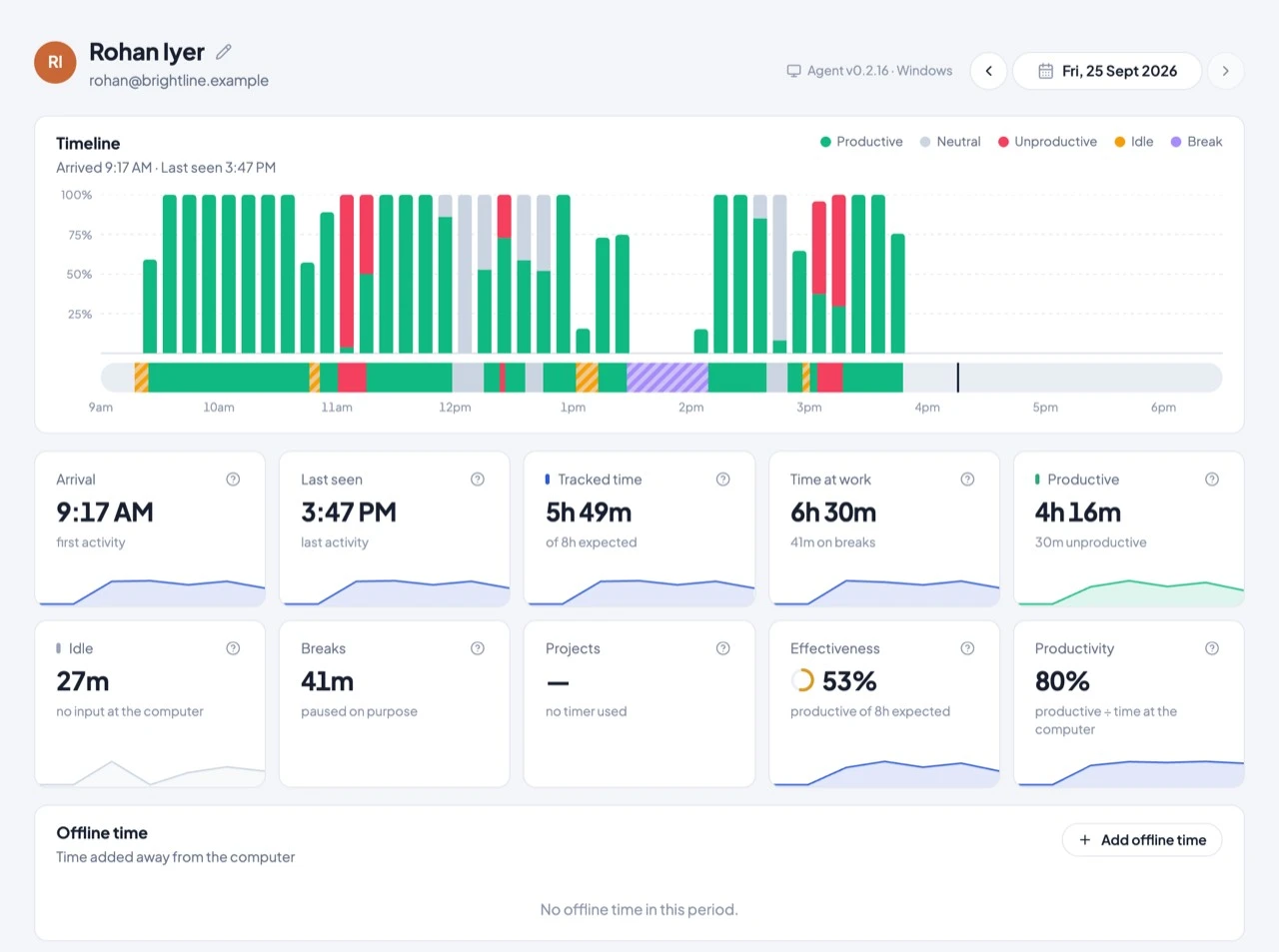
- Idle time, timed breaks and overtime after the end of shift are recorded.
- It works offline and syncs when the connection is back.
Live view and productivity
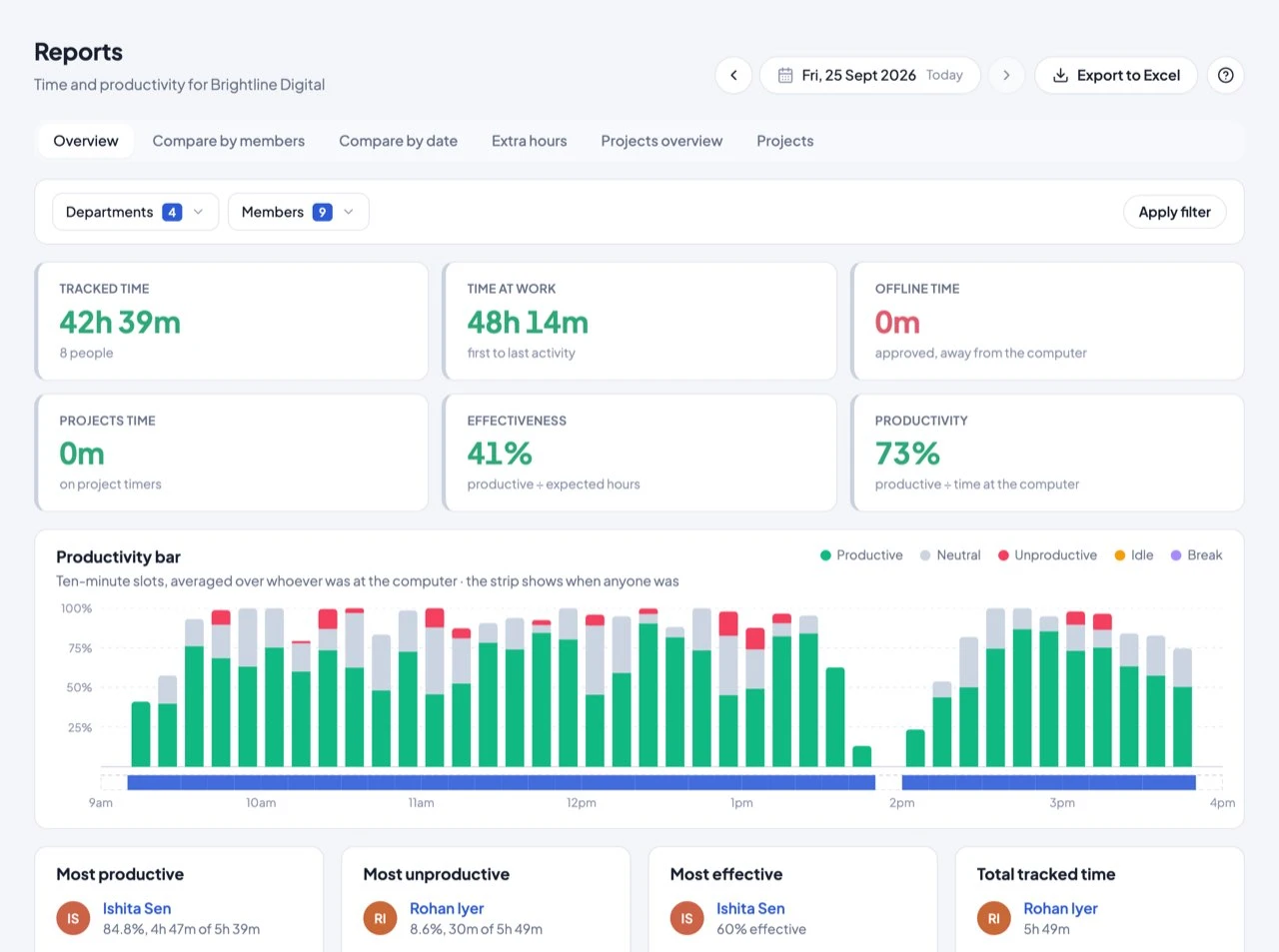
- See who is working (and in which app), idle, on a break or off, updated every minute.
- Every app and website is productive, neutral or unproductive, starting from a ready-made list.
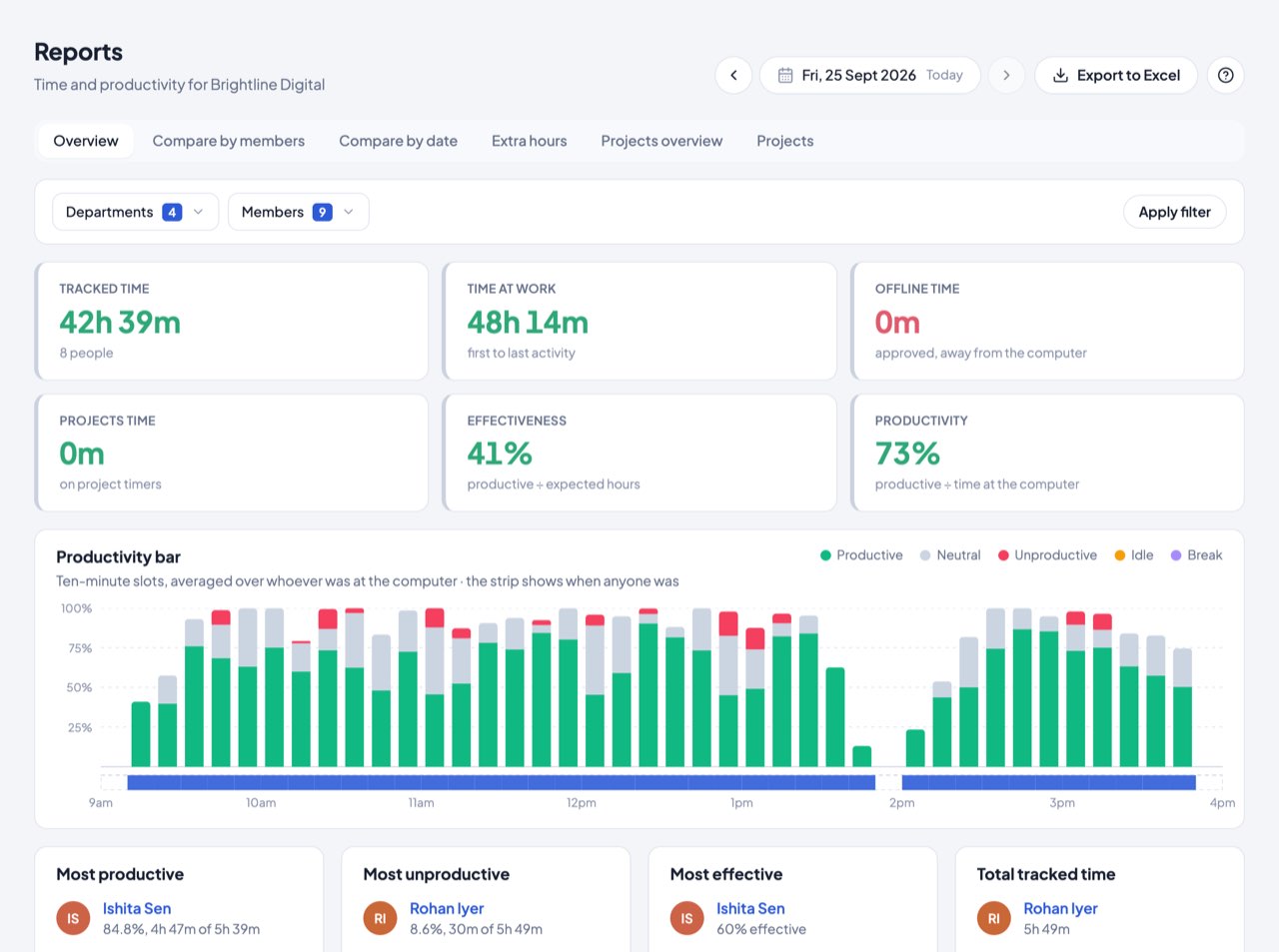
- Effectiveness against expected hours and productivity against time at the computer.
- Zoom, Teams and Google Meet calls count as work, not idle.
Shifts, leave and holidays
- Day and night shifts by person and by day. Plan the week in Excel and share it as a PDF.
- Shift swaps and change requests, approved by a manager.
- Full days, half days, short leave by hours, and holidays are built in.
- A monthly attendance Excel (paid days, loss of pay, late marks, overtime) is ready for your payroll team (Pro and above).
Alerts, reports and integrations
- Alerts for late starts, long idle time, long breaks, overtime and more, sent to Slack, Microsoft Teams, Google Chat, Telegram or email (Pro and above).
- Daily, weekly or monthly report emails, and an Excel export of any report.
- Project and task timers, with client report links (Pro and above).
- Zapier, Make, n8n, signed webhooks and a read-only REST API on Business.
Privacy your team can live with
- There is no camera or microphone recording, no GPS and no stealth mode.
- Screenshots are off unless you turn them on, and can be blurred.
- Private time records nothing at all.
- Every employee sees their own day. Department managers see only their own people.
Security and data
- Data is hosted in India (Mumbai). Each company's data is kept separate.
- Two-step sign-in for web and desktop, plus an audit log.
- Built under India's DPDP Act, 2023.
Who it's for: small and mid-sized businesses, BPOs and call centres, and agencies doing client work, with teams on Windows or Mac.
Pricing: Starter ₹159, Pro ₹279 and Business ₹479 per person a month, billed yearly (₹199 / ₹349 / ₹599 monthly), plus 18% GST. Pay by UPI, UPI Autopay or card. Enterprise plans are available for 200+ people.
Try every feature free for 14 days, for up to 50 people. No card needed.
Value & Audience
Value Proposition
Work day starts by itself, late and absent marked per shift, live team view, priced in rupees.
Problem Solved
Chasing people for attendance and rebuilding late marks and leave by hand at month-end.
Target Audience
Use Cases
Loading ratings...
Loading comments...
Gallery
Feedback & Roadmap
Timerfly FAQ
Common questions about Timerfly's features, pricing, and use cases
What does Timerfly do?
Employee monitoring and attendance for Indian teams Work day starts by itself, late and absent marked per shift, live team view, priced in rupees.
Is Timerfly free to use?
Timerfly is a paid product, starting at Starter ₹159/user/mo billed yearly + GST. Full pricing details are listed on the Timerfly product page on TechLogHub.
What problem does Timerfly solve?
Chasing people for attendance and rebuilding late marks and leave by hand at month-end.
Who is Timerfly built for?
Timerfly is built for Agencies & Consultants, Small Businesses.
What category is Timerfly listed under?
Timerfly is listed in the Productivity & Collaboration category on TechLogHub, alongside curated alternatives with community ratings and pricing comparisons.
Timerfly appears in
You May Also Like
View all alternatives to Timerfly
Notion
All-in-one workspace for notes, docs, wikis, databases, and project management.
View Product
Loom
Async video messaging tool for teams to communicate without meetings.
View Product
Orrin
An operational intelligence platform for startups that connects Slack and Linear to provide instant answers from your company's operational memory.
View Product
Countspace
Premium browser-based countdown displays for events, launches, weddings, and live moments with no installation required.
View ProductOne email a week
TechLogHub tracks 591 tools and 529 open-source projects. Get the week's new launches, release roundups and open-source picks — nothing else.
Get the TechLogHub digest
One email a week: new and trending developer tools, fresh comparisons, and what shipped. Unsubscribe in one click.