


SafeSteps AI
A smart, private online protection system that monitors dangerous content on home computers in real time without invading privacy.
About SafeSteps AI
Smart, Private Online Protection for Kids
SafeSteps AI provides an advanced protection system that monitors dangerous content on the home computer in real-time. It is designed to work without invading your family's privacy or undermining your child's trust. Instead of covert surveillance, SafeSteps focuses on identifying specific dangers while keeping data local and secure.
What Does it Detect?
The system is engineered to flag concerning content immediately:
- Grooming and child-luring attempts
- Cyberbullying incidents
- Leaks of personal details and sensitive information
- Custom keywords defined by the parent
Why SafeSteps is Different
SafeSteps stands out from other parental control tools due to its commitment to privacy and security:
- Local Data Storage: All data is stored locally on your computer only—nothing is sent to external servers or the cloud.
- Parental Access: Protected by a personal code that only you know.
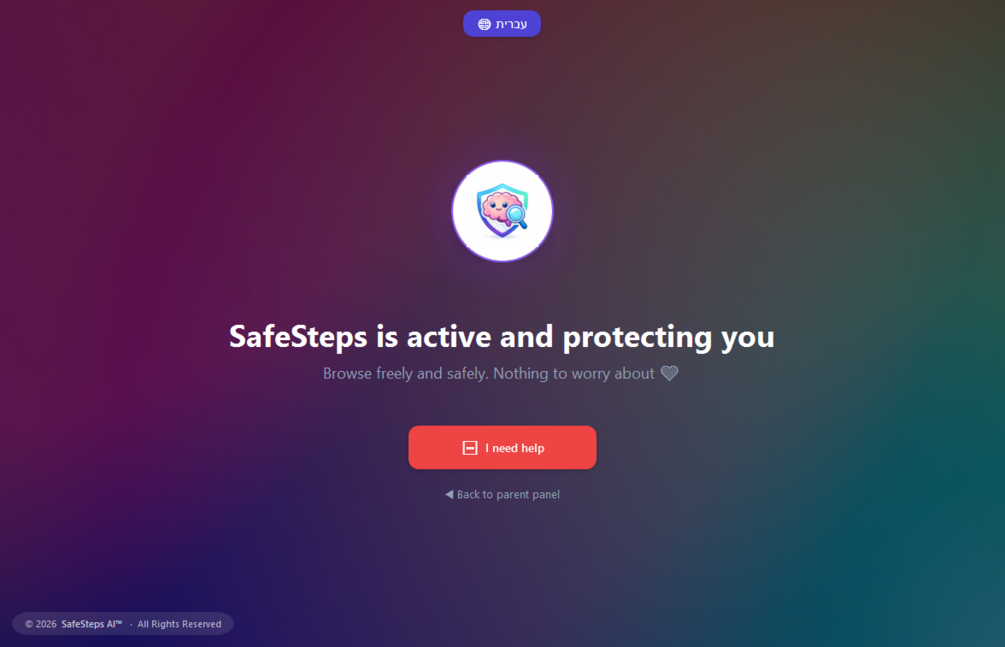
- Kid-Friendly Interface: Includes a quick-press SOS button for children.
- Automatic Protection: Starts automatically with Windows and includes a mechanism to bring the app back if someone tries to close it. u
- Strong Encryption: All data is strongly encrypted, even if files are accessed directly.
How It Works
SafeSteps AI monitors text that appears on the screen in browsers and common messaging apps using the Windows Accessibility API. It does not record keystrokes (keylogging), ensuring a more ethical approach to monitoring.
Getting Started
Follow these three simple steps to begin protecting your child:
- Download and Install: Run the installer. If Windows shows an "unknown publisher" warning, click "More info" then "Run anyway."
- Launch and Enter License: On first launch, enter the license key received in your purchase email.
- Set Up Protection: Choose a personal parent code and security questions for recovery—and that's it. The software runs automatically in the background.
Transparency & Authenticity
SafeSteps AI is an independent project. To ensure your file is safe, you can verify the fingerprint (SHA-256) provided by the developer using VirusTotal to confirm that the file is clean and unaltered.
Value & Audience
Value Proposition
Smart, private online protection for kids that monitors dangerous content in real-time without invading privacy or undermining trust.
Problem Solved
Protects children from grooming, cyberbullying, and personal information leaks on home computers while maintaining family privacy.
Target Audience
Tech Stack
Backend
Loading ratings...
Loading comments...
Gallery
Feedback & Roadmap
SafeSteps AI FAQ
Common questions about SafeSteps AI's features, pricing, and use cases
Is SafeSteps AI free to use?
SafeSteps AI is a paid product, starting at Annual subscription for one home computer including updates and support..
What are some alternatives to SafeSteps AI?
Popular Security & Privacy alternatives to SafeSteps AI include SAM - Chrome Web Store, RoomGrade and Presend.
SafeSteps AI appears in
You May Also Like
View all alternatives to SafeSteps AI
SAM - Chrome Web Store
A powerful open-source adblocker featuring fingerprint protection and YouTube ad skipping.
View Product
RoomGrade
AI-powered due diligence tool for founders to identify and mitigate red flags in their data rooms before investors conduct formal diligence.
View ProductPresend
Free browser-based tools to clean, compress, and prepare files before you share them without ever uploading your data.
View Product
VaultX
A modern, privacy-first offline password manager built with Flutter and SQLite.
View ProductOne email a week
TechLogHub tracks 704 tools and 568 open-source projects. Get the week's new launches, release roundups and open-source picks — nothing else.
Get the TechLogHub digest
One email a week: new and trending developer tools, fresh comparisons, and what shipped. Unsubscribe in one click.