



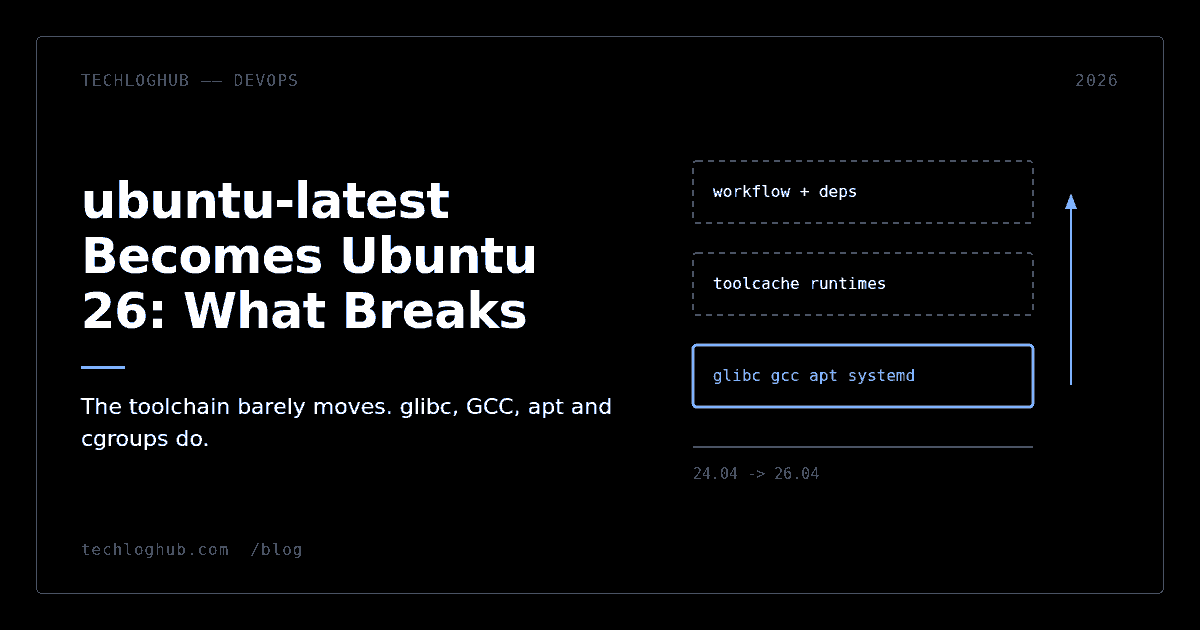
ubuntu-latest Becomes Ubuntu 26: What Breaks
Quick answer: GitHub is moving the ubuntu-latest runner label from Ubuntu 24.04 to Ubuntu 26.04 gradually between 19 October and 19 November 2026. The pinned toolchains you install with setup-node or setup-python barely move. What moves is the layer underneath them: glibc 2.39 to 2.43, GCC 14 to 15.2, apt 2.7 to 3.1 with apt-key gone, systemd 259 with cgroup v1 removed, and system Python 3.12 to 3.14. Native modules, apt-get steps and anything that shells out to a container runtime are where builds will fail.
Most teams will read the GitHub changelog entry, notice that the runner image's tool versions are largely identical between 24.04 and 26.04, and conclude that nothing needs doing. That conclusion is wrong, and the reason it is wrong is the interesting part.
The runner image pins the things you look at. Docker Buildx stays on 0.37.0. AWS CLI stays on 2.36.40. Azure CLI stays on 2.90.0. The default Java stays on 17.0.20+1. Comparing those columns tells you almost nothing, because those are the versions GitHub bakes into the image, not the versions Ubuntu ships. The migration changes the distribution beneath them.
The timeline, precisely
GitHub says the ubuntu-latest label will shift "gradually between October 19 and November 19, 2026." No percentage schedule has been published, which means that for roughly a month your builds may land on either image depending on which runner you get. That is the single most important operational fact here: during the window, a job that passes on Monday can fail on Tuesday with no change to your code.
Intermittent CI failures that nobody can reproduce locally are the most expensive class of bug a small team can absorb. If you do one thing in response to this post, pin now and unpin deliberately.
| Component | Ubuntu 24.04 | Ubuntu 26.04 |
|---|---|---|
| glibc | 2.39 | 2.43 |
| GCC | 14 | 15.2 |
| LLVM | 18 | 21 |
| System Python | 3.12 | 3.14 |
| PHP | 8.2 | 8.5 |
| Go | 1.22 | 1.25 |
| apt | 2.7 | 3.1 |
| systemd | 255 | 259 |
| Kernel (Azure) | 6.17.0-1022 | 7.0.0-1012 |
Distribution versions come from Ubuntu's own LTS-to-LTS summary; the image and kernel rows come from GitHub's runner-images GA announcement.
glibc 2.43 is the one that bites hardest
glibc's symbol versioning is forward-only. A binary linked against glibc 2.43 records the symbol versions it needs, and a system running 2.39 cannot satisfy them. Nothing warns you at build time. You find out when the artifact hits a machine older than your runner.
That matters to anyone who compiles a release artifact on ubuntu-latest and ships it somewhere else: a Go binary using cgo, a Rust binary built without a musl target, a Node native addon, a Python wheel built outside the manylinux containers. If your deployment target is Ubuntu 22.04, Debian 12, Amazon Linux 2, or a customer's older box, a silent runner upgrade in November turns your next release into a support ticket.
The fix is not "pin forever"
Pinning to ubuntu-24.04 buys time, not safety. Ubuntu 24.04 runner images will eventually be retired the way earlier images have been. If you are shipping compiled artifacts, the durable answer is to build them in a container with a deliberately old glibc, or to target musl, and to treat the runner OS as a host for Docker rather than as your build environment. Teams that already do this will not notice the migration at all — which is the honest argument for doing it.
apt-key is gone, and your workflow probably still calls it
Ubuntu 26.04 ships apt 3.1 and Ubuntu's release notes state plainly that "the apt-key command has been removed." It has been deprecated for years, but deprecated and removed are different failure modes. Deprecated prints a warning your CI log swallows. Removed exits non-zero.
Every copy-pasted "add a third-party repo" snippet from 2019 onward starts with curl ... | sudo apt-key add -. Grep your workflows for it today. The replacement is to write the dearmored key to /etc/apt/keyrings/ and reference it with signed-by= in the sources list entry. It is a two-line change and it works on both images, so you can make it before the migration rather than during it.
Two other removals worth a grep: sudo-ldap is gone, and sudo-rs is now the default sudo provider with the original renamed to sudo.ws. Scripts that depend on obscure flags of the C implementation should be checked; ordinary sudo apt-get install -y is fine.
cgroup v1 removal and container-in-CI
systemd 259 drops support for cgroup version 1 entirely. If your job runs a container runtime, a Kubernetes-in-Docker cluster, or a test harness that sets cgroup limits directly, this is the change to test rather than reason about. Modern Docker and containerd handle cgroup v2 fine. Pinned older versions, hand-rolled resource-limit scripts and some legacy runtime shims do not.
Native-toolchain swaps have a consistent shape: the headline says nothing changed for most people, and the people it does affect find out through a linker error. That was the pattern with Vite 8 moving to Rolldown, and it is the pattern here.
The same applies to initramfs-tools, which dracut now replaces as the default. That is mostly irrelevant in an ephemeral CI runner, but it matters if you are using the runner image to build or test system images — a pattern that is more common in self-hosted fleets than people admit.
What actually does not change
If your workflow is actions/setup-node plus npm ci plus npm test on pure JavaScript, you will almost certainly notice nothing. The toolcache supplies the runtime, the dependency tree is prebuilt or pure JS, and the system layer never enters the picture. The same holds for actions/setup-python and actions/setup-go, which install their own versions rather than using the distribution's.
This is why the blanket advice "test everything" is unhelpful. The exposure is concentrated in a short list: native compilation, apt-get installs, container runtimes, anything invoking the system python3 rather than a setup-python one, and any job that produces a binary consumed elsewhere. If your pipeline touches none of those, pin nothing and move on. Runtime migrations have a way of looking scarier than they are, the same way the Node 26 type-stripping changes did.
A migration plan that fits in one sprint
1. Pin first. Replace runs-on: ubuntu-latest with runs-on: ubuntu-24.04 across every workflow. This is mechanical; if your workflow files are generated or templated, a quick pass through a YAML to JSON converter makes them easy to audit programmatically before you edit.
2. Add one canary job. Duplicate your main build with runs-on: ubuntu-26.04 and continue-on-error: true. It runs on every PR, it never blocks a merge, and it tells you the truth for free.
3. Grep for the four known landmines. apt-key, sudo-ldap, hardcoded python3.12 paths, and any pinned Docker or containerd version older than cgroup v2 support.
4. Separate release builds from test builds. Tests can run on whatever the runner gives them. Release artifacts should be built in a pinned container. Do this once and the next LTS migration costs you nothing.
5. Unpin in December, after the canary has been green for a few weeks and the migration window has closed.
If you are shopping for the surrounding tooling — container registries, self-hosted runner controllers, artifact caches — the cloud and DevOps category on TechLogHub is organised by what each tool actually does, and our guide to comparing developer tools without forty landing pages covers how to evaluate them without falling for a feature matrix.
FAQ
When exactly does ubuntu-latest switch to Ubuntu 26.04?
GitHub says the label moves gradually between 19 October and 19 November 2026. No per-week percentage breakdown has been published, so during that window a given job may run on either image.
Can I stay on Ubuntu 24.04 after November?
Yes. Setting runs-on: ubuntu-24.04 keeps you on the current image, and GitHub explicitly recommends this if you are not ready. It is a temporary measure — older runner images are retired on their own schedule, as 20.04 and 22.04 were.
Does this change the Node or Python version my workflow uses?
Not if you use actions/setup-node or actions/setup-python. Those install from the toolcache and are unaffected by the distribution's defaults. It does change the system python3, from 3.12 to 3.14, which matters to scripts that call python3 directly or rely on distribution-packaged Python modules.
Why did GitHub's comparison table show almost no version changes?
Because that table lists tools GitHub installs into the image itself — Docker Buildx, the cloud CLIs, the default JDK — and those are pinned to the same versions on both images. The changes are in the distribution layer underneath: compilers, C library, package manager and init system.
Will my published binaries stop working on older Linux?
Possibly, if you link dynamically against glibc. Moving from 2.39 to 2.43 means binaries may reference symbol versions that older systems cannot resolve. Build release artifacts in a container with an older glibc, or target musl, rather than relying on whatever the runner happens to be.
Does any of this affect self-hosted runners?
The ubuntu-latest label migration applies to GitHub-hosted runners. Self-hosted fleets run whatever OS you installed, so the schedule does not touch them — but if your fleet mirrors the hosted image, plan your own upgrade, since the cgroup v1 and apt-key changes will apply when you do.
Pin today, canary tomorrow, unpin in December. The teams that get hurt by this are the ones who do nothing and find out in the middle of a release.