

TypeScript 7.1 Beta: The API That Lets You Leave TypeScript 6
Quick answer: TypeScript 7.1 Beta, announced on 20 October 2026, ships the programmatic API that TypeScript 7.0 left out, plus a new "content mapper" plug-in point for .vue, .svelte, Astro and MDX files. That is what Vue, Svelte, Angular-template and typescript-eslint users were waiting for, but the API is new and different, so you can leave TypeScript 6 only after each of your tools has been ported to it. Test the beta now; plan the switch for after the stable release.
TypeScript 7.0 was the fast compiler with a catch. 7.1 removes the catch on paper. Whether it removes it for your project depends on tools you do not maintain.
If your repository is plain .ts and tsc, you probably moved to 7.0 in July and 7.1 is a free speed bump. If your stack runs through Vue, Svelte, Astro, MDX, Angular templates or typescript-eslint, you have been running two compilers for three months, and this release is the first one that gives those tools something to build on.
Why 7.0 left so many projects on TypeScript 6
When Microsoft shipped TypeScript 7.0 on 8 July 2026, the native Go port came with a blunt line: "While TypeScript 7.0 is here, it does not ship with an API." Anything that imported the compiler as a library was left behind. The announcement said workflows that use Vue, MDX, Astro, Svelte and others "will likely not yet be able to leverage TypeScript 7," and recommended staying on 6.0 for them.
The workaround was a compatibility package. @typescript/typescript6 provides a tsc6 executable and re-exports the 6.0 API, and the 7.0 post showed npm aliases so tools that import "typescript" keep getting 6.0 while you run 7.0 for type-checking:
npm install -D typescript@npm:@typescript/typescript6 # optional: keep the native compiler too npm install -D @typescript/native@npm:typescript@^7.0.2That split is the thing 7.1 is meant to end. Angular projects got the clearest version of it: use 7.0's tsc for project-wide errors and 6.0 for editor support, with template type-checking staying on the old compiler.
What the 7.1 API actually looks like
The 7.0 post promised "a new (and different) API," and the beta delivers exactly that. It is not the old ts.createProgram surface reimplemented. The 7.1 announcement splits it into entry points:
| Entry point | What it is for |
|---|---|
typescript/sync | Synchronous client for the compiler |
typescript/async | Promise-based equivalent |
typescript/fs | Request-scoped file systems, including layered ones |
typescript/ast | AST types and enums such as SyntaxKind |
typescript/ast/is, typescript/ast/factory | Node type guards and create*/update* functions |
Three design choices matter more than the module names.
You must dispose what you create
API and Program objects are Disposable. The post warns that without disposal the Go side can leak, and that a disposed program cannot be used again. If you write tooling, reach for using declarations or explicit close()/dispose() calls from day one.
State moves through snapshots
Instead of mutating a language service host, you create a snapshot with api.createSnapshot and derive the next one with snapshot.update(...). File watching is your job: changes are passed in through fileNotifications. The beta example also does not load tsconfig.json or support --project, so tool authors will be writing their own config plumbing for now.
File systems are explicit
createFileSystem, createFileSystemWithLib (which mounts the default lib directory read-only) and createFileSystemLayer let a tool overlay virtual files on a base. That is the piece that makes in-memory edits, the bread and butter of editor tooling, workable across the process boundary.
The practical consequence: every tool that touched the compiler needs a port, not a version bump. Budget for that if you maintain internal codemods or custom lint rules.
Content mappers: the part Vue and Svelte users care about
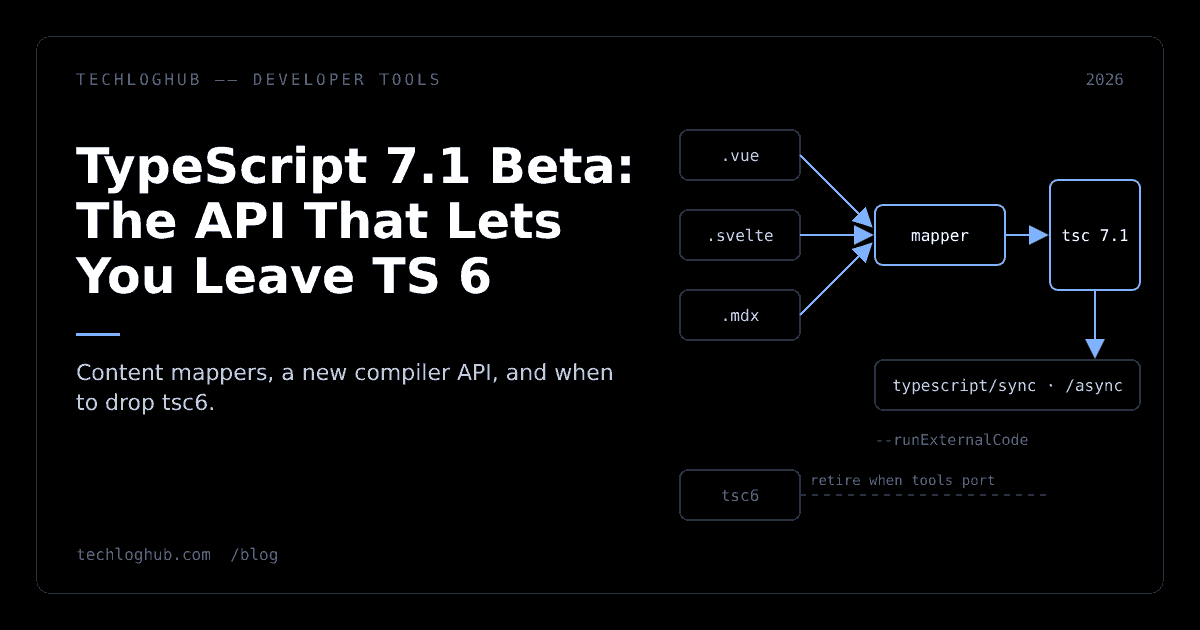
The bigger change for framework users is a new plug-in point. A content mapper is registered for a file extension, produces a virtual TypeScript view of that file, and maps regions back to the original so errors land on the right line. The announcement says Volar's model is "now a first-class citizen" in 7.1. Configuration lives in tsconfig.json:
{ "compilerOptions": { /* ... */ }, "contentMappers": [ { "package": "@vue/content-mapper", "extensions": [".vue"] } ] }Read the fine print before you paste that. The post uses @vue/content-mapper as an example and says it is "not currently on npm." It mentions prototypes or implementations for Astro, CSS Modules, Ember, MDX, Svelte and Vue, several of them linked as pull requests. In other words, the compiler side is in the beta; the mapper packages you need are not all released.
There is also a deliberate speed bump. On the command line, tsc only runs mappers when you pass --runExternalCode, because, in the post's words, content mappers are "effectively arbitrary executables that TypeScript dispatches to." In VS Code they need workspace trust and mapper permissions, and can be turned off with js/ts.contentMappers.enabled. Treat a mapper like any other dependency that runs code at build time: pin it, review it, and keep the flag in your CI script rather than a developer's shell alias. If you are tightening CI anyway, our note on GitHub Actions workflow lockfiles covers the same "pin what executes" idea for workflows.
The breaking changes you will actually hit
Two changes in the beta can turn green builds red:
- Stricter distributive conditional types. Inside a branch of a distributive conditional, the checked type parameter is now treated as a new, narrower type parameter. The post's example, where
B extends Ano longer satisfies a constraint insideA extends B ? never : Show<A, B>, fails with "Type 'B' does not satisfy the constraint 'A'." The suggested fixes are to remove unnecessary constraints or add conditional checks (see PR #64237). - Generated DOM declarations.
lib.d.tsDOM types changed, and the post points to issue #63702 for details. Code that leans on exact DOM signatures, such as custom event maps or wrappers around fetch, is where to look first.
Run the beta against utility-type and design-system packages first; they are the likeliest to trip the conditional-type change.
New language features worth knowing
--target es2026is now stable for both--targetand--lib, bringing declarations such asMath.sumPrecise(),Iterator.concat(),JSON.rawJSON(),Error.isError(),Array.fromAsync(),Map/WeakMapgetOrInsert()and base64/hex methods onUint8Array.- Import attributes in ambient modules, so
declare module "*" with { type: "css" }can type CSS imports by attribute rather than file extension. The post recommends libraries not ship these declarations in published packages. - Source phase imports:
import source x from "./mod.wasm"andimport.source(...), which need--moduleset toesnext,nodenextorpreserve. The post notes WebAssembly source imports already work in recent Node.js, while most environments do not yet support JavaScript source imports.
If you are running TypeScript directly in Node without a build step, as we described in Node 26 TypeScript without a build step, remember that Node strips types; it does not type-check. The compiler version you pin still decides which of these features your editor and CI accept.
How fast, and should you care
Microsoft's benchmarks compare 7.1 Beta against 7.0 with four checker threads and --noEmit. The headline number is mui-docs: 22.2s down to 11.9s and memory from 8,093 MiB to 4,079 MiB. The other four codebases (bluesky, sentry, t3code-server, vscode) improved by 1.2x to 1.4x, with memory down 15.8% to 24.6%.
That sits on top of the roughly 10x speedup over TypeScript 6 claimed for 7.0. For most teams, though, the API is the reason to upgrade.
A migration plan that does not stall
- Inventory compiler consumers. List everything in
package.jsonthat importstypescript: linters, test transformers, codemods, doc generators, framework language tools. A quick diff of your lockfile before and after removing the@typescript/typescript6alias shows what still resolves to 6.0. - Run the beta on a branch.
npm install -D typescript@beta, keep the alias for tools that are not ported, and fix the conditional-type and DOM errors first. If you generate types from API payloads, re-run your JSON to TypeScript or JSON to Zod output through the new checker too. - Watch your framework's mapper. Do not adopt
contentMappersuntil the package for your framework is published, and add--runExternalCodeto CI explicitly when you do. - Drop TypeScript 6 last. Remove the alias only when the final tool in your inventory supports the 7.1 API.
The post expects a release candidate "in about a month" and the final release shortly after. That is the window for tool maintainers to port, and the reason not to rip out TypeScript 6 the day the beta lands. You can track the tools around this transition in the developer tools directory or compare alternatives on the comparisons hub.
FAQ
Does TypeScript 7.1 support Vue and Svelte?
The 7.1 Beta adds content mappers, the mechanism Vue, Svelte, Astro and MDX tooling needs. The mapper packages themselves are separate, and the announcement says the Vue example package is not yet on npm, so support depends on each framework releasing its mapper.
Is the TypeScript 7.1 API compatible with the TypeScript 6 API?
No. Microsoft describes it as a new and different API with separate entry points such as typescript/sync and typescript/async, explicit disposal and snapshots, so tools need to be ported rather than upgraded.
What is --runExternalCode in TypeScript 7.1?
It is the tsc flag that allows content mappers to run. Because mappers are effectively arbitrary executables that TypeScript dispatches to, the compiler will not run them on the command line without this explicit opt-in.
When will TypeScript 7.1 be stable?
The beta announcement expects a release candidate in about a month from 20 October 2026, followed by the final release shortly after. Microsoft has not given an exact date in the post.
Can I keep using TypeScript 6 alongside 7.x?
Yes. The @typescript/typescript6 package provides a tsc6 executable and re-exports the 6.0 API, and npm aliases let tools that import typescript keep resolving to 6.0 while you use the native compiler.
TypeScript 7.1 does not end the two-compiler era. It gives your tools a way out, and your upgrade date is the day the last one takes it.