Regex Lookahead and Lookbehind Explained, With Engine Support
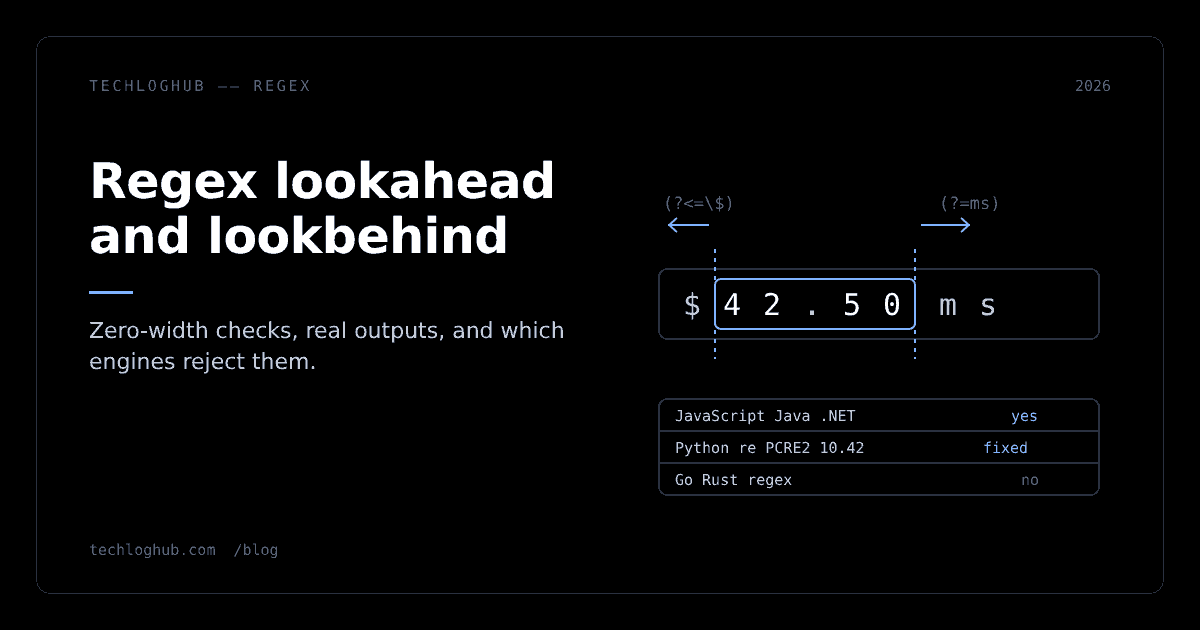
Quick answer: Lookahead (?=…) and lookbehind (?<=…) check what sits next to a match without adding it to the match, which is how you extract a price without the $ or validate a password in one pattern. The catch is portability: JavaScript, Java and .NET accept variable-length lookbehind, Python's re and PCRE2 before 10.43 demand fixed width, and Go's regexp and Rust's regex crate support no lookaround at all.
Lookaround is the most useful regex feature that people avoid because it looks like line noise. It is also the feature most likely to break when a pattern moves from a JavaScript front end to a Python worker or a Go service. This guide covers both halves: what the four assertions actually do, with outputs we ran ourselves, and which engines will reject your pattern before it ever matches anything.
Every example below was run on 21 November 2026 with Node.js v22.23.5, Python 3.13.18, Go 1.24.7, Java 21.0.13 and GNU grep 3.11 linked against PCRE2 10.42. Paste any of them into our regex tester to see the match positions highlighted.
The four assertions in one table
A lookaround is a zero-width assertion. Like ^, $ or \b, it tests a condition at the current position and consumes no characters. The engine peeks, decides yes or no, and the cursor stays where it was. That is the whole trick: the text you test against never becomes part of the match, so you never have to strip it off afterwards.
| Syntax | Name | Succeeds when | Example | Matches in "$42 and 42" |
|---|---|---|---|---|
X(?=Y) | Positive lookahead | Y comes right after X | \d+(?= and) | 42 (the first one) |
X(?!Y) | Negative lookahead | Y does not come right after X | \d+(?!\d)(?! and) | 42 (the second one) |
(?<=Y)X | Positive lookbehind | Y comes right before X | (?<=\$)\d+ | 42 (the first one) |
(?<!Y)X | Negative lookbehind | Y does not come right before X | (?<![$\d])\d+ | 42 (the second one) |
Two details trip people up. First, the direction is about the text, not the pattern: a lookbehind can sit anywhere in your pattern, it always looks to the left of the current position. Second, the negative forms are not just the "opposite" of the positive ones in practice, because the engine will happily try a different starting position to satisfy them. We will see that bite in the next section.
Worked examples we ran
Here is the script we used. Each line prints the pattern's matches against a test string.
const t = (label, re, s) => console.log(label.padEnd(34), JSON.stringify(s.match(re)));
t('price after $ (lookbehind)', /(?<=\$)\d+(\.\d{2})?/g, 'Total: $42.50, tax $3, ref 77');
t('not preceded by $',          /(?<!\$)\b\d+\b/g,      'Total: $42.50, tax $3, ref 77');
t('number before "ms"',         /\d+(?=ms)/g,           'p50=12ms p99=340ms timeout=5s');
t('not followed by ms',         /\b\d+(?!\d|ms)/g,      'p50=12ms p99=340ms timeout=5s');
t('var-length lookbehind',      /(?<=https?:\/\/)[^\/\s]+/g, 'see http://a.dev/x and https://b.io/y');
And the real output from Node.js v22.23.5:
price after $ (lookbehind)         ["42.50","3"]
not preceded by $                  ["50","77"]
number before "ms"                 ["12","340"]
not followed by ms                 ["5"]
var-length lookbehind              ["a.dev","b.io"]
Extracting values without their prefix
The first line is the classic use. (?<=\$)\d+(\.\d{2})? returns 42.50 and 3, with no dollar signs to strip. The lookbehind confirmed a $ sat to the left of the digits and then got out of the way. The plain alternative, \$(\d+(\.\d{2})?), works too, but now your code has to read capture group 1 instead of the whole match, and that difference matters when the API you are feeding only takes a whole-match pattern (many editor search boxes, String.prototype.replace callbacks you did not write, log-shipper config files).
The negative-lookbehind trap
The second line is the one to stare at. We wanted numbers that are not money, and expected ["77"]. We got ["50","77"]. The engine rejected 42 because a $ precedes it, then moved on and found 50: the cents after the decimal point. A . is not a $, and \b happily matches between . and 5, so the assertion passed.
This is the most common lookaround bug in production code. A negative assertion only rules out one exact neighbour; it says nothing about the token the match lives inside. The fix is to exclude every character that can continue a number, (?<![$\d.])\b\d+\b, or better, to match the whole token and filter in code. Run your pattern against a string with decimals before shipping it.
Units and suffixes
\d+(?=ms) returns 12 and 340 and ignores the 5s timeout. The negative version, \b\d+(?!\d|ms), needs the extra \d alternative for the same reason as above: without it, \d+ backtracks from 340 to 34, sees 0 next (not ms), and reports a false match. Greedy quantifiers and negative lookahead together will always look for the shortest way to make the assertion true. Anchor the end of the number yourself.
Variable-length lookbehind
(?<=https?:\/\/) has a quantifier inside, so the text it checks is either seven or eight characters long. JavaScript accepted it and returned the bare hostnames. Keep this pattern in mind: it is the one that fails in Python, in older PCRE and in grep, and it is the clearest way to check whether an engine supports variable-length lookbehind.
Three patterns worth keeping
Lookaround earns its place in three jobs that are awkward any other way.
Thousands separators in one replace
'1234567.89'.replace(/\B(?=(\d{3})+(?!\d))/g, ',')   // "1,234,567.89"
'9876543210'.replace(/\B(?=(\d{3})+(?!\d))/g, ',')   // "9,876,543,210"
Those are the outputs we got. The pattern matches an empty position (\B, not a word boundary) where the digits to the right come in exact groups of three followed by a non-digit. Because the match is empty, replace inserts a comma without eating anything. The nested (?!\d) is what stops the groups from running into the next digit. In real code, prefer Intl.NumberFormat for anything user-facing, since separators vary by locale. The regex is for logs, CSVs and places where you control the format.
Password rules as stacked lookaheads
const pw = /^(?=.*[a-z])(?=.*[A-Z])(?=.*\d)(?=.*[^\w\s]).{12,}$/;
hunter2              false
CorrectHorse9!       true
correcthorsebattery  false
Abcdefghijk1!        true
Each (?=.*…) scans ahead from the start for one required character class, then the cursor returns to position 0 for the next check. Only .{12,} actually consumes text. This is a fine pattern for a form hint. It is a weak security policy on its own: Abcdefghijk1! passes while being an obvious keyboard walk. Use the regex to give quick feedback in the form, not as the only gate.
Captures inside a lookbehind
You can put a capturing group inside a lookaround, and the group keeps its value even though the text is not in the match. This is where JavaScript's backwards-matching lookbehind shows up. MDN states that inside a lookbehind "the regular expression matches backwards" (MDN: lookbehind assertion). We tested what that means for a greedy group:
[...'$5 $10'.matchAll(/(?<=\$(\d+))/g)].map(m => [m.index, m[1]])
// [[2,"5"], [5,"1"], [6,"10"]]
Three matches, not two. The empty pattern matches at every position that has $digits to its left, including the position between 1 and 0, where the group captured only 1. If you use lookbehind captures, anchor the right side too, for example (?<=\$(\d+))(?!\d).
Engine support: where your pattern will break
This is the table we wish existed when a "works on my machine" regex took down a Go service. Each row is from the engine's own documentation plus a compile test we ran where we had the runtime.
| Engine | Lookahead | Lookbehind | Variable-length lookbehind | What we saw |
|---|---|---|---|---|
| JavaScript (V8, Node 22) | Yes | Yes | Yes | (?<=https?:\/\/) matched |
Java 21 java.util.regex | Yes | Yes | Yes in our test | Compiled (?<=a+)x and (?<=https?://) on 21.0.13 |
.NET System.Text.RegularExpressions | Yes | Yes | Yes | Docs example uses alternatives of different lengths; not supported with RegexOptions.NonBacktracking |
Python re (3.13) | Yes | Yes | No | PatternError: look-behind requires fixed-width pattern |
Python regex module (2026.11.19) | Yes | Yes | Yes | (?<=https?://) matched |
PCRE2 10.42 (GNU grep 3.11 -P) | Yes | Yes | No | grep: lookbehind assertion is not fixed length |
| PCRE2 10.43 and later | Yes | Yes | Yes, up to a limit | Default maximum 255 characters |
Go regexp (RE2 syntax) | No | No | No | invalid or unsupported Perl syntax: (?= |
Rust regex crate 1.13.2 | No | No | No | Docs list look-around as unsupported |
Sources for the rows: MDN for JavaScript, Oracle's [Pattern reference](https://docs.oracle.com/en/java/javase/21/docs/api/java.base/java/util/regex/Pattern.html) for Java, Microsoft's grouping constructs and regex options pages for .NET, the [re module docs](https://docs.python.org/3/library/re.html) for Python, the PCRE2 NEWS file for PCRE2, the [regexp/syntax package](https://pkg.go.dev/regexp/syntax) for Go and the [regex crate docs](https://docs.rs/regex/latest/regex/) for Rust.
Python: fixed width, and stricter than the docs suggest
The re docs say the contained pattern "must only match strings of some fixed length", and give abc or a|b as allowed and a* or a{3,4} as not. We compiled five lookbehinds on Python 3.13.18:
ERROR (?<=https?://)[^/\s]+          -> PatternError: look-behind requires fixed-width pattern
ERROR (?<=a|bc)x                     -> PatternError: look-behind requires fixed-width pattern
ERROR (?<=a{2,3})x                   -> PatternError: look-behind requires fixed-width pattern
ERROR (?<=(?:http|https)://)\w+      -> PatternError: look-behind requires fixed-width pattern
OK    (?:(?<=http://)|(?<=https://))[^/\s]+
Note the second line. Alternatives are only allowed when every branch has the same length, so a|b passes and a|bc does not. The workaround on the last line is mechanical: split a variable lookbehind into an alternation of fixed-width lookbehinds, one per length. It returned ['a.dev', 'b.io'], the same result as JavaScript. If you need real variable-length lookbehind in Python, the third-party regex package (version 2026.11.19 when we installed it) accepted the original pattern unchanged.
The exception class is now re.PatternError; the docs note it "was originally named error" and the old name is kept as an alias, so except re.error still works.
PCRE2, PHP and grep: check the library version
PCRE2's changelog for 10.43, dated 16 February 2024, says it "added support for limited-length variable-length lookbehind assertions", with "a default maximum length of 255 characters" and a function to adjust the limit. The latest release listed in that file is 10.47, from 21 October 2025.
That matters because PCRE2 is embedded everywhere (PHP's preg_*, grep -P, many editors and web servers) and distributions ship older versions for years. The container we tested in had PCRE2 10.42, and grep -oP '(?<=https?://)[^/\s]+' exited with status 2 and the message lookbehind assertion is not fixed length. Same pattern, same syntax family, different answer depending on a shared library you probably never chose. When a lookbehind must run in more than one place, write it fixed-width.
Go and Rust: no lookaround, by design
Go's regexp uses RE2 syntax, which guarantees matching in time linear in the input. Lookaround is outside that model, and the compiler says so. Our compile test:
\d+(?=ms)      error parsing regexp: invalid or unsupported Perl syntax: `(?=`
(?<=\$)\d+     error parsing regexp: invalid named capture: `(?<=\$)\d+`
(?!x)y         error parsing regexp: invalid or unsupported Perl syntax: `(?!`
The middle error is misleading. Go reads (?< as the start of a named group, so a lookbehind fails with "invalid named capture", which sends people looking for a typo that is not there.
Rust's regex crate documents the same trade-off: it leaves out features it cannot run with its performance guarantees, a list that "includes, but is not limited to, look-around and backreferences". In both languages the idiomatic replacement is a capture group plus a check in code, which is usually clearer anyway:
// Go: instead of (?<=\$)\d+
re := regexp.MustCompile(`\$(\d+)`)
for _, m := range re.FindAllStringSubmatch(s, -1) { fmt.Println(m[1]) }
For "not followed by", match the candidate and inspect the next byte yourself. If you need full lookaround in either language, third-party backtracking engines exist, but adopting one gives up the linear-time guarantee that made the standard library safe to run on untrusted input.
.NET: NonBacktracking drops lookaround
.NET supports both directions with variable length, and the regex options page explains that "lookbehinds are implemented using a right-to-left search starting at the current match location". The exception is RegexOptions.NonBacktracking, the linear-time mode, which lists lookarounds among the constructs it does not allow. If someone flips that flag for performance, every lookaround pattern in the codebase will throw at construction time.
Rewriting lookaround as captures
When the target engine has no lookaround, or the pattern is getting hard to read, every assertion has a capture-based equivalent. The general rule: match the neighbour as well, capture the part you want, and move the "not" logic into code. This table maps each form; the right-hand column is what we ran in Python 3.13.18 against the same strings as earlier.
| Lookaround form | Capture-based rewrite | Code side | Output |
|---|---|---|---|
(?<=\$)\d+(\.\d{2})? | \$(\d+(?:\.\d{2})?) | read group 1 | ['42.50', '3'] |
\d+(?=ms) | (\d+)ms | read group 1 | ['12', '340'] |
\b\d+(?!\d)(?!ms) | \b(\d+)([a-z]*)\b | keep rows where group 2 is not ms | ['5'] |
(?<![$\d.])\b\d+\b | (\$?)(\d+(?:\.\d+)?) | keep rows where group 1 is empty | ['77'] |
Two things stand out. The rewrites are longer on the code side but shorter and more obvious in the pattern, which is where reviewers usually get lost. And the "not money" rewrite got the right answer, ['77'], on the first try, because matching the whole token 42.50 removed the decimal-point leak that bit the negative lookbehind. When a negative assertion keeps needing more excluded characters, that is the signal to switch to this style.
There is one real cost. A capture-based pattern consumes the neighbour, so two matches cannot share it. In $5$6, the lookbehind (?<=\$)\d finds both digits, and so does \$(\d), because each dollar sign belongs to one number. But a pattern that needs the same character as the right context of one match and the left context of the next, such as finding every digit between two letters in a1b2c, only works with lookaround: in our run (?<=[a-z])\d(?=[a-z]) returned ['1', '2'] while [a-z](\d)[a-z] returned only ['1'], because the b was consumed by the first match. The alternative is a loop that restarts the search one character later. Those cases are rare; most extraction jobs never hit them.
Performance and readability limits
Lookaround is not free, and it is not always the clearest option.
**Stacked .* lookaheads rescan the string.** The password pattern scans the input once per lookahead. On a 20-character field that is nothing. On a 2 MB log line, four (?=.*X) checks are four full scans before the real match starts, and any of them can backtrack. For long inputs, test for each condition with a separate, simple search.
Backtracking engines can blow up. Lookaround runs inside the backtracking machinery, so a lookahead containing a nested quantifier such as (?=(a+)+b) has the same catastrophic-backtracking risk as any other pattern. This is the reason RE2, Go and Rust refuse the feature. If the regex runs on user input in a backtracking engine, cap the input length before matching and test the pattern against long adversarial strings.
Readability decays fast. One lookaround is a nice trick. Three nested ones are a puzzle for the next person. When a pattern needs comments to explain the assertions, use verbose mode (re.VERBOSE in Python, (?x) in PCRE and Java) or split it into steps. A diff of the before-and-after pattern in our text diff checker is a quick way to review a regex change in a pull request.
When not to use lookaround at all:
- When the engine might change. Library code, config files read by multiple services, and anything that could end up in Go or Rust should stick to captures.
- When you are parsing structured data. JSON, HTML, CSV with quoting and URLs all have real parsers. A lookbehind that pulls fields out of JSON breaks on the first escaped quote; format the payload in our JSON formatter and use a parser instead.
- When the result needs to be explained to a non-regex audience. A capture group plus one line of code beats a clever zero-width assertion in a code review.
A portability checklist before you ship a pattern
Use this list whenever a pattern with lookaround is about to leave your editor.
- Name the engine. Browser, Node, Python
re, PHP (PCRE2 version?), Go, Rust, a database, a log shipper. Each has its own row in the table above. - Make lookbehinds fixed width unless you know every runtime accepts variable width. Split
(?<=https?://)into(?:(?<=http://)|(?<=https://)). - Test negative assertions against neighbours, not just against the forbidden token. Decimals, signs, Unicode digits and adjacent words are where
(?<!…)and(?!…)leak. - Anchor greedy quantifiers next to a negative assertion with
(?!\d)or\bso the engine cannot backtrack to a shorter match. - Check flags.
NonBacktrackingin .NET removes lookaround, and verbose or multiline flags change how whitespace,^and$behave inside your assertions. - Keep a test file. Save the inputs and expected matches next to the pattern. The cases in this article fit in a dozen lines, and they caught two bugs while we wrote it.
The same discipline applies to other small syntaxes developers copy between systems. Our guide to cron expression syntax covers the identical problem for schedules: one string, five dialects, different meanings. For more single-purpose utilities like the regex tester, browse the full set of free developer tools or the developer tools category for products that build on them.
FAQ
What is the difference between lookahead and lookbehind in regex?
Lookahead checks the text to the right of the current position and lookbehind checks the text to the left. Both are zero-width: they test a condition without adding the checked characters to the match. \d+(?=ms) finds digits followed by "ms"; (?<=\$)\d+ finds digits preceded by "$".
Why does Python say "look-behind requires fixed-width pattern"?
Python's built-in re module only allows lookbehinds whose content always matches the same number of characters. Quantifiers such as ?, *, + or {2,3}, and alternatives of different lengths like a|bc, are rejected. Split the lookbehind into fixed-width alternatives, or use the third-party regex package, which accepts variable-length lookbehind.
Does Go support lookahead or lookbehind?
No. Go's regexp package uses RE2 syntax, which guarantees linear-time matching and does not include lookaround. A lookahead fails with "invalid or unsupported Perl syntax", and a lookbehind fails with a misleading "invalid named capture" error. Use a capture group and check the surrounding text in code.
Does JavaScript support variable-length lookbehind?
Yes. JavaScript lookbehind accepts quantifiers and alternatives of any length, and matches the lookbehind content backwards from the current position. Patterns like (?<=https?:\/\/) work in current browsers and Node.js. Be careful with capture groups inside lookbehind, because backwards matching can produce extra, shorter matches.
Can I use lookbehind in grep?
Only with grep -P, which uses the PCRE2 library. Fixed-width lookbehind works there. Variable-length lookbehind needs PCRE2 10.43 or later; with PCRE2 10.42, grep 3.11 rejects it with "lookbehind assertion is not fixed length". Plain grep and grep -E support no lookaround.
Is lookaround slow?
A single lookaround is cheap. Stacked (?=.*X) lookaheads rescan the input once each, and lookarounds containing nested quantifiers can trigger catastrophic backtracking in backtracking engines. On long or untrusted input, prefer simple separate searches or an engine with a timeout.
Every output in this article was produced on 21 November 2026; rerun the snippets on your own runtime before trusting a pattern in production.