

20 Python Projects for Beginners, Graded by Difficulty (With Code)
20 Python projects for beginners in three difficulty levels, each with a goal, the skills it teaches, runnable starter code and stretch goals to keep going.
20 Python Projects for Beginners, Graded by Difficulty (With Code)
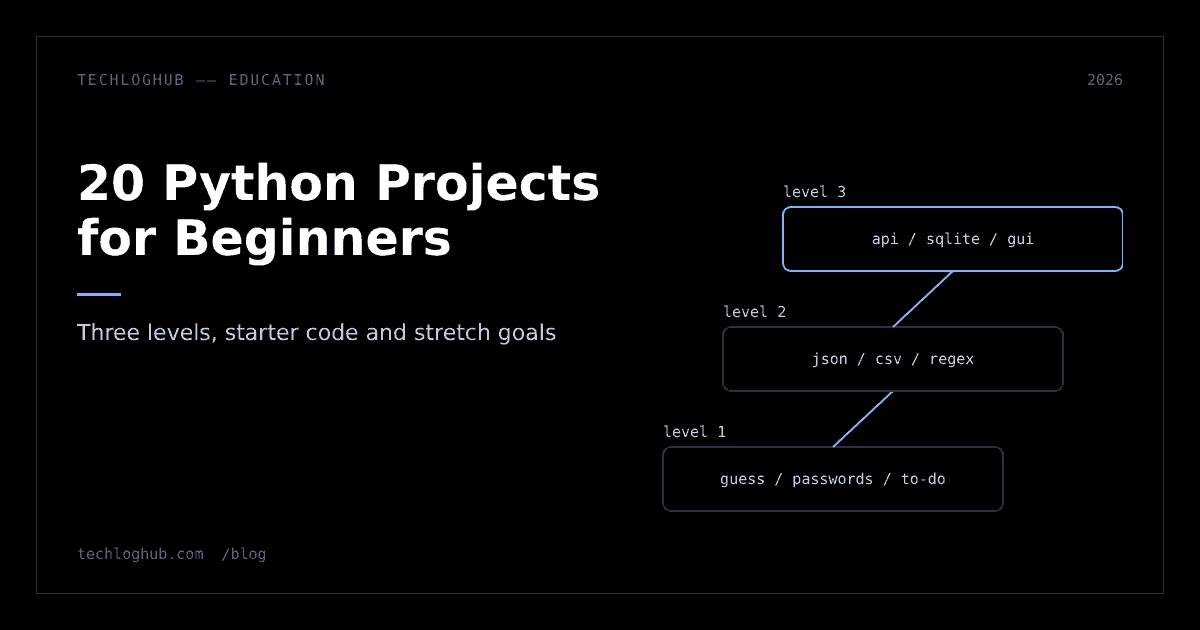
Quick answer: Good Python projects for beginners are small enough to finish in an evening and teach one new skill each. Start with a number guessing game, a password generator and a terminal to-do list; move on to a JSON quiz, a CSV expense tracker and a regex extractor; then build a weather app that calls a real API, a SQLite contact book and a Tkinter GUI. Each project below has a goal, the skills it teaches, starter code and stretch goals.
The fastest way to learn Python is to build small programs that break, then fix them. Tutorials teach syntax; projects teach you to think in steps, read error messages and look things up, which is most of the job.
This list has 20 mini projects in Python, graded into three levels. Every project uses only the standard library, so there's nothing to install beyond Python itself. The starter code runs as written; your job is to finish it and then try the stretch goals.
Before you start: setup and how to use this list
Install a current Python from python.org. As of November 2026 the latest release is 3.15.2, and both 3.15 and 3.14 are in bugfix support; 3.10 reached end of life in October 2026, so don't start on it. Any version from 3.12 up runs every example here.
Use a code editor with a terminal, make a folder per project, and run files with python main.py (or python3 main.py on macOS and Linux). Keep our Python cheat sheet open for syntax you forget; nobody remembers it all.
How to work through the list:
- Type the starter code; don't paste it. Typing makes you notice syntax.
- Finish the core goal before any stretch goal. Finished small programs teach more than half-built big ones.
- Break things on purpose. Enter letters where numbers are expected. Delete the data file. See what happens, then handle it.
- Use git from project one.
git init, commit when something works. You'll want the history when an edit breaks everything. - Keep a learning log. One line per project: what was new, what broke, how you fixed it. Reading it a month later shows how far you've come, and it makes good material for a README.
| Level | Projects | New skills | Time each |
|---|---|---|---|
| 1. First week | 1 to 6 | Variables, input, loops, conditionals, functions, files | 30 to 90 minutes |
| 2. Getting comfortable | 7 to 12 | Modules, JSON, CSV, regex, dictionaries, paths | 1 to 3 hours |
| 3. Real programs | 13 to 20 | APIs, databases, GUIs, classes, dates, game logic | An evening to a weekend |
Level 1: first-week projects
1. Number guessing game
Goal: the computer picks a number from 1 to 100; you guess until you're right, with "higher" or "lower" hints. Skills: while loops, if/elif, converting input with int(), the random module.
import random

secret = random.randint(1, 100)
tries = 0
while True:
    guess = int(input("Guess 1-100: "))
    tries += 1
    if guess < secret:
        print("Higher")
    elif guess > secret:
        print("Lower")
    else:
        print(f"Got it in {tries} tries")
        break
Stretch goals: catch ValueError when someone types "ten"; add difficulty levels; limit guesses to seven.
2. Bill splitter and tip calculator
Goal: enter a bill, tip percentage and number of people; print what each person pays. Skills: floats, functions, f-string formatting with two decimals.
def split_bill(total, tip_pct, people):
    with_tip = total * (1 + tip_pct / 100)
    return with_tip / people

total = float(input("Bill total: "))
tip = float(input("Tip %: "))
people = int(input("People: "))
print(f"Each pays {split_bill(total, tip, people):.2f}")
Stretch goals: reject zero people; support uneven splits where one person pays for drinks.
3. Rock, paper, scissors
Goal: play against the computer, best of five. Skills: random.choice, dictionaries as lookup tables, keeping score.
import random

beats = {"rock": "scissors", "paper": "rock", "scissors": "paper"}
you = input("rock, paper or scissors? ").lower()
cpu = random.choice(list(beats))
if you == cpu:
    print("Draw")
elif beats[you] == cpu:
    print(f"You win: {you} beats {cpu}")
else:
    print(f"You lose: {cpu} beats {you}")
Stretch goals: loop until someone wins three rounds; add lizard and Spock.
4. Password generator
Goal: generate strong random passwords of a chosen length. Skills: the string and secrets modules, list comprehensions. Python's secrets documentation says secrets should be used instead of random for anything security-related, because random is "designed for modelling and simulation, not security or cryptography." That's a lesson worth learning early.
import secrets
import string

def make_password(length=16):
    alphabet = string.ascii_letters + string.digits + string.punctuation
    return "".join(secrets.choice(alphabet) for _ in range(length))

print(make_password(int(input("Length: "))))
Stretch goals: guarantee at least one digit and one symbol; generate passphrases from a word list.
5. Terminal to-do list
Goal: add, list and complete tasks, saved between runs. Skills: lists, menus, reading and writing text files.
FILE = "todo.txt"

def load():
    try:
        with open(FILE) as f:
            return [line.strip() for line in f]
    except FileNotFoundError:
        return []

tasks = load()
while (cmd := input("add/list/done/quit: ")) != "quit":
    if cmd == "add":
        tasks.append(input("Task: "))
    elif cmd == "list":
        for i, t in enumerate(tasks, 1):
            print(i, t)
    elif cmd == "done":
        tasks.pop(int(input("Number: ")) - 1)
    with open(FILE, "w") as f:
        f.write("\n".join(tasks))
Stretch goals: handle an invalid number; add due dates; sort by priority.
6. Unit converter
Goal: convert between kilometres and miles, Celsius and Fahrenheit, kilograms and pounds. Skills: functions, dictionaries of functions.
conversions = {
    "km-mi": lambda x: x * 0.621371,
    "mi-km": lambda x: x / 0.621371,
    "c-f": lambda x: x * 9 / 5 + 32,
    "f-c": lambda x: (x - 32) * 5 / 9,
}
kind = input(f"Choose {', '.join(conversions)}: ")
value = float(input("Value: "))
print(round(conversions[kind](value), 2))
Stretch goals: replace lambdas with named functions and docstrings; add a currency option with rates from a file.
Level 2: getting comfortable
7. Quiz game from a JSON file
Goal: load questions from a file, ask them in random order and show a score. Skills: the json module, lists of dictionaries, separating data from code.
import json
import random

with open("questions.json") as f:
    questions = json.load(f)  # [{"q": "...", "a": "..."}]

random.shuffle(questions)
score = 0
for item in questions:
    if input(item["q"] + " ").strip().lower() == item["a"].lower():
        score += 1
print(f"Score: {score}/{len(questions)}")
If json.load complains, paste your file into a JSON formatter; it points to the exact position of the syntax error, usually a trailing comma.
Stretch goals: multiple-choice questions; save high scores to a second JSON file.
8. Text statistics
Goal: read a text file and report word count, unique words and the ten most common. Skills: string methods, collections.Counter, cleaning input.
from collections import Counter
import string

text = open("book.txt", encoding="utf-8").read().lower()
words = text.translate(str.maketrans("", "", string.punctuation)).split()
print("Words:", len(words), "Unique:", len(set(words)))
for word, n in Counter(words).most_common(10):
    print(f"{word:>12} {n}")
Stretch goals: ignore common words like "the" and "and"; compare two books.
9. Expense tracker with CSV
Goal: log expenses with a category and report totals per category. Skills: the csv module, defaultdict, appending to files.
import csv
from collections import defaultdict

with open("expenses.csv", "a", newline="") as f:
    csv.writer(f).writerow([input("Category: "), input("Amount: ")])

totals = defaultdict(float)
with open("expenses.csv", newline="") as f:
    for category, amount in csv.reader(f):
        totals[category] += float(amount)
for category, total in sorted(totals.items()):
    print(f"{category:<12}{total:>10.2f}")
Stretch goals: add a date column and monthly totals; open the CSV in a spreadsheet and check your numbers match.
10. File organiser
Goal: sort a messy folder into subfolders by file type. Skills: pathlib, shutil, dictionaries, writing safe scripts.
from pathlib import Path
import shutil

folder = Path(input("Folder: ")).expanduser()
DRY_RUN = True
for item in folder.iterdir():
    if item.is_file() and item.suffix:
        target = folder / item.suffix[1:].lower()
        print(f"{item.name} -> {target.name}/")
        if not DRY_RUN:
            target.mkdir(exist_ok=True)
            shutil.move(str(item), target / item.name)
Keep DRY_RUN = True until the printed plan looks right. Scripts that move files deserve that habit.
Stretch goals: group extensions into "images", "documents" and "archives"; handle name clashes.
11. Email and phone number extractor
Goal: pull every email address and phone number out of a block of text. Skills: regular expressions with the re module.
import re

text = open("page.txt", encoding="utf-8").read()
emails = re.findall(r"[\w.+-]+@[\w-]+\.[\w.-]+", text)
phones = re.findall(r"\+?\d[\d\s-]{8,}\d", text)
print(sorted(set(emails)))
print(sorted(set(phones)))
Build and debug patterns in a regex tester before you put them in code; seeing matches highlighted is much faster than rerunning a script. These simple patterns miss some valid formats, which is a good thing to discover yourself.
Stretch goals: write results to CSV; validate that phone numbers have the right length for your country.
12. Pomodoro timer
Goal: a 25-minute work timer followed by a 5-minute break, with a countdown. Skills: time.sleep, divmod, loops, printing on one line.
import time

def countdown(minutes, label):
    for remaining in range(minutes * 60, 0, -1):
        m, s = divmod(remaining, 60)
        print(f"\r{label}: {m:02d}:{s:02d}", end="", flush=True)
        time.sleep(1)
    print(f"\n{label} done")

countdown(25, "Work")
countdown(5, "Break")
Stretch goals: count completed sessions; take a long break after four.
Level 3: real programs
13. Weather in the terminal
Goal: type a latitude and longitude, get the current temperature from a real API. Skills: HTTP requests with urllib, parsing JSON responses, handling network errors. Open-Meteo's forecast API doesn't require an API key for standard use (keys are for commercial access), which makes it beginner-friendly; check its licence terms before building anything commercial.
import json
from urllib.request import urlopen
lat, lon = input("Latitude: "), input("Longitude: ")
url = ("https://api.open-meteo.com/v1/forecast"
f"?latitude={lat}&longitude={lon}¤t=temperature_2m")
with urlopen(url, timeout=10) as resp:
data = json.load(resp)
print("Now:", data["current"]["temperature_2m"], data["current_units"]["temperature_2m"])Print data once and read it in a JSON formatter to see what else the API returns.
Stretch goals: catch URLError; add a three-day forecast; look up coordinates from a city name.
14. Contact book with SQLite
Goal: add, search and delete contacts stored in a database file. Skills: the sqlite3 module, SQL basics, parameterised queries. The sqlite3 documentation explains that SQLite "doesn't require a separate server process," so it's perfect for learning, and tells you to "always use placeholders instead of string formatting" to avoid SQL injection.
import sqlite3

db = sqlite3.connect("contacts.db")
db.execute("CREATE TABLE IF NOT EXISTS contacts (name TEXT, phone TEXT)")

def add(name, phone):
    db.execute("INSERT INTO contacts VALUES (?, ?)", (name, phone))
    db.commit()

def search(term):
    return db.execute("SELECT * FROM contacts WHERE name LIKE ?", (f"%{term}%",)).fetchall()

add(input("Name: "), input("Phone: "))
print(search(input("Search: ")))
When your queries grow, tidy them with a SQL formatter so they're readable.
Stretch goals: add email and edit commands; export to CSV; add a unique constraint on phone.
15. GUI tip calculator with Tkinter
Goal: turn project 2 into a window with input boxes and a button. Skills: event-driven programming with tkinter. The tkinter docs describe it as "the standard Python interface to the Tcl/Tk GUI toolkit"; run python -m tkinter to check it's installed.
import tkinter as tk

def calculate():
    total = float(bill.get()) * (1 + float(tip.get()) / 100)
    result.config(text=f"Total: {total:.2f}")

root = tk.Tk()
root.title("Tip calculator")
bill, tip = tk.Entry(root), tk.Entry(root)
bill.pack(); tip.pack()
tk.Button(root, text="Calculate", command=calculate).pack()
result = tk.Label(root, text="")
result.pack()
root.mainloop()
Stretch goals: add labels and a people field; show an error message for bad input instead of crashing.
16. Tic-tac-toe against the computer
Goal: a two-player terminal game, then a computer player that blocks your wins. Skills: lists, functions that return booleans, game loops.
board = [" "] * 9
LINES = [(0,1,2),(3,4,5),(6,7,8),(0,3,6),(1,4,7),(2,5,8),(0,4,8),(2,4,6)]

def winner(b):
    for a, c, d in LINES:
        if b[a] != " " and b[a] == b[c] == b[d]:
            return b[a]
    return None

def show(b):
    for r in range(0, 9, 3):
        print("|".join(b[r:r+3]))
Stretch goals: write the game loop; make the computer win when it can, block when it must, otherwise take the centre.
17. Habit tracker with streaks
Goal: mark habits done each day and show the current streak. Skills: the datetime module, JSON persistence, date arithmetic.
import json
from datetime import date, timedelta

try:
    log = json.load(open("habits.json"))
except FileNotFoundError:
    log = {}

habit = input("Habit done today: ")
log.setdefault(habit, []).append(date.today().isoformat())
json.dump(log, open("habits.json", "w"), indent=2)

days, streak = set(log[habit]), 0
while (date.today() - timedelta(days=streak)).isoformat() in days:
    streak += 1
print(f"{habit}: {streak}-day streak")
Stretch goals: stop duplicate entries for the same day; show a week view.
18. Command-line notes app with classes
Goal: rebuild the to-do list (project 5) as Note and Notebook classes with search and tags. Skills: classes, methods, dataclasses, structuring code across files.
from dataclasses import dataclass, field

@dataclass
class Note:
    text: str
    tags: list[str] = field(default_factory=list)

class Notebook:
    def __init__(self):
        self.notes: list[Note] = []

    def add(self, text, *tags):
        self.notes.append(Note(text, list(tags)))

    def find(self, tag):
        return [n for n in self.notes if tag in n.tags]
Stretch goals: save to JSON; add command-line arguments with argparse; write tests with unittest.
19. Mini Markdown converter
Goal: convert a small subset of Markdown (headings, bold and paragraphs) to HTML. Skills: reading files line by line, re.sub with groups, building strings.
import re

def convert(line):
    if line.startswith("## "):
        return f"<h2>{line[3:]}</h2>"
    if line.startswith("# "):
        return f"<h1>{line[2:]}</h1>"
    line = re.sub(r"\*\*(.+?)\*\*", r"<strong>\1</strong>", line)
    return f"<p>{line}</p>" if line else ""

with open("notes.md", encoding="utf-8") as f:
    html = "\n".join(convert(l.rstrip()) for l in f)
open("notes.html", "w", encoding="utf-8").write(html)
Compare your output with a full Markdown to HTML converter to see which cases you haven't handled yet: lists, links, code and nested formatting. Real Markdown is surprisingly hard, which is the lesson.
Stretch goals: support lists and links; escape < and & in text.
20. Your notes on a local web server
Goal: serve the HTML from project 19 in your browser using only the standard library. Skills: the http.server module, how URLs map to files, ports.
from http.server import HTTPServer, SimpleHTTPRequestHandler

server = HTTPServer(("127.0.0.1", 8000), SimpleHTTPRequestHandler)
print("Open http://127.0.0.1:8000/notes.html")
server.serve_forever()
Run it in the folder that holds notes.html, open the address, and press Ctrl+C to stop. Binding to 127.0.0.1 keeps it on your own machine; this server is for learning, not for the internet.
Stretch goals: regenerate the HTML automatically on each request by subclassing the handler; add an index page that lists every note.
How to get the most from each project
Finishing the code is half the value. The other half comes from what you do after it runs:
- Read every error message top to bottom. The last line names the error; the lines above show where. Most beginner bugs are a
TypeErrorfrom mixing strings and numbers, or aKeyErrorfrom a misspelled dictionary key. - Refactor once. When it works, split long code into functions with clear names. You'll find bugs while doing it.
- Write one test. Even a single
assert split_bill(100, 10, 2) == 55.0teaches you to think about expected output. - Explain it out loud. If you can't explain a line, you don't understand it yet. Look it up.
- Push it to GitHub with a README. Three sentences on what it does and how to run it. A portfolio of finished small projects is more convincing than one abandoned big one.
Mistakes that cost beginners the most time
- Naming a file after a module. Save your script as
random.pyandimport randomimports your own file instead. Name files after what they do:guess.py. - Forgetting that
input()returns text."5" + "5"is"55". Convert withint()orfloat()straight away. - Editing one file and running another. Check the file name in your terminal command when a change "doesn't work".
- Mixing tabs and spaces. Let your editor insert four spaces per indent and never think about it again.
- Giving up on the first error. Copy the last line of the traceback into a search engine. Someone has hit it before.
Using AI assistants is fine, with a rule: ask for hints and explanations, not finished code. If an assistant writes the project, you've learned to prompt, not to program.
What to build after these 20
Once level 3 feels comfortable, pick a direction and build one bigger project in it:
- Web: a small Flask or FastAPI app that serves your contact book over HTTP.
- Data: analyse a public CSV dataset and plot results with a charting library.
- Automation: a script that renames, resizes or reports on files you actually deal with at work or school.
- Games: rebuild tic-tac-toe or a snake game with a graphics library.
If you're still deciding whether Python is the right first language, our Python vs JavaScript comparison lays out the trade-offs. Browse the tutorials for longer guided series, and the education and learning category for courses and practice platforms. When you're ready for newer language features, our explainer on Python 3.15 lazy imports is a good example of reading release notes like a working developer.
FAQ
What is a good first Python project?
A number guessing game is a good first Python project. It uses input, loops, conditionals and the random module in about 15 lines, and you can extend it with error handling, difficulty levels and a guess limit.
How long does it take to build a beginner Python project?
First-week projects take 30 to 90 minutes each. Intermediate ones with files, JSON or regex take one to three hours, and projects with an API, a database or a GUI can take an evening or a weekend.
Do I need to install libraries for these projects?
No. All 20 projects use only Python's standard library, including random, secrets, json, csv, re, sqlite3, urllib and tkinter. Install a current Python from python.org and you have everything you need.
Which Python version should beginners use?
Use a current, supported release. As of November 2026 the latest is Python 3.15.2, and 3.14 and 3.15 receive bugfix updates. Python 3.10 reached end of life in October 2026, so avoid starting on it.
Should I put beginner Python projects on my resume or GitHub?
Put them on GitHub, each with a short README explaining what it does and how to run it. On a resume, list one or two projects you extended well beyond the starter version, such as a contact book with search, export and tests, rather than every small exercise.
How do I know when I'm ready for bigger Python projects?
You're ready when you can build a level 3 project such as the SQLite contact book without copying code, read your own error messages, and split a program into functions or classes. Then pick one area, like web or data, and build a larger project there.
Finish small programs, break them on purpose, and keep every one in git.