


Plainspend
An AI-powered Google Sheets template that automatically categorizes bank and credit card statements into custom categories using your own API key.
About Plainspend
Automate Your Expense Tracking with Privacy and Control
Plainspend offers the clarity of a budgeting app without the privacy trade-offs or expensive annual subscriptions. It is a powerful Google Sheets template that uses AI to automatically categorize your transactions, giving you full control over your financial data. Instead of handing over your bank login credentials to a third-party application, Plainspend allows you to maintain complete privacy.
You simply download your statements from your bank or card and upload them directly into your Google Sheet. Key Features and Benefits:
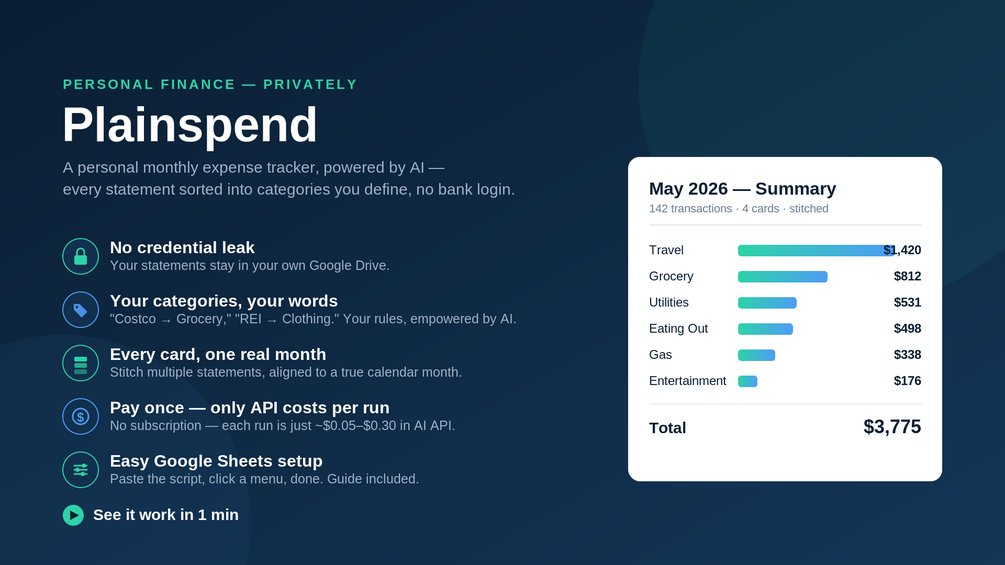
- No Bank Login Required: Your statements stay in your own private Google Sheet.
- Customizable Categories: Use your own words for categories, like "Costco → Grocery" or "REI → Clothing".
- Multi-Card Stitching: Every card, one real month—stitch multiple statements together and align them to a true calendar month rather than billing cycles.
- Any Format Support: Supports CSV, XLSX, and PDF formats from any bank or card in a single run.
- Pay Once, No Subscription: You only pay for the AI API costs per run (typically $0.05–$0.30), eliminating recurring monthly fees.
- No Installation Required: The script is already built into the sheet; just copy it and add your own API key.
How It Works:
- Download Statements: Get your bank or credit card statements in CSV, XLSX, or PDF format from your financial institution.
- Upload to Sheet: Drop them into Plainspend's Google Sheets template.
- Run the Script: Add your own API key and click "Run".
- Get Your Summary: About 30 seconds later, you will have a clean monthly summary by category.
Value & Audience
Value Proposition
Automated expense categorization using AI within Google Sheets with no bank login required for maximum privacy.
Problem Solved
Eliminates the need to manually type in every expense and removes the privacy risk of handing over bank logins to third-party apps.
Target Audience
Tech Stack
Other
Loading ratings...
Loading comments...
Gallery
Feedback & Roadmap
Plainspend FAQ
Common questions about Plainspend's features, pricing, and use cases
Is Plainspend free to use?
Plainspend is a paid product, starting at Pay once for the template; each run costs only ~$0.05–$0.30 in AI API fees..
What are some alternatives to Plainspend?
Popular Finance & Fintech alternatives to Plainspend include Recoupe, Farao and GetPaidAI.
Plainspend appears in
You May Also Like
View all alternatives to Plainspend
Recoupe
A free failed-payment audit tool that identifies lost revenue from expired cards and payment declines over the last 90 days.
View Product
Farao
A self-custodial trading platform offering 24/7 access to over 100 markets including stocks, crypto, pre-IPO, and indexes with up to 50x leverage.
View ProductGetPaidAI
GetPaidAI sends automatic, professional payment reminders by email and SMS so freelancers and agencies get paid without the awkward follow-up.
View Product
Calcrux
A free online platform offering over 105 business and finance calculators for ecommerce sellers, manufacturers, startups, and investors across 9 markets.
View ProductOne email a week
TechLogHub tracks 704 tools and 568 open-source projects. Get the week's new launches, release roundups and open-source picks — nothing else.
Get the TechLogHub digest
One email a week: new and trending developer tools, fresh comparisons, and what shipped. Unsubscribe in one click.