



NavVault
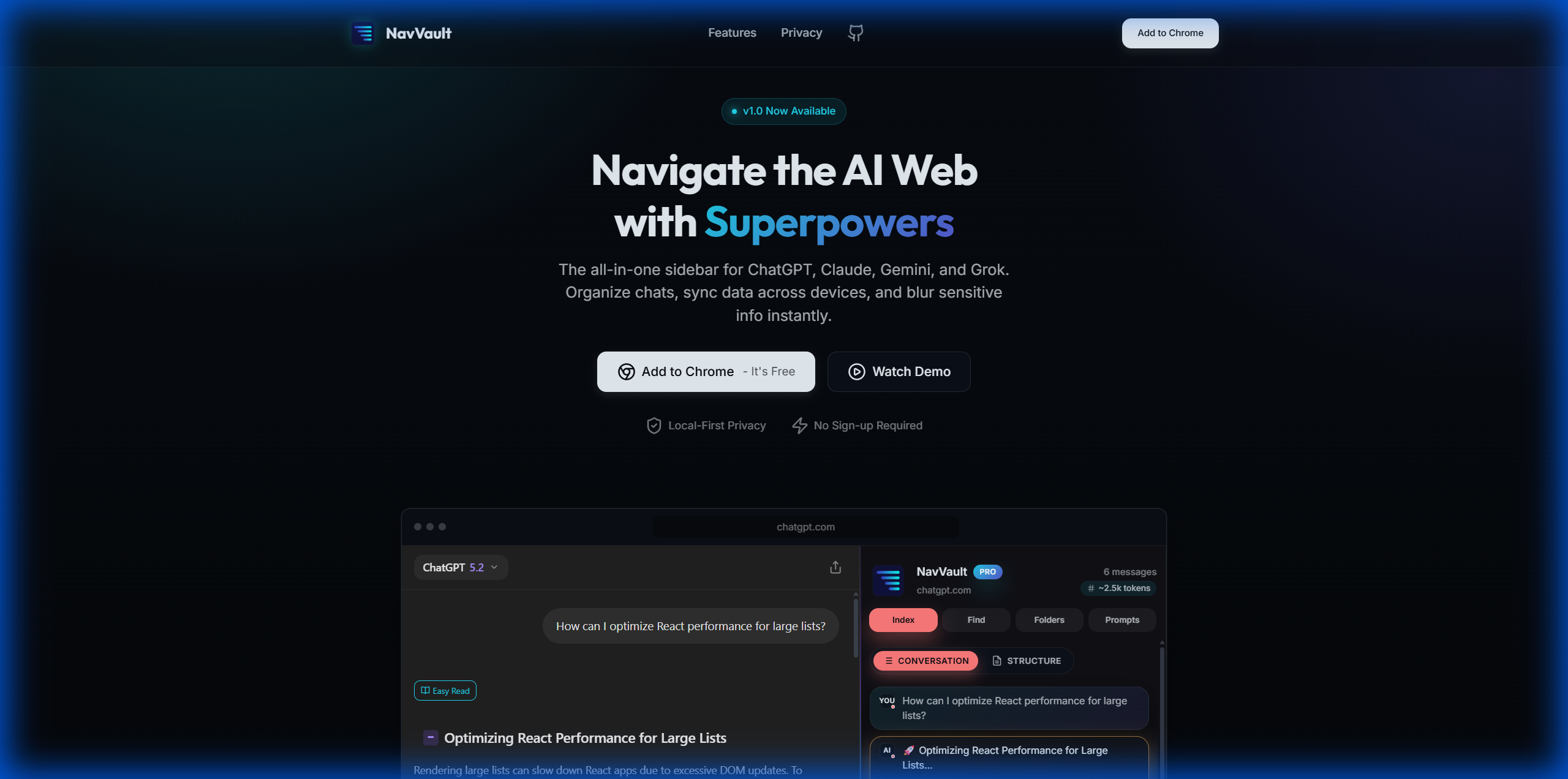
A universal AI side panel for ChatGPT, Claude, Gemini, and Grok that offers data sync, privacy shielding, and a prompt library.
About NavVault
Supercharge Your AI Workflow with NavVault
NavVault is the ultimate universal sidebar designed specifically for power users who need to manage multiple AI platforms seamlessly. Whether you are using ChatGPT, Claude, Gemini, or Grok, NavVault provides a unified interface that enhances your productivity and keeps your workspace organized.
Key Features for Power Users
Stop juggling between different tabs and tools. NavVault brings everything you need into a single side panel:
- Chat Index: Navigate long conversations with a structured, clickable outline to find exactly what you need instantly.
- Universal Folders: Organize chats from different AI platforms into project-based folders to keep your work together.
- Prompt Library: Save your best engineered prompts and inject them into any AI chat with one click.
- Privacy Shield: Instantly blur sensitive chat content and names with a single click when sharing your screen.
- Cross-Device Sync: Seamlessly sync your prompts, folders, and pinned chats between devices using your browser account.
How NavVault Transforms Your Workflow
NavVault streamlines the way you interact with AI by providing a structured environment for complex tasks:
- Organize: Group conversations from different platforms into unified project folders.
- Retrieve: Use the Chat Index and Instant Find to jump to specific parts of long threads.
- Execute: Access your library of personas, styles, and prompts to maintain consistency in AI outputs.
- Protect: Use the Privacy Shield to ensure sensitive data remains hidden during presentations or screen shares.
Privacy-First Architecture
Your privacy is our priority. NavVault uses a Local-First architecture, meaning your data stays in your browser using IndexedDB. There are no servers collecting your data, and we do not use analytics or tracking.
Value & Audience
Value Proposition
A unified AI side panel that organizes, syncs, and secures your interactions across ChatGPT, Claude, Gemini, and Grok.
Problem Solved
Fragmented AI workflows where users struggle to organize chats across different platforms, manage complex prompts, and protect sensitive data during screen sharing.
Target Audience
Tech Stack
Loading ratings...
Loading comments...
Gallery
Feedback & Roadmap
NavVault FAQ
Common questions about NavVault's features, pricing, and use cases
Is NavVault free to use?
NavVault offers a free tier. Plans listed: Free: Includes Chat Index, Instant Find, Smart Folders (5 per platform), Prompt Library (10 prompts), and limited daily AI features.; Pro Monthly ($5/month): Unlimited folders, notes, prompts, personas, styles, broadcast, context bridge, and unlimited downloads.; Lifetime ($39 one-time payment): All Pro features forever with priority support and lifetime updates..
What are some alternatives to NavVault?
Popular Productivity & Collaboration alternatives to NavVault include Dly- ToDo List & Habit Tracker, Active Now and The Conversion Atlas.
NavVault appears in
You May Also Like
View all alternatives to NavVaultDly- ToDo List & Habit Tracker
A privacy-focused daily task planner, to-do list, and habit tracker that works completely offline with no account required.
View Product
Active Now
Menu bar and system tray app that keeps Teams, Slack, Discord, Zoom, and other workplace apps showing active while you work or take short breaks.
View Product
The Conversion Atlas
A calm, clutter-free online unit converter for length, weight, temperature, volume, speed, and 674+ other conversions.
View ProductStoreProof
Manage receipts, warranties, and purchase proofs across your Apple devices with private iCloud sync.
View ProductOne email a week
TechLogHub tracks 704 tools and 568 open-source projects. Get the week's new launches, release roundups and open-source picks — nothing else.
Get the TechLogHub digest
One email a week: new and trending developer tools, fresh comparisons, and what shipped. Unsubscribe in one click.