


KeystoneMCP
A local-first production-context and project-management MCP server that gives AI assistants persistent memory for creative projects.
About KeystoneMCP
Overview
KeystoneMCP is a local-first production-context and project-management MCP server that provides persistent memory for your AI assistants. It acts as the authoritative context layer across sessions, allowing your AI to understand the nuances of complex creative projects without replacing your existing tools.
How it Works
Instead of replacing your creative software, KeystoneMCP works in tandem with other MCP servers. Your AI client consults KeystoneMCP for project state while connecting directly to creative tools like Houdini, Maya, Nuke, Blender, and ComfyUI. It records completed work back into a persistent production state.
Key Features
- Persistent Project State: Maintain context across multiple AI sessions.
- Structured Production Graph: Manage assets, production units, tasks, versions, and dependencies. i
- Version Tracking: Track current and approved versions of project elements.
- Workflow Templates: Access recommended next actions and preflight checks. i
- Downstream Impact Analysis: Understand what could be affected when a change is made.
- Naming & Path Rules: Establish clear rules for source, work, review, publication, and delivery files.
- Profile-Based Creation: Create project folder structures based on Film & Animation, Game Development, or Creative Production profiles.
Supported Workflows
KeystoneMCP is designed for various creative production workflows including:
- Film & Animation
- Game Development
- Graphic Design
- Photography
- Marketing and other creative-production pipelines.
Technical Requirements
To get started, you will need the following:
- Python 3.11 or newer
- Node.js 18 or newer (LTS recommended)
- A compatible AI client with MCP support (e.g., Claude)
- macOS or Linux (Windows users require WSL)
Installation & Setup
Follow these steps to set up KeystoneMCP:
- Open Terminal and navigate to the extracted folder.
- Run
./keystone setupto configure your project storage location. - Run
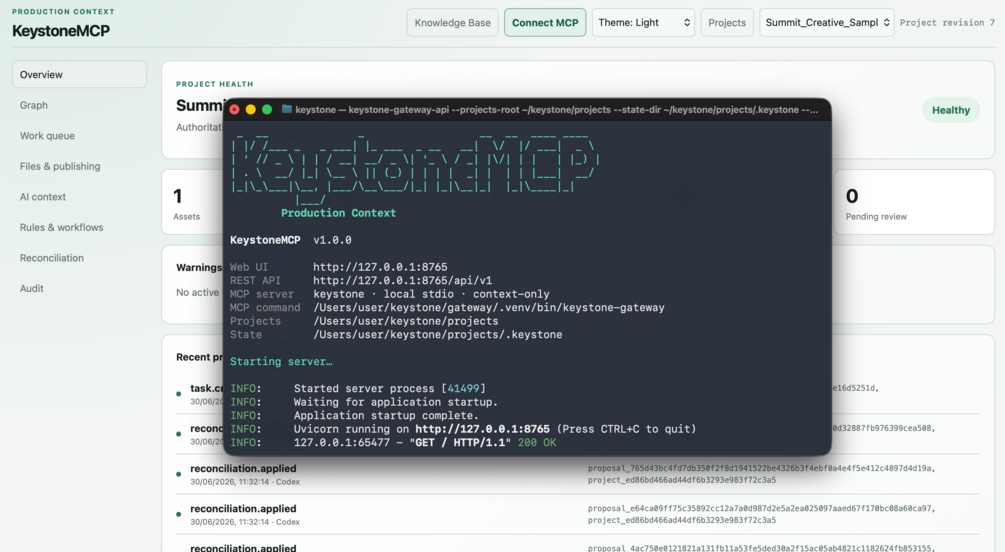
./keystone startto launch the server. - Use the Connect MCP button in the Web UI (http://127.0.0.1:8765) to obtain configuration for your AI client.
Value & Audience
Value Proposition
Provides persistent project context and management memory for AI assistants in creative production workflows.
Problem Solved
AI assistants lack persistent memory of complex project structures, dependencies, and workflow rules in creative productions.
Target Audience
Use Cases
Tech Stack
Loading ratings...
Loading comments...
Gallery
Feedback & Roadmap
KeystoneMCP FAQ
Common questions about KeystoneMCP's features, pricing, and use cases
Is KeystoneMCP free to use?
KeystoneMCP is a paid product, starting at Indie Single-Seat Plan: Low-cost annual license for individuals/small creators (under $150k revenue).. Plans listed: Indie Single-Seat Plan: Low-cost annual license for individuals/small creators (under $150k revenue).; Commercial License: Required for studios, companies, and teams with over $150k revenue..
What are some alternatives to KeystoneMCP?
Popular Project Management alternatives to KeystoneMCP include Easy Site Control, Markhub and Linear.
KeystoneMCP appears in
You May Also Like
View all alternatives to KeystoneMCP
Easy Site Control
Build your frontend while we handle everything backend - from databases and authentication to file storage, real-time features, and deployment. Complete infrastructure, zero DevOps.
View Product
Markhub
An AI-powered communication platform that automatically transforms conversations into actionable tasks, decisions, and documentation.
View ProductLinear
Purpose-built system for planning and building products with AI agents.
View ProductBoardSimple
A beautiful public roadmap and changelog platform for startups with unlimited seats and flat monthly pricing.
View ProductOne email a week
TechLogHub tracks 704 tools and 568 open-source projects. Get the week's new launches, release roundups and open-source picks — nothing else.
Get the TechLogHub digest
One email a week: new and trending developer tools, fresh comparisons, and what shipped. Unsubscribe in one click.