



CoworkRestore
Automatically save versions of folders edited by AI tools like ChatGPT Work and Claude Cowork on Mac, allowing you to review and restore changes easily.
About CoworkRestore
Automatic Version History for AI-Assisted Work
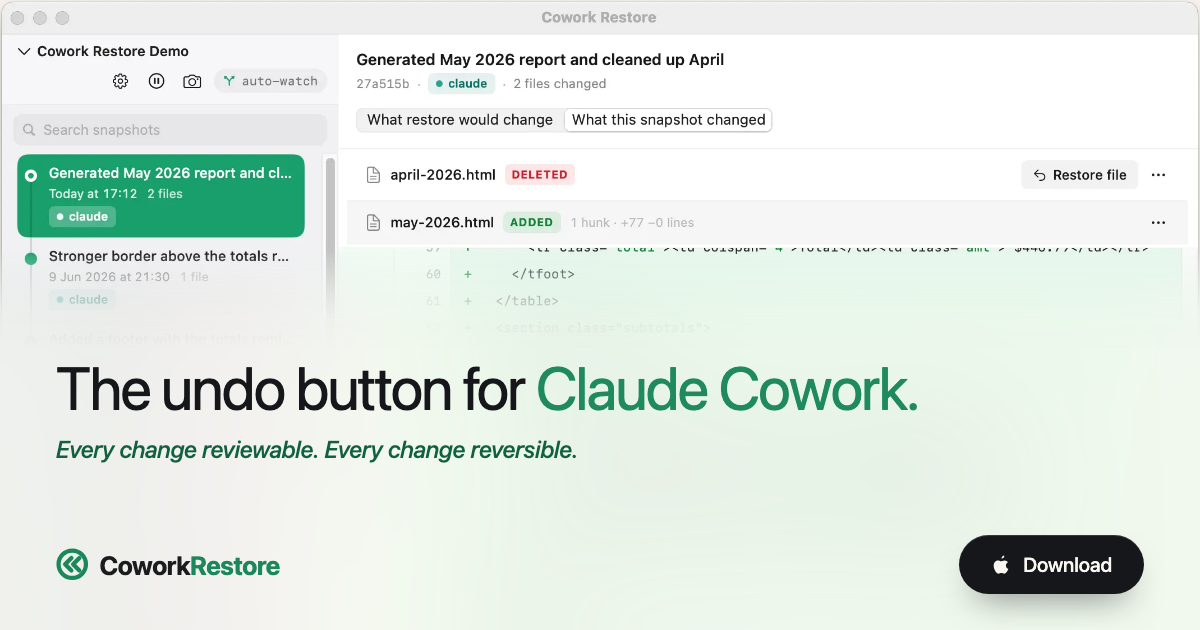
CoworkRestore provides a safety net for your Mac folders when you use AI tools like ChatGPT Work and Claude Cowork. It automatically saves versions of the folders you give to AI tools, allowing you to review changes and restore one file or the whole folder with a single click. Get back what was lost in one click without learning complex developer tools.
How it Works
CoworkRestore records versions automatically while an AI tool works in your folder. You can open the timeline, inspect what changed, and restore only what you want. It takes five minutes to set up and under 60 seconds to add each new folder after.
- Native macOS App: Snapshots happen in the background without affecting your workflow.
- Local-Only Data: Your data never leaves your Mac; there is no cloud sync, no servers, and no accounts required. bsp;
- Apple Notarized: A signed and notarized build with automatic updates for peace of mind.
- Easy Restoration: Restore one file, undo just one change, or roll back the entire folder.
Supported AI Tools & Integrations
CoworkRestore works alongside the AI tools you already use without requiring complex extensions or MCP setups.
- ChatGPT Work: Protect folders used by ChatGPT Work through automatic folder watching. CoworkRestore saves versions as file changes settle.
- Claude Cowork: Use automatic folder watching or install the existing Claude integration to create save points before and after a specific task. bsp;
Key Features & Benefits
CoworkRestore gives you an undo button for your files without becoming a developer.
- Reviewable Changes: See exactly what changed with text diffs showing lines that came and went. bsp;
- No Developer Skills Needed: Skip terminal commands, commits, and branches; just select a folder once and browse changes by time. bsp;
- Versatile File Types: Spreadsheets, documents, and PDFs open in their usual Mac apps for easy comparison. bsp;
Workflow Example
When you use Claude Cowork to edit a project folder, the process is seamless:
- You send a task to Claude on a project folder (e.g., an edit to a transactions report). bsp;
- CoworkRestore is pinged and saves a 'pre-task' snapshot automatically. bsp;
- Claude runs the edit and modifies the file. bsp;
- When Claude reports done, CoworkRestore is lands a 'post-task' snapshot. bsp;
- You can diff them or restore either one from the menu-bar app. bsp;
Use Cases
CoworkRestore is perfect for situations where an AI task goes wrong:
- Undo Folder Reorganization: When ChatGPT reorganizes a marketing folder incorrectly. bsp;
- Keep Good Edits, Undo the Rest: When Claude rewrites parts of report that were meant to stay put. bsp;
- Restore Overwritten Files: When an AI task replaces a spreadsheet with the wrong version. bsp;
- **Roll back Moved/Renamed Files:** When an automated task renames or moves client files incorrectly. bsp;
Value & Audience
Value Proposition
Provide an automatic local version history and safety net for Mac folders edited by AI tools like ChatGPT Work and Claude Cowork.
Problem Solved
Prevents data loss and unwanted changes when AI tools overreach, rewrite important sections of documents, or reorganize files incorrectly on a Mac.
Target Audience
Use Cases
Tech Stack
Loading ratings...
Loading comments...
Gallery
Feedback & Roadmap
CoworkRestore FAQ
Common questions about CoworkRestore's features, pricing, and use cases
Is CoworkRestore free to use?
CoworkRestore offers a free tier. Plans listed: First project free; €19 once for unlimited projects.
What are some alternatives to CoworkRestore?
Popular Productivity & Collaboration alternatives to CoworkRestore include Dly- ToDo List & Habit Tracker, Active Now and The Conversion Atlas.
CoworkRestore appears in
You May Also Like
View all alternatives to CoworkRestoreDly- ToDo List & Habit Tracker
A privacy-focused daily task planner, to-do list, and habit tracker that works completely offline with no account required.
View Product
Active Now
Menu bar and system tray app that keeps Teams, Slack, Discord, Zoom, and other workplace apps showing active while you work or take short breaks.
View Product
The Conversion Atlas
A calm, clutter-free online unit converter for length, weight, temperature, volume, speed, and 674+ other conversions.
View ProductStoreProof
Manage receipts, warranties, and purchase proofs across your Apple devices with private iCloud sync.
View ProductOne email a week
TechLogHub tracks 704 tools and 568 open-source projects. Get the week's new launches, release roundups and open-source picks — nothing else.
Get the TechLogHub digest
One email a week: new and trending developer tools, fresh comparisons, and what shipped. Unsubscribe in one click.