

DGM.js
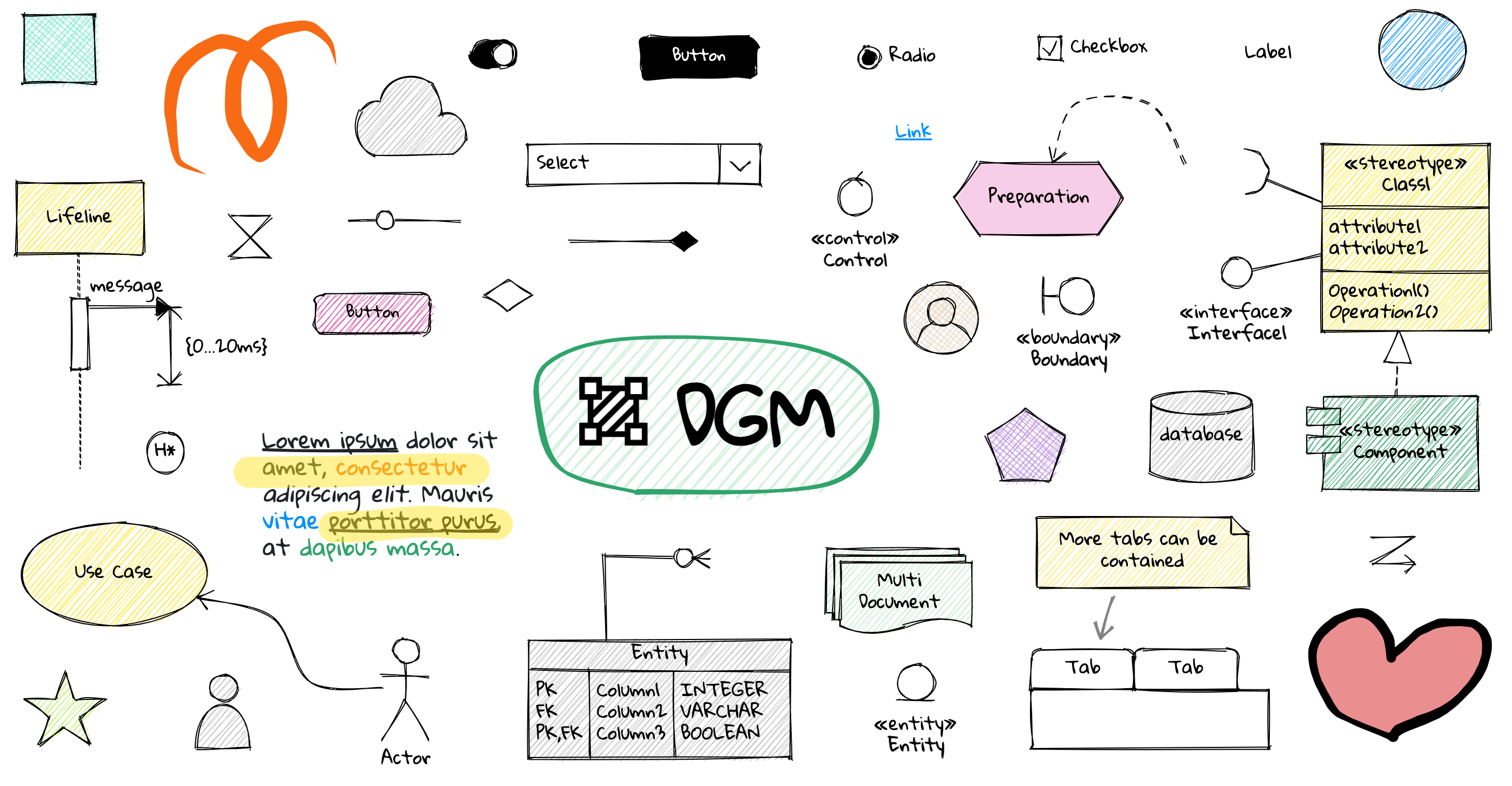

DGM.js is a modern, highly capable platform built around an infinite canvas and a powerful concept called smart shapes. It combines scripting, constraints, and extended properties with a flexible rendering surface to create an artistically expressive and technically robust drawing and diagramming environment. Whether you’re prototyping ideas, sketching UI flows, or building collaborative whiteboards, DGM.js offers a balanced blend of creativity and control.
What makes DGM.js unique is not just the canvas, but the way it treats shapes as programmable entities. Smart shapes empower you to embed behaviors, rules, and data into the elements themselves. Paired with headless components for React ecosystems, it enables you to build sophisticated, interactive experiences without sacrificing performance or flexibility. This combination delivers an infinite playground where ideas can grow, iterate, and collaborate in real time.
In this overview, you’ll find a thorough walk through the core features, practical getting started steps, notable showcases, and actionable guidance for building, contributing, and licensing. The goal is to illuminate how DGM.js can be adopted for personal projects, product prototypes, design systems, and collaborative workflows.
Core Capabilities: A Deep Dive
Smart shapes: scripting, constraints, extended properties
- Smart shapes are the heart of DGM.js. They are more than static figures; they are programmable objects with embedded logic. You can script behavior directly into a shape, define constraints that respond to user interactions or layout changes, and expose extended properties that tailor how a shape behaves in different contexts.
- Use cases include interactive diagrams that enforce consistency, responsive UI mockups that adapt to layout changes, and dynamic data-driven visuals that update as data evolves. The scripting surface is designed to be approachable yet powerful, letting both designers and developers express complex rules without re-creating boilerplate code.
Headless components (React)
- DGM.js supports headless components, allowing you to compose your canvas experiences with React without tying them to a fixed visual shell. This enables seamless integration with your existing React apps, design systems, and state management strategies.
- By separating the logical model from the rendering, you gain testability, reusability, and easier collaboration between design and development teams. It’s possible to drive the canvas from external state, or to render React-based controls alongside the canvas for a cohesive UX.
Infinite canvas
- The limitless drawing space is ideal for ideation, flowcharts, architecture diagrams, and large-scale sketching. An infinite canvas removes the artificial constraints of a fixed page, enabling natural tracking of ideas across space.
- Pan, zoom, and pan-constrained navigation provide fluid exploration. The absence of hard boundaries encourages freeform thinking and lets you organize related shapes into expansive layouts without worrying about page breaks or margins.
Multi-page support
- While the canvas is conceptually infinite, multi-page support gives you practical structure when needed. You can segment your work into discrete pages while maintaining cross-page consistency and the ability to link related elements.
- This is particularly useful for multi-step workflows, storyboarding, or documentation where each page represents a stage or facet of a larger concept.
Hand-drawn styles
- Hand-drawn aesthetics add a warmth and personality to sketches and notes. The rendering options emulate a casual, human touch that can make prototypes feel more approachable and less sterile.
- These styles are well-suited for early-stage ideation, pitch decks, or any context where a sketch-like vibe communicates intent more effectively than perfect geometry.
Real-time collaboration
- Real-time collaboration turns DGM.js into a shared workspace. Multiple users can edit, annotate, and comment simultaneously, with live updates that keep everyone on the same page.
- Collaboration is enhanced by clear presence indicators, conflict resolution strategies, and synchronized cursors. This is invaluable for remote teams, design critiques, and rapid iteration sessions.
Dark mode (adaptive colors)
- A thoughtful theme system ensures readability and comfort in different lighting environments. Dark mode with adaptive colors reduces eye strain during long sessions and preserves visual clarity when working across varied contexts.
- The color system adapts to content, ensuring contrast is preserved for shapes, text, and annotations, so you can stay focused even during intense brainstorming.
Export to image (PNG, JPEG, WebP, SVG)
- When you’re ready to share or embed your work, DGM.js supports exporting your canvas to multiple image formats. PNG and JPEG are ideal for general sharing, WebP provides efficient compression with quality, and SVG preserves vector information for scalable diagrams.
- SVG export is particularly useful for preserving crisp shapes and text in publication-quality documents or later refinements in vector editors.
Export to PDF
- PDF export enables you to translate your canvas into widely shareable, print-ready documents. This is great for design briefs, handouts, and offline reviews where a stable, portable format is preferred.
Rich text
- Rich text support adds a layer of expressive documentation directly on the canvas. You can annotate, label, and describe ideas with typographic variety, links, and structured notes that accompany your shapes.
- This makes DGM.js not just a drawing tool but a narrational canvas where context, rationale, and instructions travel alongside visuals.
JSON export/import
- Data portability is a core concern. The ability to export and import JSON ensures you can back up projects, migrate between environments, or programmatically generate scenes.
- You can version-control your canvas state, perform automated transformations, or seed new canvases with predefined templates.
Getting Started: Quick Start Guide
Getting into DGM.js is designed to be approachable for both designers and developers. The platform emphasizes practical entry points, with curated resources to help you begin quickly and progressively build more complex workflows.
Key entry points
- Get started: A guided introduction that covers the fundamentals, setup, and first steps to create a simple canvas with interactive shapes.
- Minimal example (StackBlitz): A ready-to-run starter project that you can fork, experiment with, and adapt to your needs. This is ideal for hands-on learning and rapid experimentation.
- Run demo app: A repository with a runnable demonstration of the platform's capabilities. It’s a practical sandbox to observe features in action and understand how the pieces fit together.
Practical steps
- Explore the core concepts: Infinite canvas, smart shapes, and the ability to export in multiple formats.
- Set up your development environment according to the guide, ensuring dependencies and packages align with your setup.
- Load a minimal example to familiarize yourself with the interaction model: creating shapes, applying constraints, and saving/exporting results.
- Observe how headless React components can be integrated with the canvas to build richer user experiences.
- Experiment with collaboration features by inviting teammates to a shared session and observing live updates.
Showcase: Real-world Examples and Inspirations
Frame0
- Frame0 is a sketch-style, low-fidelity wireframing tool that demonstrates how DGM.js can support rapid ideation and layout exploration. It focuses on capturing structural ideas and relationships without getting lost in cosmetic details.
DGM App
- The DGM App is a full-featured web-based sketchnotes application. It combines the canvas with annotation, text, and markup capabilities to support personal notes, diagrams, and concept maps in a single, portable work surface.
Nakso
- Nakso is a local-first whiteboard application that emphasizes offline capability and data sovereignty. It showcases how DGM.js can function in environments with intermittent connectivity while preserving synchronization when online.
draw2app
- Draw2App demonstrates a workflow where a low-fidelity sketch can be transformed into a working web app, often leveraging AI-assisted interpretation. This showcases the platform’s potential to bridge ideation and actual product development.
Contribution: How to Engage
Important note: DGM.js is not open for external pull requests. This policy means external developers cannot directly contribute patches or features via typical GitHub PR workflows. The project may still welcome feedback, issue reports, feature requests, and discussions through its designated channels. If you’re looking to influence the project, consider:
- Engaging with the maintainers through issues and discussions to propose ideas.
- Collaborating via sanctioned contribution pathways if they exist, such as community sprints or partner programs.
- Offering pre-approved patches or modules through designated collaboration channels, if provided by the maintainers.
Build and Development: Local Setup and Execution
For developers who want to experiment locally, here is a concise outline of the typical workflow to clone, install, build, and run the demo.
- Clone the repository
- git clone https://github.com/dgmjs/dgmjs.git
- Enter the project directory
- cd dgmjs
- Install all dependencies
- npm install
- Build all packages
- npm run build --workspaces --if-present
- Run the demo app
- npm run dev -w demo
These steps provide a practical path to a working copy on your machine. The workspace-oriented build reflects the project’s multi-package structure, ensuring that dependent packages are built in the correct order. Running the demo app gives you a live, interactive environment to explore features and test changes.
Licensing: GPLv3 and Licensing Options
DGM.js is distributed under the GPLv3 license. This license emphasizes freedom to use, study, modify, and distribute the software, with a strong emphasis on keeping derivatives under the same license. If you require a non-GPL license for your project or organization, licensing options are available through the project’s licensing guidance. It’s important to review the license terms to ensure compliance with redistribution, attribution, and any copyleft obligations that apply to your use case.
Practical Considerations and Use Cases
- Prototyping and design exploration: The combination of smart shapes, infinite canvas, and rich text makes DGM.js an excellent environment for rapid ideation, flow diagrams, and UI sketching.
- Collaborative whiteboarding: Real-time collaboration turns brainstorming sessions into shared experiences where ideas, annotations, and decisions happen in tandem.
- Documentation and storytelling: Rich text, combined with export options (PDF, SVG, PNG), supports the creation of narrative diagrams, white papers, and design briefs directly from the canvas.
- Data-driven diagrams: With JSON export/import and scripts inside shapes, you can model dynamic diagrams that reflect changing data sources, enabling dashboards and interactive documentation.
- Education and workshops: The versatile canvas can be used for teaching concepts, mapping processes, and guiding participants through visual problem-solving activities.
Documentation, Help, and Community
To maximize productivity with DGM.js, rely on the official getting-started pages, examples, and demo apps. The provided links point toward practical entryways that facilitate hands-on learning. For teams and educators, the platform’s emphasis on interoperability, extensibility, and visual storytelling makes it suitable for a wide range of instructional contexts. If you plan a workshop or a design sprint, consider combining the canvas with export formats to produce deliverables that can be shared or printed.
Conclusion: Why DGM.js Stands Out
DGM.js positions itself at the intersection of flexible visual storytelling and robust technical capability. Its core strengths lie in the concept of smart shapes—objects capable of scripting, constraints, and extended properties—and the seamless integration with React-based workflows through headless components. The infinite canvas, augmented by multi-page support, hand-drawn styles, and real-time collaboration, creates a spacious environment for ideation, sketching, and documentation.
Export versatility—image formats, PDF, and JSON—ensures you can move from on-screen exploration to shareable artifacts and data-driven workflows with minimal friction. The dark mode and adaptive color system enhance usability across environments and sessions, while rich text support adds narrative context to diagrams and sketches.
If you’re seeking a platform that respects both the craft of drawing and the rigors of development, DGM.js offers a compelling combination of freedom and structure. It invites you to sketch ideas, encode behaviors directly into shapes, collaborate in real time, and export results with professional polish. Whether you’re a designer, developer, educator, or product innovator, there’s a compelling case to try DGM.js and see how its smart shapes and infinite canvas can accelerate your creative process.
For more details, visit the Getting Started pages, explore the showcased apps, and consider how the licensing options align with your project goals. The journey from abstract concept to tangible, shareable visuals is accelerated when you leverage a canvas that understands your intent—and responds with expressive, data-rich shapes that you can script, constrain, and export.
Enjoying this project?
Discover more amazing open-source projects on TechLogHub. We curate the best developer tools and projects.
Repository:https://github.com/dgmjs/dgmjs
GitHub - dgmjs/dgmjs: DGM.js
DGM.js is a modern, highly capable platform built around an infinite canvas and a powerful concept called smart shapes. It combines scripting, constraints, and ...
github - dgmjs/dgmjs
Maintain DGM.js? Add the badge to your README
Show that the project is featured on TechLogHub and send readers to this write-up.

[](https://techloghub.com/open-source/dgm-js?utm_source=techloghub_badge&utm_medium=referral&utm_campaign=readme)