

Node.js 26.12 Makes node.config.json Stable: What to Move Into It
Quick answer: Node.js 26.12.0 marks the JSON configuration file as stable and renames its flag to --config-file, which reads node.config.json from the working directory when you pass no path. Move test-runner, watch-mode and permission settings there first. Leave per-environment flags in NODE_OPTIONS or the CLI, because those still win over the file.
The config file has been the quiet fix for one of Node's oldest annoyances: package.json scripts that are really twenty flags glued together. With 26.12 it stops being an experiment. That changes the calculation from "interesting, maybe later" to "worth adopting before Node 26 becomes the LTS line your team standardizes on."
Here is what changed, what the file can and cannot do, and the precedence rule that will bite you if you skim it.
What actually shipped in 26.12
The Node.js 26.12.0 release, cut by Richard Lau on 14 October 2026, carries two commits from Marco Ippolito in PR #66431: "mark config file as stable" and "fix config file handling." The same release includes a change from Rafael Gonzaga that propagates config-file permission flags to child processes (#66559).
The visible difference is the flag. The feature first appeared in v23.10.0 and v22.16.0 and was marked a release candidate in v26.7.0, living behind --experimental-config-file (see the v26.11.0 CLI docs). The v26.12.0 CLI docs rename it to --config-file=path, or bare --config-file to load node.config.json from the current working directory. The old --experimental-config-file and --experimental-default-config-file names are kept as aliases, so nothing breaks today. The docs also note that the space-separated --config-file path form is not supported, so write it with an equals sign.
Timing matters here. Per the Node.js release schedule, 24.x moved to maintenance on 20 October 2026 and 26.x becomes Active LTS on 28 October 2026. If you are planning the jump to 26 anyway, this is the cheapest moment to clean up your flags. We covered the bigger picture of Node's new cadence in Node's annual release schedule.
The file in one example
The docs' own example shows the shape. Flags that are legal in NODE_OPTIONS go under nodeOptions. Subsystem settings go under a namespace such as test, watch or permission.
{
  "$schema": "https://nodejs.org/dist/latest-v26.x/docs/node-config-schema.json",
  "nodeOptions": {
    "import": ["amaro/strip"],
    "watch-path": "src",
    "watch-preserve-output": true
  },
  "test": {
    "test-isolation": "process"
  }
}
According to the docs, that is equivalent to running node --import amaro/strip --watch-path=src --watch-preserve-output --test-isolation=process. Each key maps to a flag you could pass on the command line, minus the leading dashes.
Two details from the docs change how you write it. First, when a namespace is present, Node enables the matching feature automatically, so a test block turns on the test runner without --test. If you want the settings without the feature, set the flag itself to false inside the namespace, for example "test": { "test": false, "test-isolation": "process" }. Second, keys cannot be duplicated, either within one namespace or across namespaces.
The $schema line is worth keeping. Node publishes a JSON schema with each release (for example the v22.23.0 schema), and the docs warn that it may vary between versions. They tell you to replace the version in the URL with the one you run, or use latest-v26.x to track the newest release on the line, so your editor's autocomplete matches what the runtime accepts. If you are hand-editing JSON configs a lot, our JSON formatter catches the trailing comma before Node does.
Precedence: the rule to read twice
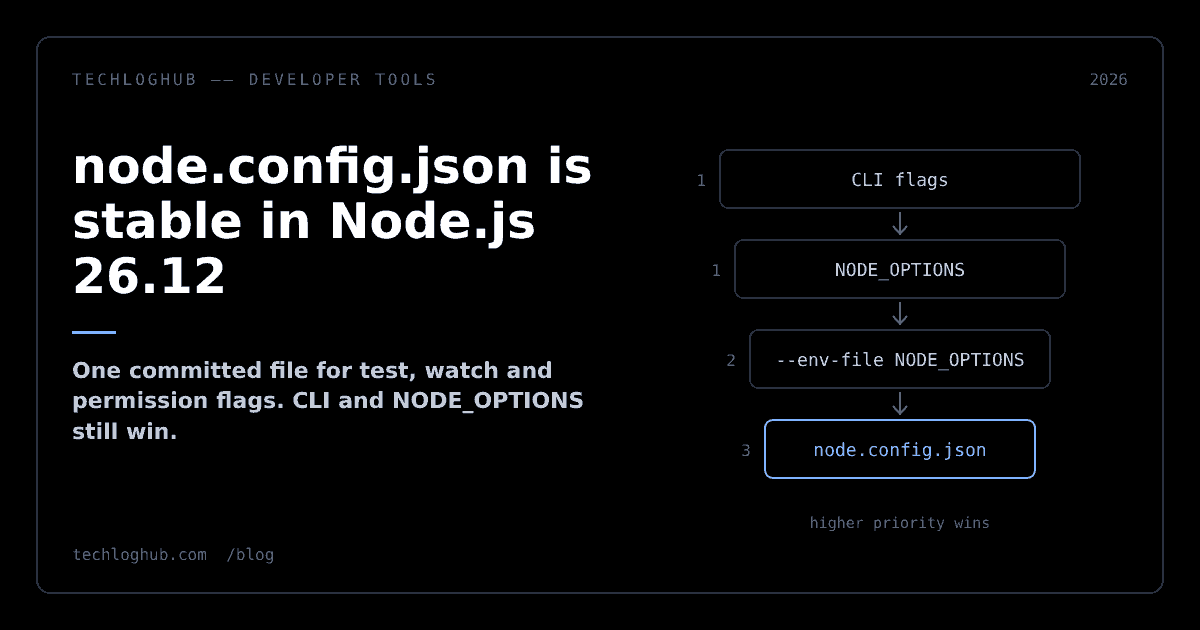
This is the part teams will get wrong. The 26.12 docs list the order, highest priority first:
| Priority | Source | What it means for you |
|---|---|---|
| --- | --- | --- |
| 1 | NODE_OPTIONS and command-line options | Anything set here beats the file |
| 2 | NODE_OPTIONS from a dotenv file | An --env-file that sets NODE_OPTIONS also beats the file |
| 3 | The configuration file | The baseline, overridden by everything above |
The docs put it plainly: values in the configuration file will not override environment variables or command-line options. That is a sensible default for a committed baseline, but notice what it means in practice. A stale NODE_OPTIONS exported in a CI image or a developer's shell profile silently wins over the file you just committed.
The order has also moved since the feature first landed. The original commit documented the config file as overriding NODE_OPTIONS from an env file, and Ippolito's Node Congress 2026 talk described the same order. Current docs put dotenv NODE_OPTIONS above the file. If you read an older blog post or adopted the flag in 2025, re-check any setup that relies on the file beating an .env.
Version targeting with nodeVersion and configs
Monorepos and libraries that test across several majors get a useful escape hatch. The docs describe a nodeVersion field and a configs array: Node uses the first entry whose nodeVersion matches the current major version. When you use configs, the top level may only contain $schema and configs.
A single top-level config does not need nodeVersion. If you do set it, it must match the running major. That makes nodeVersion a cheap guard: put "nodeVersion": 26 in a single config and anyone who runs it on Node 24 gets an error instead of half-applied settings.
If you are already on Node 26 for its type stripping, as covered in running TypeScript without a build step, the config file is where those loader and import flags belong.
What belongs in the file, and what does not
The config file is a committed project baseline. Treat it like tsconfig.json, not like .env.
Move these in
- Test runner settings. Isolation mode, coverage, reporters and patterns are the flags that bloat
package.jsonscripts the most, and thetestnamespace accepts settings that are not allowed inNODE_OPTIONS, per Ippolito's talk. - Watch mode.
watch-pathandwatch-preserve-outputare project facts, not per-developer preferences. - Permission model defaults. With #66559, permission flags from the file now propagate to child processes, which closes the gap where a spawned worker ran with more access than its parent.
- Loaders and imports that every run of the project needs.
Keep these out
- Secrets and environment-specific values. The file is meant to be committed. Use env files or your platform's secret store.
- Memory limits and tuning that differ per host. These belong in
NODE_OPTIONSon the machine, where they will win anyway. - Anything from a dependency. The docs say Node does not sanitize or validate user-provided configuration and warn never to use untrusted config files. Ippolito's talk adds that Node ignores
node.config.jsoninsidenode_modules, so do not try to ship one in a package.
The docs list two more limits. No-op flags are not supported, and not all V8 flags are supported yet. Unknown keys, or keys not allowed in a given namespace, make the parser throw. That is good: a typo fails loudly instead of being ignored.
A migration checklist
1. Upgrade a branch to Node 26.12 or later and replace --experimental-config-file or --experimental-default-config-file with --config-file in scripts. The old names still work as aliases, but the new one is the documented flag. 2. Collect every flag from package.json scripts, CI YAML and Dockerfiles. Diff them with a text diff checker so you see which flags differ between local and CI. 3. Put shared flags under nodeOptions and subsystem flags under test, watch or permission. 4. Search CI images and shell profiles for exported NODE_OPTIONS. Anything there overrides the file. 5. Add nodeVersion if the project must not run on another major. 6. Point the $schema URL at your Node version, or at latest-v26.x, and update it with each major upgrade.
If you are comparing runtimes while you are at it, our Bun 1.4 built-in APIs breakdown and the developer tools category are good next stops.
FAQ
What is node.config.json?
It is a JSON file that holds Node.js CLI options for a project. Flags allowed in NODE_OPTIONS go under nodeOptions, and subsystem settings go under namespaces such as test, watch and permission. Node.js 26.12.0 marks the feature stable and renames the flag to --config-file.
How do I load the Node.js config file?
On Node.js 26.12, run node --config-file to load node.config.json from the current working directory, or node --config-file=path to use another file. The space-separated form --config-file path is not supported, and the old experimental flag names remain as aliases.
Does node.config.json override NODE_OPTIONS?
No. The 26.12 docs list NODE_OPTIONS and command-line options first, then NODE_OPTIONS from a dotenv file, then the configuration file. Values in the file never override the environment or the command line.
Can one config file target several Node.js versions?
Yes. Use a configs array where each entry has a nodeVersion. Node uses the first entry that matches the current major version, and the top level may then contain only $schema and configs.
Is it safe to use a config file from a dependency?
No. The Node.js docs say the runtime does not sanitize or validate user-provided configuration and warn never to use untrusted configuration files. Node also ignores node.config.json files inside node_modules.
One committed file, one flag, and a precedence order you actually checked. That is the whole upgrade.