

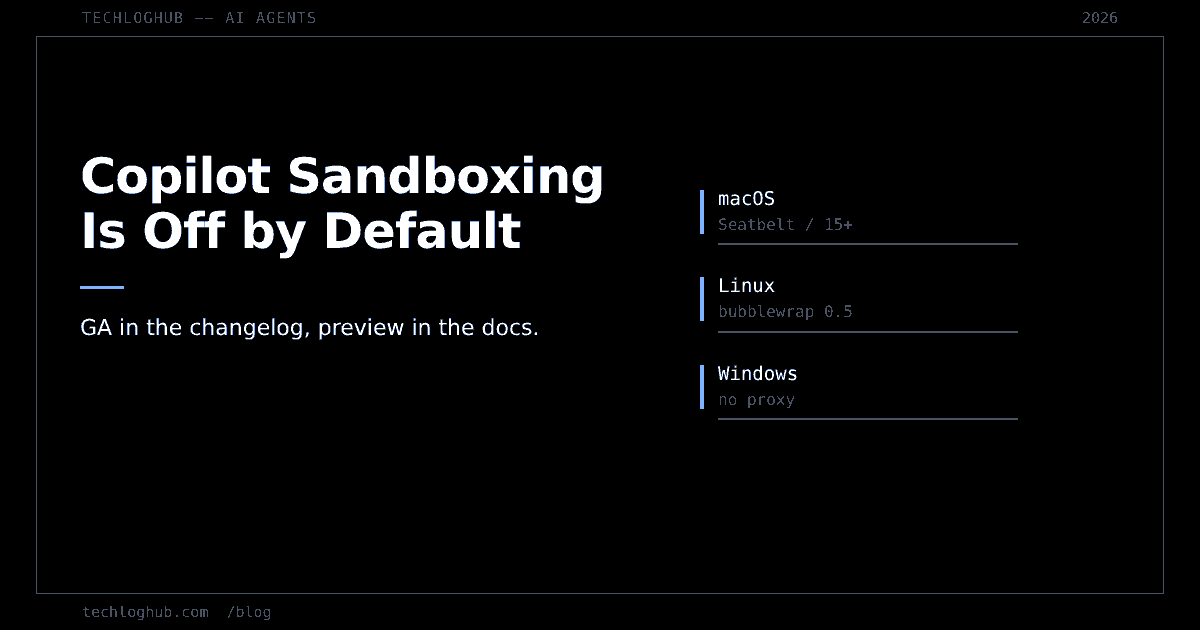
Copilot Local Sandboxing Is GA and Off by Default
Quick answer: GitHub announced local sandboxing for Copilot as generally available on 7 October 2026, but its own concept documentation still says the feature is in public preview, calls it experimental in Copilot CLI, and states plainly that it is turned off by default. Until you enable it, agent commands run with your full user account access. And once you do, what the sandbox can actually enforce differs by operating system.
On 7 October 2026 GitHub announced that local sandboxing for GitHub Copilot is generally available in Copilot CLI, the Copilot app, and VS Code sessions using Agent Host. The pitch is the one every team running coding agents has been waiting for: restrict what the agent's tools and commands can reach — files, network, credentials, system features — with a policy that the developer or the organisation sets, at no additional cost.
Then you read the documentation the announcement links to, and the picture changes.
The announcement and the docs do not agree
GitHub's About cloud and local sandboxes for GitHub Copilot page opens with: "Cloud and local sandboxes for GitHub Copilot are in public preview and subject to change." It then narrows that further: "In Copilot CLI, local sandboxing is currently an experimental feature," and separately, "In the GitHub Copilot app, local sandboxing is in public preview and subject to change."
So the changelog says generally available and the concept page says preview and experimental, on the same product, for the same surfaces, on the same week. We have hit this pattern on this blog enough times now to treat it as a rule rather than an accident: vendor reference documentation lags vendor changelogs, and when they disagree the quieter page usually describes what the software does. It happened with npm's audit endpoints, and it happened again with the Actions artifacts API.
Off by default is the detail that matters
The documentation states it in one sentence: "Local sandboxing is turned off by default." With it off, Copilot's commands run with your full user account access — the same access your shell has, which is to say your SSH keys, your cloud credential files, your browser profile directory and every repository on the disk.
This is the gap between a feature existing and a feature protecting anyone. GitHub shipped the mechanism; the default is unchanged. Compare that with how GitHub has handled other risk defaults this year: pull_request_target gets blocked by default in public repositories on a published date, and Copilot features flip to enabled by default for unconfigured organisations. Sandboxing got neither treatment. It is opt-in per session via /sandbox enable, or persistently via the sandbox.enabled setting, and the CLI and the app keep separate settings — changing one does not change the other.
Once enabled, the docs say shell commands, file search, and by default local MCP and LSP servers run inside the OS sandbox. That is a meaningful blast-radius reduction. You just have to ask for it.
One policy, three operating systems, three different enforcement stories
The mechanism underneath is MXC, the Microsoft eXecution Container: a cross-platform layer that gives Copilot CLI a common interface to each operating system's isolation primitives. Copilot declares a policy; MXC applies it using the OS-specific backend. The docs are careful to position this at "the lighter-weight end of this spectrum" — no separate VM, no container.
A single policy across three platforms sounds like portability. In practice the backends have different capabilities, and the documentation says so.
| Platform | Backend and floor | Documented gap |
|---|---|---|
| macOS | Seatbelt, macOS 15 or later (older untested) | The proxy only applies to programs that honour proxy environment variables; others connect directly |
| Linux | bubblewrap 0.5.0+, plus slirp4netns, iptables and /dev/net/tun for outbound traffic | bubblewrap cannot independently control local network access for spawned processes |
| Windows | BaseContainer tier of the ProcessContainer backend, recent Windows 11 builds, no AppContainer fallback | No proxy support at all; denied paths cause sandboxed commands to fail |
Read the Linux row again, because it is the one most likely to surprise a team that writes a policy once and assumes it holds. If your threat model includes an agent reaching a service on localhost or on the office LAN — a database, an internal API, a metadata endpoint — bubblewrap will not stop a spawned shell command from doing it. That is not a bug report; it is in GitHub's own documentation.
Windows has the opposite failure mode: no proxy support means coarser network policy, and denied paths produce hard failures rather than degraded runs. Test the same policy on each platform before you mandate it.
What the sandbox does not cover
Two exclusions deserve to be read out loud before anyone writes "the agent is sandboxed" in a security review.
Built-in file tools are not in the sandbox
Copilot's built-in file tools run in-process in the CLI, so the OS sandbox cannot constrain them. The docs say they check policy on a best-effort basis. Best-effort in-process enforcement is a different security property from kernel-enforced isolation, and if an agent reads a file through the built-in tool rather than through cat, the thing stopping it is application logic.
Remote MCP servers are never sandboxed
Local MCP and LSP servers run in the sandbox by default. Remote MCP servers are never sandboxed — which follows logically, since the code runs on someone else's machine, but it means the sandbox does nothing about the largest category of agent tool surface most teams have added this year. The transport-level changes we covered in the stateless MCP spec migration make remote servers easier to operate, not easier to contain. If you want limits on a remote MCP server, they have to come from that server's own authorisation model, not from this.
Enterprise enforcement is the part that is actually new
The announcement's strongest claim is that organisations can require sandboxing through enterprise-managed settings and enforce policies developers cannot weaken. The docs back this up with specifics worth knowing: managed settings can be delivered server-managed, MDM-managed or file-based; enterprise-required sandboxing cannot be turned off by ordinary settings or by /sandbox disable; and on an unsupported host, the CLI normally disables the sandbox for the session and shows a notice — unless enterprise device-managed settings require sandboxing, in which case sandboxed commands fail closed.
That fail-closed behaviour is the right default and the thing to plan for. An engineer on macOS 14, or on a Linux box without bubblewrap 0.5.0, becomes an engineer whose agent commands stop working the day the policy lands. Inventory your platform floors first.
Cloud sandboxing is the separate, billed sibling: an entire session in a remote ephemeral Linux environment hosted by GitHub, built on Azure Container Apps Sandboxes, disabled by default until an org or enterprise owner enables it, and interactive-only — it cannot be combined with -p or -i. If your plan was to run sandboxed agents non-interactively in CI, that is the flag combination to check before you design around it.
What to do this week
Four concrete steps. Turn it on for yourself and watch what breaks: credentials access, Git and gh access, subprocesses and the macOS keychain are all configurable, so the first sandboxed session is an inventory of what your agent was quietly touching. Second, check platform floors across your fleet before anyone proposes enterprise enforcement. Third, decide separately what you are doing about remote MCP servers, because this feature does not touch them. Fourth, write the policy down where the rest of your agent configuration lives, next to whichever tools in our AI tools and platforms and security and privacy categories you have already adopted.
A sandbox that is off is a feature flag, not a control. The announcement is good news. The default is the work.
FAQ
Is Copilot local sandboxing enabled automatically after the GA announcement?
No. GitHub's documentation states that local sandboxing is turned off by default. With it off, Copilot's commands run with your full user account access. You enable it per session with /sandbox enable or persistently through the sandbox.enabled setting, and the Copilot CLI and the Copilot app keep separate settings.
Why does GitHub's documentation still say public preview if the feature is GA?
The 7 October 2026 changelog announces general availability, while the About cloud and local sandboxes concept page says the feature is in public preview and subject to change, and describes local sandboxing in Copilot CLI as experimental. Vendor reference documentation routinely lags vendor changelogs. Until the pages agree, cite the documentation in internal policy, because it is the page that warns the behaviour can change.
What operating system versions does local sandboxing require?
macOS 15 or later using the Seatbelt backend, with older versions untested; Linux with bubblewrap 0.5.0 or later, plus slirp4netns, iptables and access to /dev/net/tun for outbound traffic; and recent Windows 11 builds using the BaseContainer tier of the ProcessContainer backend, with no AppContainer fallback.
Does the sandbox stop an agent reaching services on localhost?
Not reliably on Linux. GitHub documents that bubblewrap cannot independently control local network access for spawned processes, including shell commands and local MCP or LSP servers. If your threat model includes an agent reaching a local database or internal API, do not rely on the sandbox alone on Linux hosts.
What happens on a machine that cannot support the sandbox?
By default the CLI disables the sandbox for that session and shows a notice. If enterprise device-managed settings require sandboxing, sandboxed commands fail closed instead. Audit platform versions across your fleet before mandating sandboxing, or engineers on older hosts will lose the ability to run agent commands.
Can I run sandboxed Copilot sessions non-interactively in CI?
Cloud sandboxing is interactive-only and cannot be combined with the -p or -i flags, so a cloud-sandboxed session is not a drop-in for scripted use. Local sandboxing is the per-machine path and is free, but it depends on the host supporting one of the three MXC backends.
Browse more agent and developer tooling in the developer tools directory, or try the 65+ free utilities on TechLogHub Tools.