

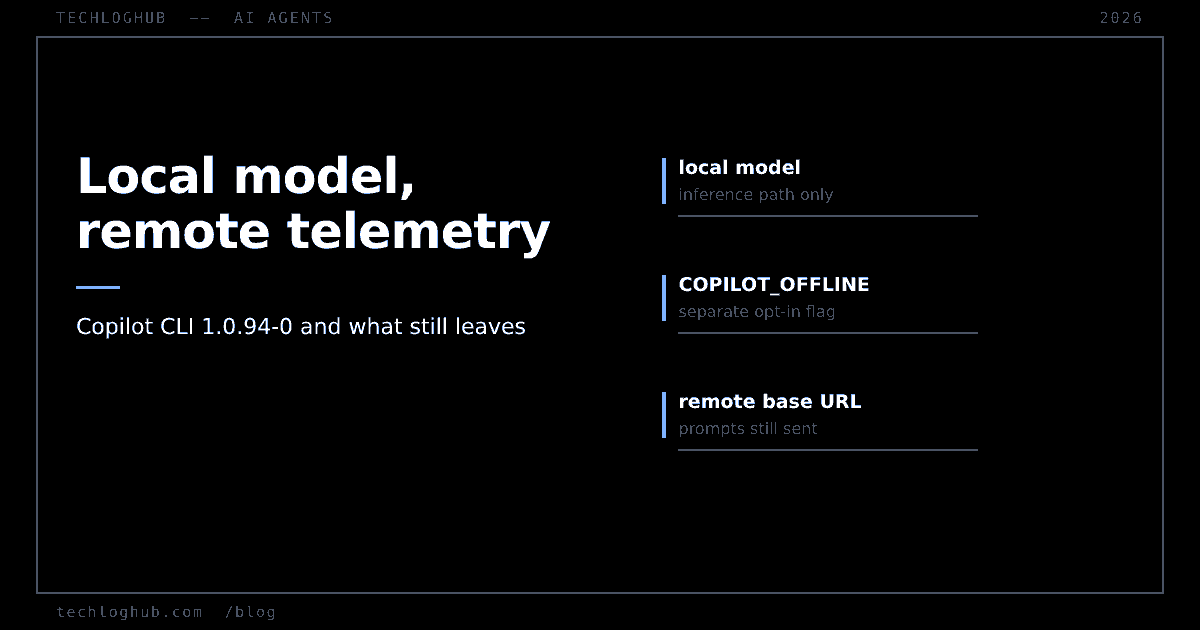
A local model in Copilot CLI is not local privacy
Quick answer: GitHub Copilot CLI 1.0.94-0 can discover models from a running local Ollama instance with /model. GitHub's own changelog says choosing one of those models does not enable offline mode and does not disable GitHub telemetry. Offline mode is a separate opt-in, COPILOT_OFFLINE=true, and even then the docs warn that prompts and code context still travel if your provider endpoint is remote.
Three separate things get collapsed into one idea whenever “local models” ships in a coding agent: where the weights run, whether the tool talks to its vendor, and whether your code leaves the machine. GitHub's 7 October changelog is unusually clear that they are three things. The documentation is less clear, and the gap is where teams will get this wrong.
What actually shipped
Starting with Copilot CLI version 1.0.94-0, the /model command discovers supported models from a running local Ollama instance and lists them alongside your configured models and the cloud models GitHub provides. The mechanics are deliberately conservative:
Discovery does not add models automatically. You select a discovered model, review its provider and endpoint, then choose Add and use for this session or Add without switching. You can start using it in the current session without restarting the CLI. Provider connection failures show up in the picker with an explanation rather than failing silently.
Two requirements narrow the field. Ollama and the model must already be installed — the feature installs no runtime and downloads no weights. And the model must support tool calling and streaming. That second one eliminates a lot of what people have sitting on disk. An agent that cannot call tools cannot do the thing Copilot CLI exists to do, so a model that works beautifully in a chat window may simply not appear.
The sentence the changelog gets right
GitHub states directly that choosing a local model does not enable offline mode and does not disable GitHub telemetry, and that offline mode remains an explicit choice set with COPILOT_OFFLINE=true.
That is worth stating slowly, because the intuition runs the other way. If inference happens on your laptop, it feels like nothing left your laptop. What actually happened is that one hop — the model call — became local. The agent is still an agent: it has a session, a vendor, a configuration, and whatever instrumentation that vendor ships. Those are orthogonal to where the matrix multiplications run.
A useful mental model: moving to a local model changes the inference path. Offline mode changes the control path. Changing one does not change the other, and only one of them is a flag you have to set yourself.
Offline mode has its own asterisk
The bring-your-own-model documentation for the CLI says offline mode prevents the CLI from contacting GitHub's servers, and then adds the caveat that matters: “Offline mode only guarantees full network isolation if your provider is also local or within the same isolated environment.” If COPILOT_PROVIDER_BASE_URL points at a remote endpoint, the docs state that your prompts and code context are still sent over the network to that provider.
So COPILOT_OFFLINE=true is not a kill switch for egress. It is a kill switch for one destination. Pointing it at a hosted OpenAI-compatible endpoint while calling the setup “offline” is a configuration that reads as private and is not.
The provider surface is wider than Ollama. COPILOT_PROVIDER_TYPE accepts openai (the default), azure and anthropic, and the openai type covers “OpenAI, Ollama, vLLM, Foundry Local, and any other OpenAI Chat Completions API-compatible endpoint”. COPILOT_PROVIDER_BASE_URL is required. COPILOT_PROVIDER_API_KEY is not required for providers without authentication, such as a local Ollama instance.
Notice what that means for discovery: BYOK supports many endpoint shapes, but the new /model discovery is specifically described against a running Ollama instance. If you run vLLM or an OpenAI-compatible server of your own, you still configure it by hand.
CLI and app are not the same product
The Copilot app's BYOK page describes a different configuration model and a wider provider list: OpenAI, Azure OpenAI, Microsoft Foundry, Anthropic, Ollama, Foundry Local, LM Studio, and any OpenAI-compatible HTTP endpoint. Setup is in the UI under Settings, Model providers, Add provider, with fields that “vary by provider but may include the display name, base URL, and API key”. Credentials are “stored in the system credential store and are never displayed in the UI”.
| Aspect | Copilot CLI | Copilot app |
|---|---|---|
| Configuration | Environment variables | UI only |
| Provider types documented | Three, one of which is a catch-all | Eight named, incl. LM Studio |
| Offline mode | Documented, opt-in | Not mentioned |
| Telemetry | Not mentioned on the BYOK page | Not mentioned |
| Copilot plan required | Not stated on that page | Not required with BYOK; GitHub sign-in is |
That last app row is the quietly interesting one. You can run the Copilot app against your own provider without a Copilot plan — but you must still sign in with a GitHub account. The account is the floor. BYOK removes the subscription, not the identity.
The documentation gap
Here is the part that should bother anyone writing a policy around this. The clearest statement about telemetry — that selecting a local model does not disable it — lives in a changelog post. Neither BYOK documentation page mentions telemetry at all. Neither says what GitHub or the provider retains or logs. The only data-flow statements on the CLI page are the offline-mode ones.
Changelogs are not reference documentation. They are not versioned against product behaviour, they are not where anyone looks in six months, and they are not what a security review reads. If the one sentence that corrects the natural misreading of a feature exists only in a dated blog post, the misreading is what will propagate. This is the same failure shape we keep running into — a vendor's changelog and its reference docs describing different products, as with MCP's spec revisions, where the migration cost lived in the changelog and the reference page still described the old shape.
Also announced in the same post and worth tracking separately: intelligent routing with local models, with details on the Microsoft Command Line blog and availability described as pending. Routing between a local and a cloud model is a materially different privacy story again, because the decision about which prompt goes where stops being yours.
What to actually do
If the goal is convenience — cheaper iteration, no rate limits, working on a plane — use discovery and stop there. It is a good feature, well-designed, and the picker showing you the provider and endpoint before you commit is the right default.
If the goal is that code does not leave the machine, three things have to be true at once, and you have to verify them yourself: the model is local, COPILOT_OFFLINE=true is set, and COPILOT_PROVIDER_BASE_URL resolves to something on your own host or isolated network. Then confirm it the only way that is actually evidence — watch the connections. Not the settings screen.
For a team policy, write the three conditions down rather than the word “local”. And if you are still choosing between agents, the AI tools and platforms category is where these get compared, with open-source listings covering the ones you can inspect end to end and the wider product directory for everything else. Where a vendor's data-flow story depends on a changelog sentence, prefer the tool whose answer is in the reference docs — a point our tool comparison framework treats as a real signal about the vendor, not a paperwork quibble.
FAQ
Does using a local model in Copilot CLI stop data going to GitHub?
No. GitHub's changelog states that choosing a local model does not enable offline mode and does not disable GitHub telemetry. Offline mode is a separate explicit setting, COPILOT_OFFLINE=true.
Does COPILOT_OFFLINE=true guarantee nothing leaves the machine?
Only if your provider is local too. The BYOK documentation says offline mode guarantees full network isolation only when the provider is also local or within the same isolated environment, and that a remote COPILOT_PROVIDER_BASE_URL still receives your prompts and code context.
Which local runtimes does discovery support?
The changelog describes discovery against a running Ollama instance, with Ollama and the model already installed. Broader BYOK configuration covers vLLM, Foundry Local and any OpenAI Chat Completions-compatible endpoint, but those you configure by hand rather than discover.
Why does a model I have installed not appear in /model?
Models must support tool calling and streaming. A model without tool calling cannot drive an agent loop, so it is excluded. Provider connection failures are also surfaced in the picker with an explanation, which is the other thing to check.
Do I need a Copilot subscription to use my own model?
For the Copilot app, the documentation says a Copilot plan is not required if you use your own provider, but you must sign in with a GitHub account. The CLI's BYOK page does not state a plan requirement either way.
Where are BYOK credentials stored?
In the Copilot app, the documentation says provider credentials are stored in the system credential store and are never displayed in the UI. In the CLI, the key is supplied through the COPILOT_PROVIDER_API_KEY environment variable, which means your usual shell-history and process-environment hygiene applies.
Where the weights sit is an architecture detail. Where the data goes is a configuration you have to set on purpose.