



How to Fine-Tune Open Models Locally With Unsloth Studio
A practical technical guide to evaluating Unsloth Studio for local model fine-tuning, including environment choices, data preparation, base-model selection, training workflow design, export planning, and deployment caveats.
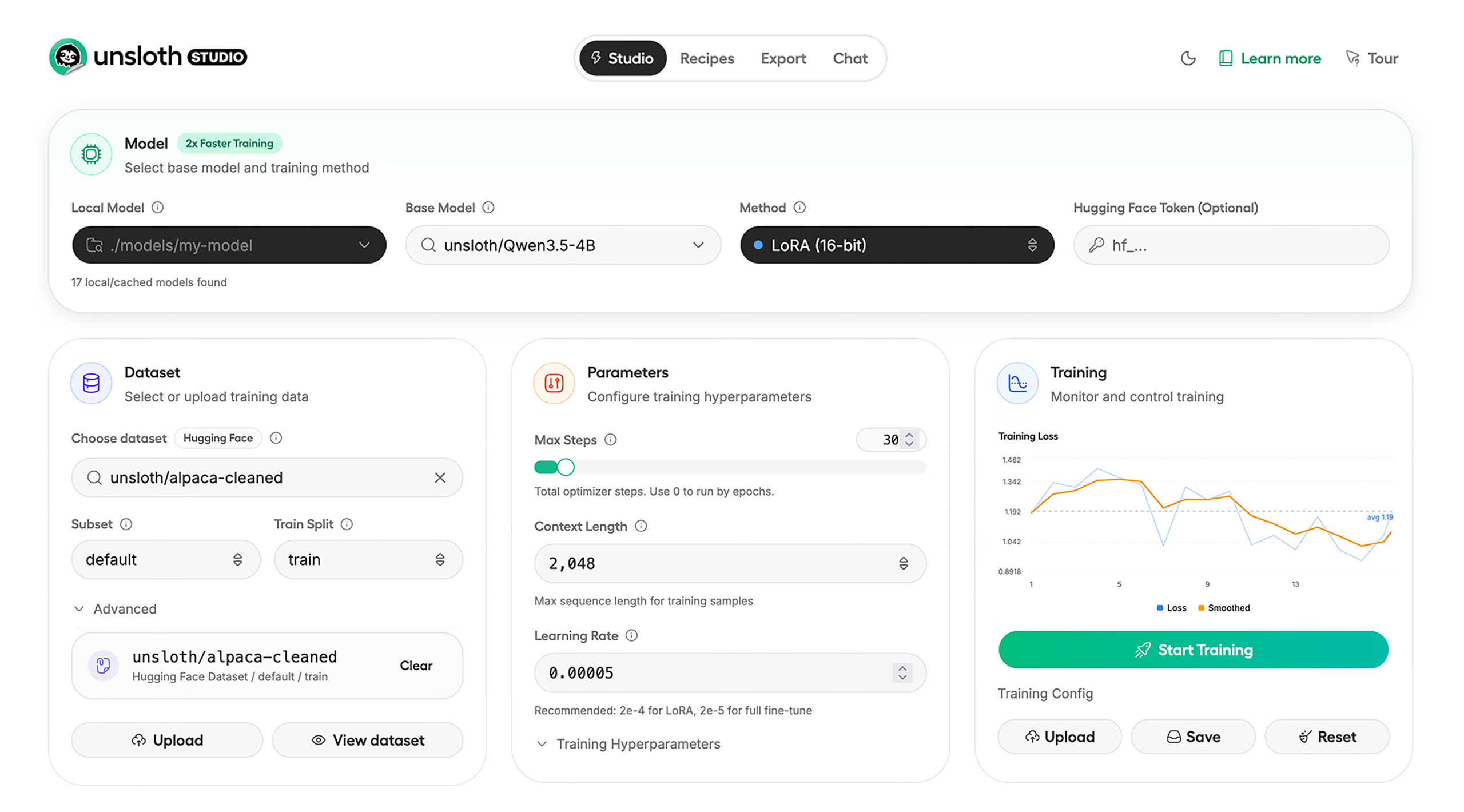
Unsloth Tutorial: End-to-End Local Fine-Tuning Workflow
Teams searching for an Unsloth tutorial are usually trying to answer a concrete question: can this stack take them from local model setup to a usable fine-tuned artifact without stitching together half a dozen unrelated tools? Based on Unsloth's public documentation and repository, the answer is often yes, but only if the workflow is planned with the right expectations around hardware, model format, and export targets.
Choosing Between Studio and Core
The first decision is whether to use Unsloth Studio or the code-first Unsloth Core path. Studio is the better fit for teams that want a local UI for running models, preparing data, comparing results, and launching training jobs from one place. The code-first path is more suitable for reproducible automation in notebooks, scripts, or CI environments. Many teams evaluate workflows in Studio first and automate later.
Step 1: Environment Planning
Unsloth supports Windows, Linux, WSL, macOS, Docker, and Python tooling. Before selecting a model, determine whether the workflow is inference-only, supervised fine-tuning, or reinforcement learning. This impacts GPU memory requirements, quantization choices, and whether models remain in GGUF format or training checkpoints.
Step 2: Data Preparation
Data Recipes transform PDFs, DOCX, CSV, and JSON into training-ready datasets. For most teams, data preparation is the primary bottleneck. Proper prompt templates, label quality, and chunking strategies are critical for meaningful results.
Step 3: Base Model Selection
Narrow model choices early. Select a model family aligned with deployment targets, ensure it fits within VRAM constraints, and define expected runtime post-export. Plan export targets like Ollama or llama.cpp before training begins to avoid incompatibilities later.
Step 4: Training Execution
While Unsloth emphasizes efficiency and reduced VRAM usage, the key operational priority is reproducibility. Log dataset versions, prompt formats, base models, adapter settings, hardware configurations, and export targets for each run.
Step 5: Evaluation
Use local comparison workflows to evaluate checkpoints. This helps identify overfitting, weak datasets, and mismatches between training data and real-world tasks. Most failures originate from poor data design rather than model limitations.
Step 6: Export and Validation
Export models to GGUF or safetensors and validate them in the target runtime environment. Compatibility with tools like Ollama, llama.cpp, and vLLM should be verified for latency, memory usage, and output consistency before production use.
Practical Considerations
Unsloth Studio is still in beta, and support varies across platforms. Some Apple MLX, AMD, and Intel integrations are still evolving. Teams should treat Unsloth as a strong evaluation candidate rather than a guaranteed fit for all hardware setups.
Conclusion
Unsloth’s main strength is its unified local-first workflow covering data preparation, training, evaluation, and export. It is ideal for teams prioritizing local experimentation and iterative development. For large-scale distributed training, it may serve better as an experimentation layer rather than a full production backbone.